
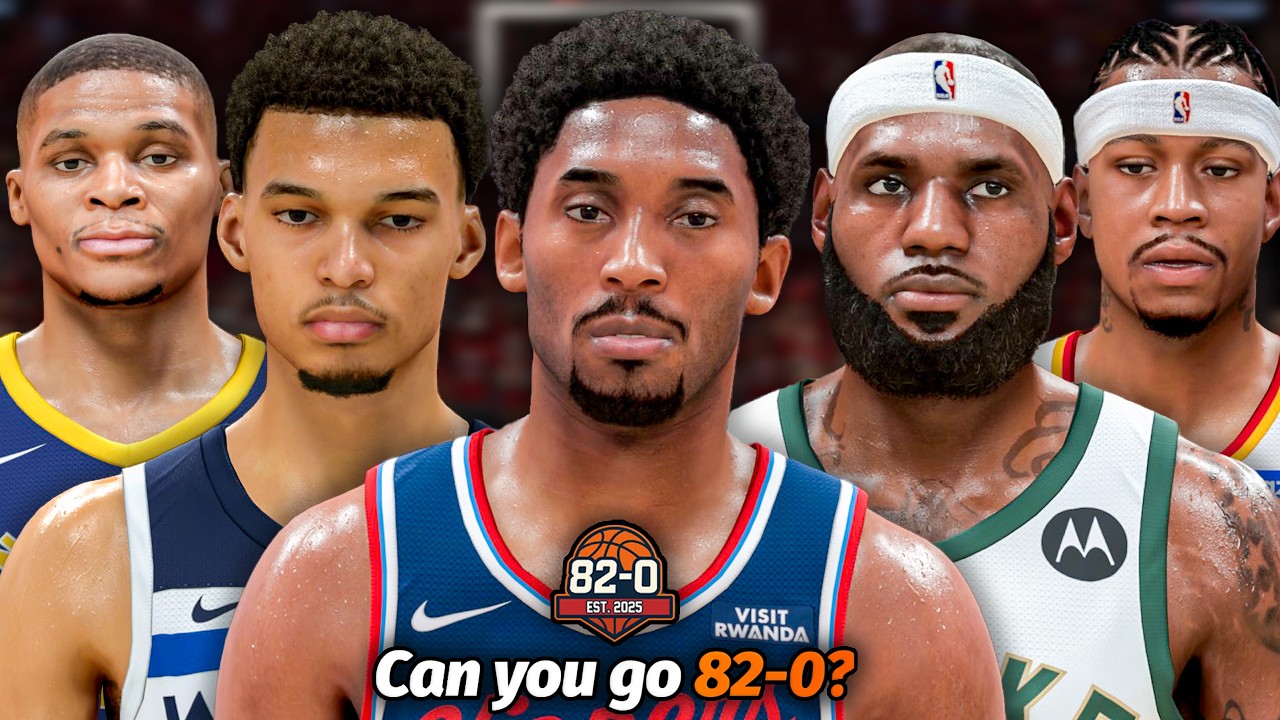
Bridging the gap between a high-level drafting session on 82-0.com and the high-fidelity simulation engine of NBA 2K is the ultimate project for any basketball strategist. Because 82-0.com allows you to curate rosters from across basketball history, bringing those lineups into the game enables you to test "what-if" scenarios, balance league parity, and see how your hand-picked squads perform over a grueling 82-game season.
To successfully import these drafts, you must treat your 82-0.com output as a blueprint, then leverage the NBA 2K "Create Roster" suite to manually translate that data. This guide covers the end-to-end process of roster construction, tactical alignment, and simulation optimization.
Preparing Your 82-0.com Draft for Simulation
Before you touch the console, your draft must be "simulation-ready." A common mistake is drafting based solely on raw player ratings without considering positional balance or team synergy.
- Prioritize Depth: NBA 2K’s simulation engine relies on the strength of your 13-man roster. Ensure your 82-0.com draft includes a viable backup for every position. If you draft a superstar starting five but leave your bench empty, the game’s AI will fill those slots with low-rated players, dragging down your team’s overall performance and causing unrealistic stat discrepancies.
- Establish a Team Identity: When drafting on 82-0.com, categorize your teams by playstyle—such as "Floor Spacers," "Defensive Anchors," or "Post-Dominant." This helps when assigning roles inside the 2K editor, as the game’s AI will better recognize how to allocate shots and minutes based on these archetypes.
- The 30-Team Audit: Since you are building a league-wide roster, ensure the talent distribution is somewhat uniform. If one team is stacked with three MVP-caliber players while another has none, your simulation will result in lopsided games that provide little value for testing your drafting theories.
The Workflow: Importing 82-0.com Data into NBA 2K
There is no direct "file import" button between 82-0.com and NBA 2K; therefore, you must treat the process as a manual data entry task. Efficiency is key to avoiding "menu fatigue."
- Create a Base Roster: Navigate to the "Features" menu in NBA 2K and select "Create Roster." Start with a clean slate or the official current roster.
- Batch Processing: Do not attempt to edit all 30 teams at once. Focus on one division or one conference per session. This prevents input errors and keeps your workflow organized.
- Input Marquee Players First: Start with your starters. Ensure their positions and primary ratings match your 82-0.com draft. Once the core is set, fill the bench roles.
- Save Frequently: NBA 2K menus can be volatile. Save your progress as a custom roster file every time you finish editing a team to ensure you don't lose data due to a game crash or session timeout.
Optimizing In-Game Roles and Chemistry
Raw talent is only half the battle. Once your players are in the game, you must use the "Edit Player" and "Team Rotation" menus to ensure they behave like the team you envisioned.
The Role Assignment System
NBA 2K assigns roles (e.g., "Star," "Starter," "Sixth Man," "Role Player") that dictate how much playing time a player demands. If you have a high-rated player on your 82-0.com draft but assign them a "Role Player" status in the game, your simulation will show low usage rates and frustrated locker room chemistry. Always verify that your team’s hierarchy in the 2K rotation menu matches the hierarchy you established during your 82-0.com draft.
Fixing Position Overlap
If your simulation shows a team underperforming despite high ratings, check for positional redundancy. If you have three high-usage shooting guards on one team, the game engine will struggle to distribute the ball, leading to poor shooting percentages. Use the edit screen to adjust player secondary positions, which allows the AI to shift them into different slots and share the court more effectively.
Troubleshooting Simulation Performance
Even with perfect roster inputs, the simulation engine can be unpredictable. Here is how to troubleshoot common issues:
- The "Superteam" Problem: If your custom team is winning 75+ games, the game’s internal logic may be struggling with the high talent concentration. If you want a more realistic outcome, consider using the "Edit Player" function to slightly lower specific badges or secondary attributes, which creates a more competitive league environment.
- Badges and Tendencies: Remember that 82-0.com drafts often focus on attributes (speed, shooting, defense). In NBA 2K, badges are arguably more important. When importing your players, ensure you check their "Tendencies" (how often they drive vs. shoot) and "Badges." A player with a 90 three-point rating but no "Catch and Shoot" badge will perform significantly worse in simulation than one with an 85 rating and the correct badges.
Leveraging MyNBA for Long-Term Analysis
Once your rosters are imported, the real value lies in the "MyNBA" (or "MyLeague") mode. This is where your drafting strategy is stress-tested over a full 82-game schedule.
- Track Statistical Trends: Use the league’s statistical leaders page to see if your drafted players are hitting the marks you expected. If a specific archetype is failing to produce, look at their team’s pace and space settings.
- Iterative Drafting: After finishing a season, return to 82-0.com. If your "Defensive-First" team strategy underperformed, analyze why. Did they lack a secondary scorer? Did the simulation favor high-pace teams? Take these lessons back to your next 82-0.com draft. This feedback loop is what separates casual players from elite roster architects.
By combining the historical drafting capabilities of 82-0.com with the deep simulation mechanics of NBA 2K, you can create a custom league experience that feels truly your own. Focus on balancing roles, managing team chemistry through badges, and using the MyNBA engine to refine your strategy, and you will find that your perfect season is well within reach.
Free 82-0.com Codes
Current active codes and how to redeem them.

Michael Smith
Michael covers live-service games, events, reward systems, and efficient daily routines, turning frequent updates into clear actions for players.
COMMUNITY
Player Comments
69 players commented on this guide.
I tried this today and it worked better than my old setup.
This helped me understand strategy much better.
I wish I had read this before upgrading the wrong thing.
This guide answered the exact question I had.