
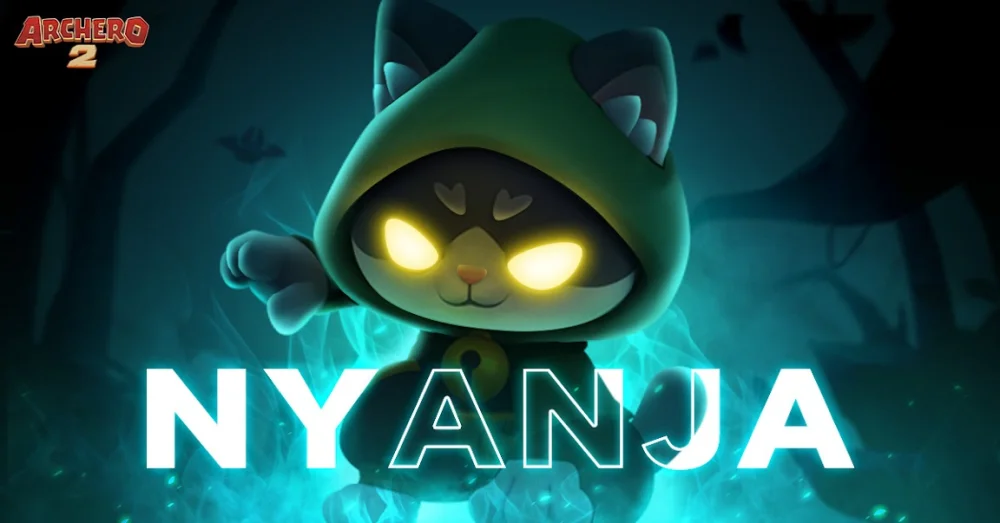
Redeeming promotional gift codes is the most efficient way for both new and veteran Archero 2 players to acquire free in-game currency, energy, and rare upgrade materials without spending gems or real money. Because Archero 2 is a highly competitive roguelike that demands constant equipment refinement and skill selection, these freebies provide a vital head start. This guide covers how to locate your Player ID, navigate the redemption portal, and troubleshoot common issues so you never miss a reward.
How to Redeem Archero 2 Gift Codes
Unlike many mobile titles that allow code entry directly inside the game settings, Archero 2 utilizes a dedicated external web portal for security and server synchronization. Follow these steps to ensure your account is credited correctly:
- Locate Your Player ID: Open Archero 2 and tap on your profile icon (usually located in the top-left corner of the main lobby). Copy the numerical User ID displayed beneath your username.
- Access the Official Redemption Portal: Navigate to the official Archero 2 redemption website provided by the developer.
- Input Credentials: Enter your copied Player ID into the "User ID" field. Ensure there are no leading or trailing spaces.
- Enter the Gift Code: Carefully type or paste the code into the "Redemption Code" field. Codes are often case-sensitive, so verify the capitalization.
- Submit and Verify: Complete any required CAPTCHA challenges and click the "Redeem" button.
- Claim In-Game: Launch Archero 2, navigate to your in-game mailbox, and collect your rewards. If they do not appear instantly, wait 5–10 minutes for the server to process the request.
Currently Active Archero 2 Gift Codes
The following codes are currently active and available for Archero 2 players. We recommend redeeming these as soon as possible, as promotional codes frequently have expiration dates tied to seasonal events or community milestones.
- vip777
- vip888
- lucky2024
- Archero2NAVER
- Archero2TWOB
- Archero2KR1121
- archersa
Note: Codes are typically one-time use per account. If you have already redeemed a code, the system will prevent a duplicate claim.
Why Gift Codes Are Essential for Progression
In Archero 2, resource management is the backbone of your success. Whether you are tackling the Trial Tower or grinding the Gold Cave, every bit of extra currency helps. Gift codes often provide:
- Energy Refills: Vital for extending your play sessions during limited-time events.
- Gems: The primary currency for purchasing high-tier chests and specialized items.
- Upgrade Materials: Essential for boosting your hero’s stats and gear levels to overcome high-difficulty stage bosses.
By using these codes, you save your hard-earned gems for essential shop purchases or stamina, allowing you to climb the PvP rankings or clear higher dungeon floors significantly faster than players who rely solely on natural resource generation.
Troubleshooting Common Redemption Issues
If you encounter an error while attempting to redeem a code, follow this checklist to resolve the problem:
- "Invalid Code" or "Expired": The code has either been typed incorrectly or the promotional period has ended. Double-check your spelling; if it is correct, the code is likely expired.
- "Invalid User ID": You have likely entered the wrong number or included a space character. Re-copy your ID directly from the game’s settings menu.
- Rewards Not Appearing: Ensure you are logged into the same server and account that you used on the web portal. If you have multiple accounts, verify you haven't accidentally redeemed the code on a secondary profile.
- Regional Restrictions: Some codes are region-specific (e.g., KR or NA specific). If a code is intended for a different region, it will return an error regardless of your ID accuracy.
Strategies for Staying Updated
Because Archero 2 developers release codes frequently during patch updates, community events, or social media milestones, staying informed is key.
- Monitor Official Channels: Follow the official Archero 2 social media accounts (Facebook, Twitter/X, and Discord). Developers often drop "flash codes" that expire within 24 to 48 hours.
- Check Community Hubs: Join the Archero 2 Reddit or Discord communities. Dedicated players often aggregate new codes the moment they are discovered.
- In-Game Notifications: Always check your in-game mailbox and the "News" or "Events" tab. Occasionally, the developers will send codes directly to your inbox to celebrate major game updates or anniversary events.
Expert Tips for Maximizing Rewards
- Don't Wait: Never hoard an active code. Because developers rarely announce expiration dates, a code that works today might be deactivated tomorrow.
- Avoid Third-Party Sites: Only use the official redemption portal. Many sites claiming to offer "infinite gem" generators are phishing scams designed to steal your account information.
- Check Your Mailbox Frequently: Rewards sent via codes usually have an expiration timer within your mailbox. If you don't claim them within a few weeks, they may disappear.
By consistently applying these codes, you maximize your growth velocity in Archero 2, allowing you to focus on mastering the roguelike combat mechanics rather than worrying about resource shortages. Stay vigilant, redeem early, and keep your hero battle-ready for the next challenge.
Free Archero 2 Codes
Current active codes and how to redeem them.

Michael Smith
Michael covers live-service games, events, reward systems, and efficient daily routines, turning frequent updates into clear actions for players.
COMMUNITY
Player Comments
158 players commented on this guide.
Can you add more details about resources in a future update?
Nice guide. I am checking the other Archero 2 articles next.
This helped me understand resources much better.
I tried this today and it worked better than my old setup.