
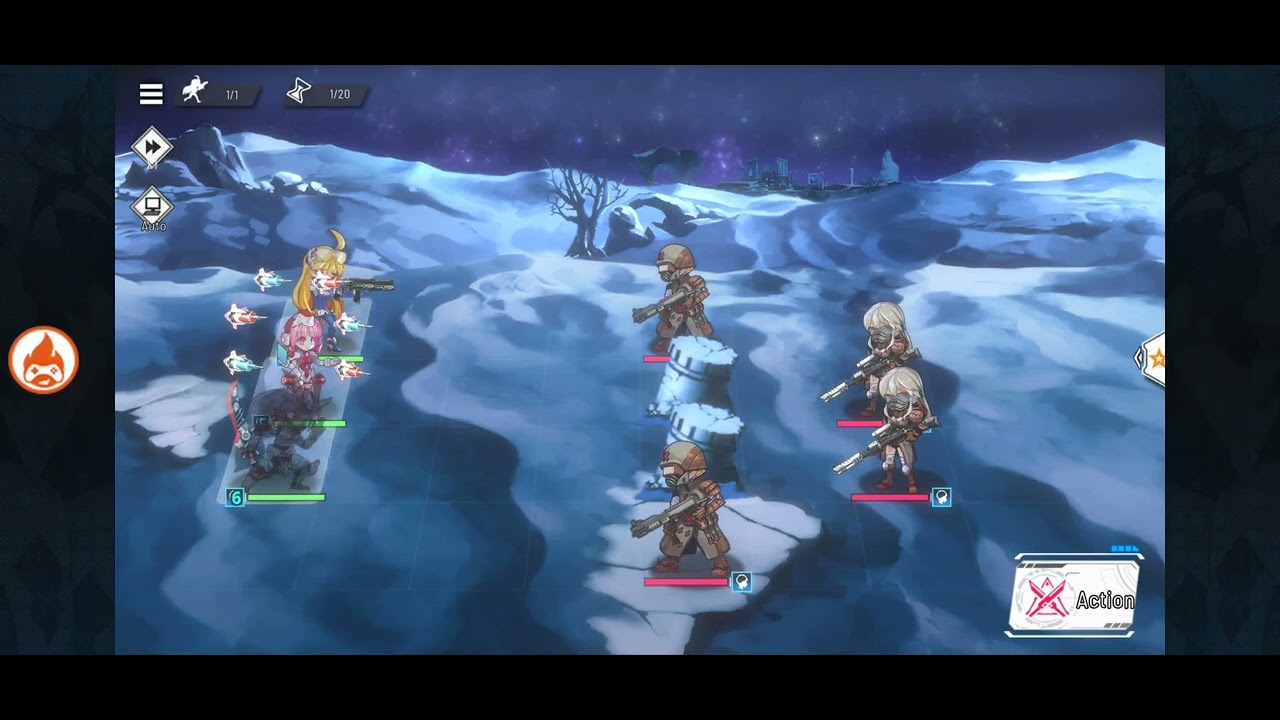
In the high-stakes, grid-based combat of Battlezone Saga: Gacha Diva, victory often hinges on split-second decisions. While the game’s orchestral soundtrack is designed to pull you into its war-torn world, the default audio balance can actually hinder your performance. By customizing your sound settings, you can isolate vital tactical cues, mitigate hardware strain during long idle sessions, and ensure that your inputs are processed with minimal latency. This guide explores how to fine-tune your auditory experience to gain a definitive edge on the battlefield.
The Tactical Advantage of Audio Isolation
In Battlezone Saga: Gacha Diva, visual clutter—such as ability particle effects, unit movement animations, and UI overlays—can make it difficult to track enemy cooldowns. This is where audio takes center stage. Every hero ability and enemy action is tied to a specific sound signature. When the background music is set to its default level, these subtle "audio markers" are often drowned out, causing you to miss the exact moment an enemy prepares an ultimate attack.
To gain a competitive advantage, follow this configuration:
- Music: Set to 25–40%. This preserves the atmosphere without interfering with high-frequency sound effects.
- SFX: Set to 85–100%. This is your primary source of combat telemetry.
- Voice/Dialog: Set to 60%. This ensures you follow the story-rich narrative without distracting from the tactical combat feedback.
By lowering the music and pushing the SFX, you turn your ears into a secondary monitoring system. You will begin to notice the distinct "charge-up" sound of boss units before the visual animation even reaches its peak, allowing you to trigger your own defensive abilities or unit positioning commands with greater precision.
Battery Efficiency and Hardware Optimization
Battlezone Saga: Gacha Diva is a resource-intensive idle RPG. The game’s sound engine, particularly the processing of high-fidelity combat effects, contributes significantly to CPU and GPU load. If your device tends to heat up during extended farming loops or multi-stage grinds, your audio settings are likely a contributing factor.
Disabling background music is one of the most effective ways to lower the thermal output of your device. When the processor isn't occupied with mixing multiple layers of orchestral music alongside complex combat SFX, the overall system temperature drops. This prevents thermal throttling, where the device slows down its performance to protect itself from heat. By keeping your audio load light, you ensure a smoother frame rate and prevent the "stuttering" that often occurs when a device reaches its thermal limit.
Leveraging Audio Cues for Combat Timing
Mastering the audio-visual sync is a hallmark of an expert commander. In Battlezone Saga: Gacha Diva, input latency can be a silent killer. Because the game relies on server-side validation for your tactical commands, there is often a slight delay between your tap and the action on screen.
You can use audio as a diagnostic tool for your network stability:
- The Activation Check: Listen closely when you tap a hero ability. If there is a noticeable gap between your tap and the hero's "activation sound," you are experiencing network lag.
- The Rhythm of Combat: High-level play involves recognizing the "thrum" of incoming damage. Many elite units in the game feature a rhythmic audio cue as they enter their skill-cast animation. By keeping your SFX volume high, you can develop a "muscle memory" for these sounds, allowing you to react instinctively rather than waiting to process the visual information.
Troubleshooting Audio Anomalies
If you experience crackling, stuttering, or desynced audio during intense combat sequences, the sound engine may be struggling with the sheer volume of concurrent effects.
Steps to resolve audio performance issues:
- Clear the Cache: Go to the game settings and select "Clear Cache." This removes temporary audio data that may have become corrupted during updates.
- Check Background Processes: Ensure no other media apps are running in the background. Even if paused, some apps reserve audio channels that can conflict with the game's sound engine.
- Refresh the Audio Engine: If you experience a complete loss of sound, toggle the "Mute" button in the settings menu off and on. This forces the game to re-initialize the audio driver without requiring a full application restart.
- Update Device Firmware: Battlezone Saga: Gacha Diva utilizes advanced audio codecs. Outdated device software may not support these, leading to stuttering.
Maintaining Focus During Long Farming Sessions
"Audio fatigue" is a real phenomenon for dedicated players. Listening to the same musical loop for hours while grinding for upgrade materials can lead to decreased alertness. To maintain your performance during long-term session play:
- Implement a Hybrid Sound Profile: Keep the game SFX enabled so you remain aware of critical combat events, but mute the in-game music entirely. Replace it with external, low-tempo music that helps you maintain focus without competing for your attention.
- Use High-Quality Wired Headphones: Bluetooth headphones often introduce a slight delay (latency) between the game and your ears. For tactical play, wired audio is superior, as it eliminates the lag between the game's sound engine and your perception of the action.
- The "Clean Sound" Strategy: Periodically set all audio to zero for 10 minutes. This resets your auditory sensitivity, allowing you to re-engage with the game's distinct combat cues with renewed focus once you turn the volume back on.
By treating audio as a tactical asset rather than just background noise, you transform your experience in Battlezone Saga: Gacha Diva. Whether you are pushing through a difficult story chapter or optimizing your idle farming efficiency, a well-balanced audio profile is the key to mastering the battlefield.

Free Battlezone Saga: Gacha Diva Codes
Current active codes and how to redeem them.

James Brown
James focuses on Android gaming on PC, emulator setup, controls, performance tuning, and practical troubleshooting for longer play sessions.
COMMUNITY
Player Comments
54 players commented on this guide.
Can you add more details about strategy in a future update?
Good guide for Battlezone Saga: Gacha Diva players. The strategy part was useful.
Nice guide. I am checking the other Battlezone Saga: Gacha Diva articles next.
This guide answered the exact question I had.