
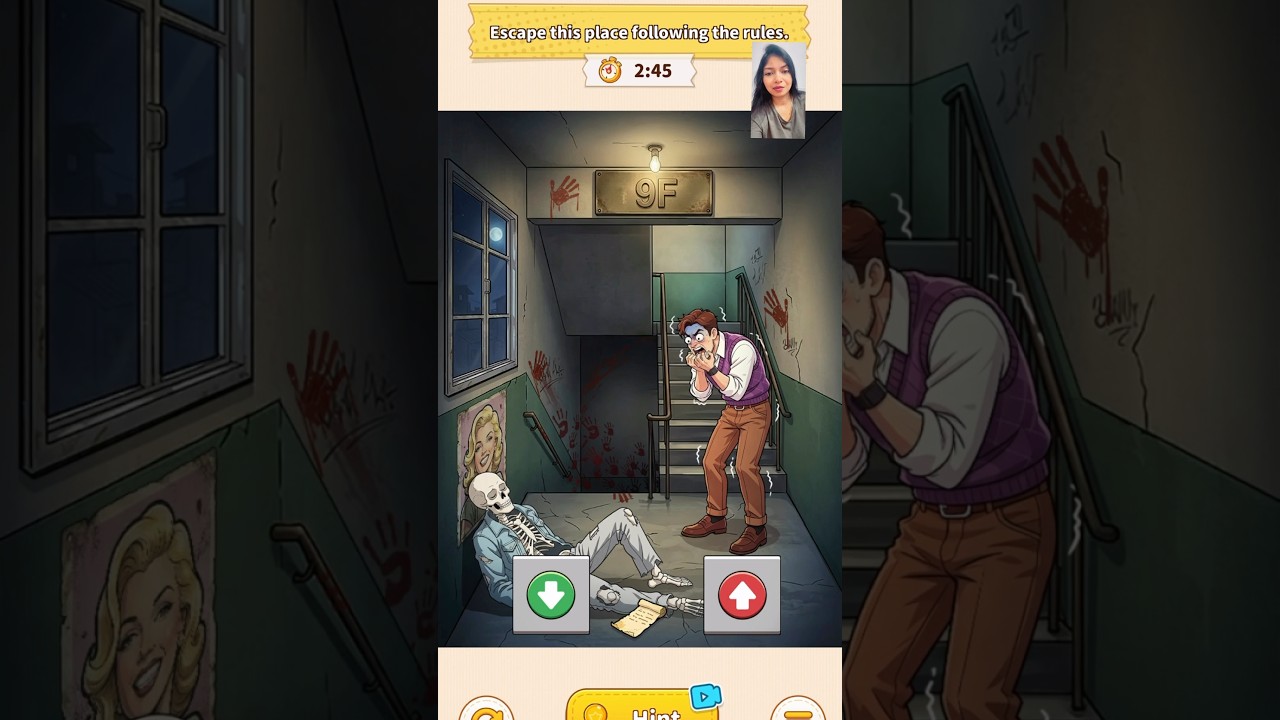
To escape the Infinite Staircase in Brain Puzzle 3: Crazy Mind, read the posted survival rules on each landing, resolve environmental anomalies to break the looping stairs, and verify the final door before using your key. Failing to check a note, misusing tools like the flashlight, or interacting with forbidden figures causes an instant defeat.
Follow Posted Rules on Every Landing
Survival depends entirely on following the rules written on the notes attached to the stairwell walls. Inspect the note immediately upon spawning on a floor before tapping on any nearby objects or characters.
- Read new instructions: Each note specifies permitted actions, such as whether you can turn on a light, look backward, or touch nearby fixtures.
- Track the floor numbers: Verify that stair numbers progress in order. Repeating or inverted numbers indicate an active illusion.
- Avoid unprompted interactions: Do not tap on doors, figures, or items until you verify that the active note allows contact.
Handling Entities and Landing Anomalies
Shadowy strangers and environmental hazards appear on intermediate landings to bait you into breaking protocol. Handle each hazard according to the current floor's rules:
- Shadowy Stranger: If a figure blocks your path offering items or assistance, check your active note. If conversing with strangers is forbidden, ignore dialogue prompts. Wait for the figure to leave or use an approved tool to illuminate the path without touching them.
- Visual and Audio Cues: When flickering lights, strange sounds, or footprints appear, stop descending. Allow the landing to settle or resolve the anomaly before continuing down the stairs.
Stairwell Tools and Items
Surviving deeper floors requires collecting and using items on specific targets. Using tools incorrectly can trigger an immediate attack from patrolling entities.
| Item | Intended Purpose | Primary Hazard |
|---|---|---|
| Flashlight | Illuminates dark landings to reveal hidden signs and pathways. | Activating the light while facing dark entities triggers an attack. |
| Warning Note | Updates survival rules for lower landings. | Overlooking new updates results in accidental rule violations. |
| Key / Keycard | Unlocks the emergency exit on the final landing. | Using it on false or unverified doors traps your character. |
Drag items directly from your inventory onto environmental targets rather than tapping rapidly across the screen.
How to Break the Infinite Loop
If the stairwell continuously repeats the same landing, you are caught in an endless loop. To break the cycle and restore normal progression:
- Inspect the floor number: Look at the painted or posted sign on the wall. A repeated or reversed number confirms the loop.
- Locate the landing anomaly: Search the landing for visual discrepancies, such as an inverted poster, an extinguished emergency lamp, or misplaced stains.
- Interact with the anomaly: Use the designated inventory item or interact with the correct prop according to your note to clear the flaw.
- Confirm the sequence: Check that the next floor displays the correct, sequential floor number before proceeding down the stairs.
Unlocking the Final Exit Door
Once you break the loop and reach the ground landing, locate the emergency exit door. Before opening it, complete a final safety check:
- Verify the exit sign: Confirm that the illuminated emergency exit sign above the door is working properly.
- Inspect the doorframe: Check that the door handle is clear of residue and that no entity is visible behind the glass. If an anomaly is present, back away and look for a wall switch or alternate latch.
- Use the key: Drag your collected key or keycard onto the lock, or press the emergency bar if unlocked, to open the door and complete the level.

Free Brain Puzzle 3: Crazy Mind Codes
Current active codes and how to redeem them.

Emily Johnson
Emily writes practical mobile strategy guides with a focus on resource planning, base progression, and the early decisions that shape a long-term account.
COMMUNITY
Player Comments
25 players commented on this guide.
The tips are practical and easy to follow.
I tried this today and it worked better than my old setup.
Good guide for Brain Puzzle 3: Crazy Mind players. The strategy part was useful.
I wish I had read this before upgrading the wrong thing.