
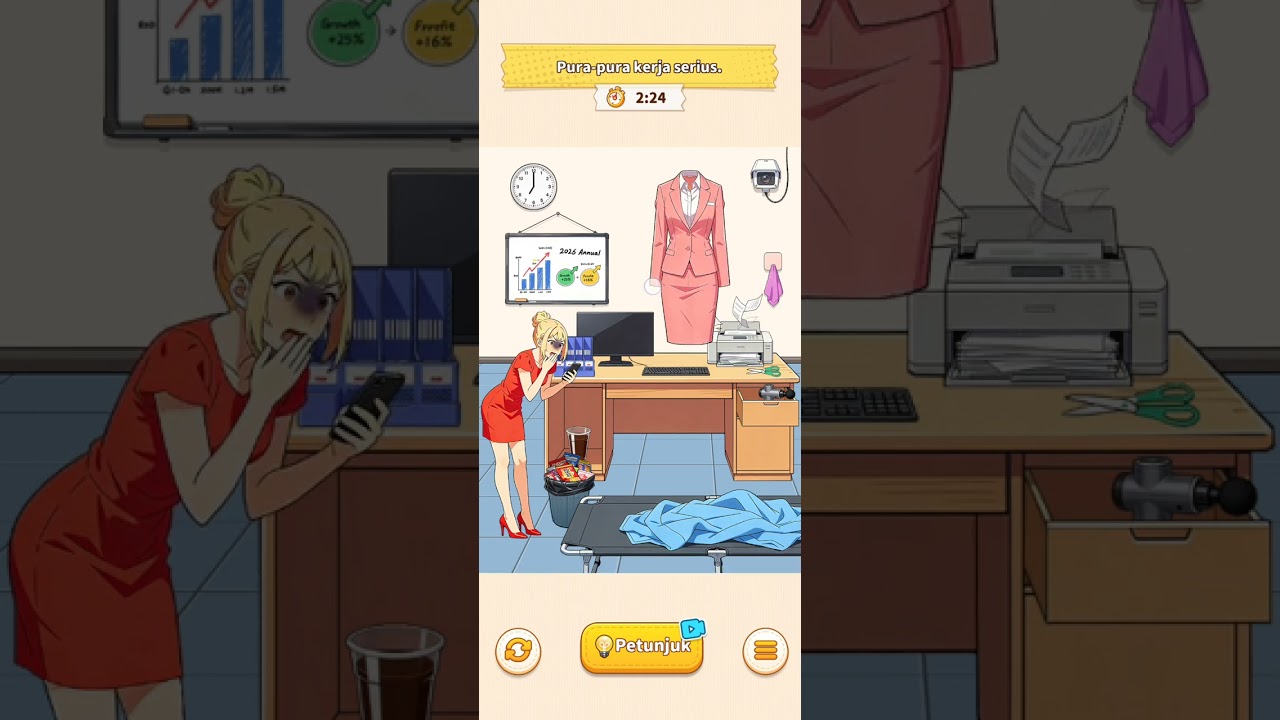
To clear the Pretend to be Working Diligently level in Brain Puzzle 3: Crazy Mind, you must hide all leisure items, adjust employee postures, switch every computer monitor to business charts, and clean up floor clutter before the supervisor completes the office inspection.
Foreground Desk Solutions
Resolve the prominent front-row workstations first to clear major visual infractions.
- Left Workstation: Tap the computer display to switch the active media screen back to standard business spreadsheets. Drag the snacks sitting beside the keyboard into the desk drawer directly underneath the table.
- Center Workstation: Drag the mobile phone into the worker's breast pocket or desk drawer. Tap the worker's torso to correct their slumping posture so their hands rest directly over the keyboard.
- Right Workstation: Swipe the cosmetics and mirrors off the desk pad into the tote bag resting beside the desk leg. Drag the stack of document folders from the nearby side shelf onto the empty desk space.
Background Cubicle Solutions
After fixing the front row, inspect the rear row and floor line to eliminate smaller infractions.
| Location | Issue | Required Action | Target Result |
|---|---|---|---|
| Rear Left | Handheld gaming console active | Tap console to stow inside backpack | Worker's hands rest on mouse pad |
| Rear Center | Employee asleep on desk | Tap head repeatedly to wake character | Worker sits upright facing monitor |
| Rear Right | Video stream visible on screen | Click monitor twice to cycle display | Screen shows sales data graphics |
| Floor Area | Loose slippers under chair | Drag dress shoes onto the employee's feet | Professional footwear is restored |
Cleaning Environmental Clutter
Once all employees are situated at their desks, clear loose clutter across the shared office space:
- Empty the Central Trash Cans: Tap overflowing waste bins along the main aisle to compact their contents, and drag any stray paper or food wrappers off the floor directly into the bins.
- Clear Idle Food and Drinks: Locate stray coffee mugs, blenders, or fast-food containers resting on work surfaces. Drag them onto the kitchen refreshment cart or place them inside the cabinet under the water dispenser.
Pre-Inspection Checklist
Before the supervisor enters the frame, verify that every workstation meets the stage clear requirements:
- Monitor Displays: Every screen must show blue or green business charts. Tap any screen still displaying entertainment tabs or colorful game menus.
- Hand Positioning: Every employee must have hands placed visibly on a keyboard, document, or mouse rather than hidden beneath desks.
- Under-Desk Spaces: Ensure no discarded footwear or loose cables sit exposed in the main walkway.
- Storage Doors: Tap any open desk drawers, lockers, or file cabinet doors to close them completely.
Once all items are hidden and every station is neat, the supervisor will walk through the office and clear the stage.

Free Brain Puzzle 3: Crazy Mind Codes
Current active codes and how to redeem them.

Emily Johnson
Emily writes practical mobile strategy guides with a focus on resource planning, base progression, and the early decisions that shape a long-term account.
COMMUNITY
Player Comments
118 players commented on this guide.
I wish I had read this before upgrading the wrong thing.
This guide answered the exact question I had.
The explanation is clear, especially for beginners.
This helped me understand strategy much better.