
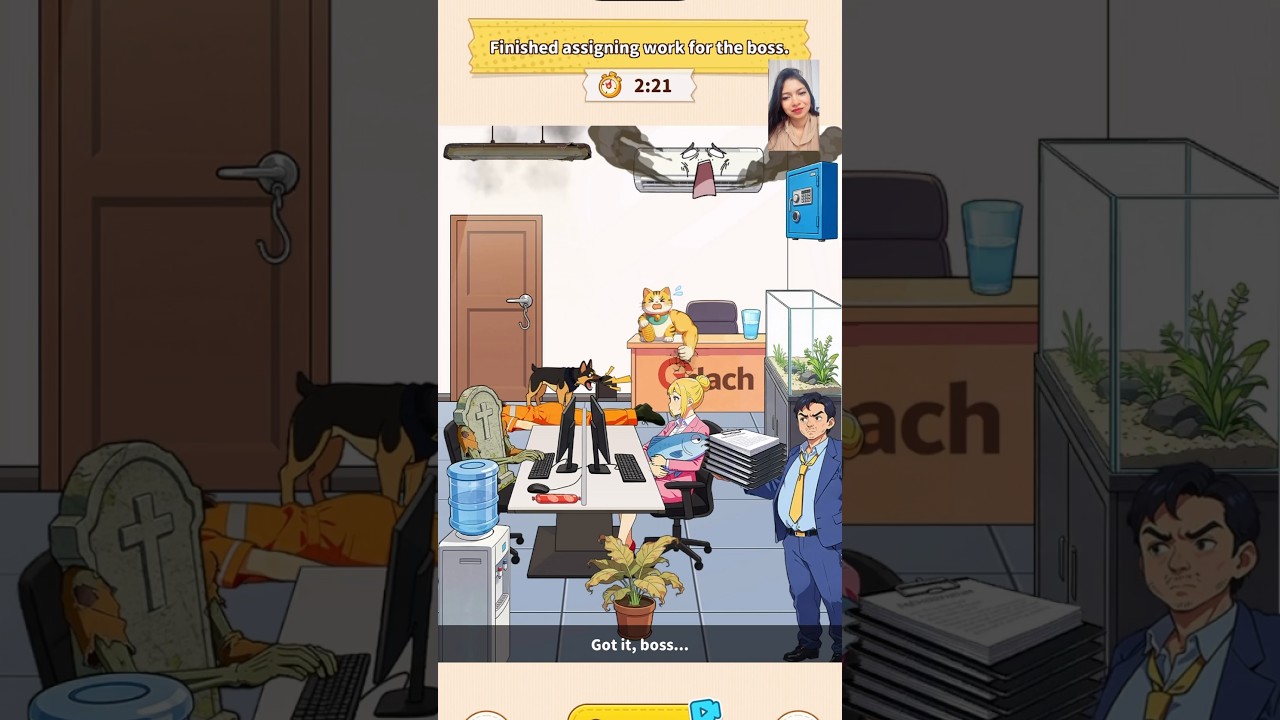
To complete the Work Vibe level in Brain Puzzle 3: Crazy Mind, drag every task and item from the boss's desk to the matching employee across the office until the boss's workspace is completely clear.
Office Staff and Task Matches
Match the objects on the boss's desk to the visual roles and workstation equipment of each worker.
| Worker | Visual Clue | Matching Item | Result |
|---|---|---|---|
| Assistant | Seated near the front desk | Administrative binders and folders | Stores folders at desk corner |
| Technical Operator | Multi-monitor setup with keyboard | System logs and tech reports | Begins typing sequence |
| Distracted Worker | Slacking, dozing, or hidden behind dividers | Direct urgent memo or wake-up item | Returns to work |
| Exhausted Specialist | Head down on desk, low energy | Energy item or primary paperwork | Perceiver sits up and accepts work |
| The Boss | Central desk with active workload | Outgoing distribution target | Empties desk to trigger stage clear |
Step-by-Step Work Vibe Solution
Distribute the assignments from the top of the desk clutter downward:
- Assign Top Administrative Folders: Select the topmost files on the manager's desk and drag them to the assistant seated nearest the desk.
- Deliver Technical Reports: Drag system logs and technical files to the operator sitting at the multi-monitor setup on the opposite cubicle row. Confirm the lock-in visual or audio cue before letting go.
- Engage Inactive Workers: Locate any staff members obscured by partitions or slacking off. Drag direct memos or alertness items straight to them to force them back on task.
- Distribute Shared Tools: Hand out any remaining tools, stamps, or validation materials to middle-row staff who need secondary items to complete reports.
- Clear the Central Desk: Once every object has been transferred and accepted, verify that the boss's desk has zero remaining items. The boss will make an approval gesture and the stage clear prompt will appear.
Common Traps and Interaction Quirks
- Hitbox Misalignment: Dropping an item onto empty desk space beside a character does not register. Drag the item directly over the worker's torso or hands before releasing it.
- Overlapping Layers: If a document refuses to move, an overlapping file or prop is likely blocking it. Relocate the top item first to free the items resting underneath.
- Worker Rejections: When an employee shakes their head or pushes an assignment away, check the area for an enabling item—such as coffee, an unlocked terminal, or a stamp—that must be handed over before that worker will accept regular tasks.

Free Brain Puzzle 3: Crazy Mind Codes
Current active codes and how to redeem them.

Sarah Williams
Sarah specializes in RPG and collection games, explaining team building, character growth, and beginner-friendly ways to avoid expensive early mistakes.
COMMUNITY
Player Comments
117 players commented on this guide.
This saved me time in the early game.
The tips are practical and easy to follow.
I wish I had read this before upgrading the wrong thing.
This guide answered the exact question I had.