
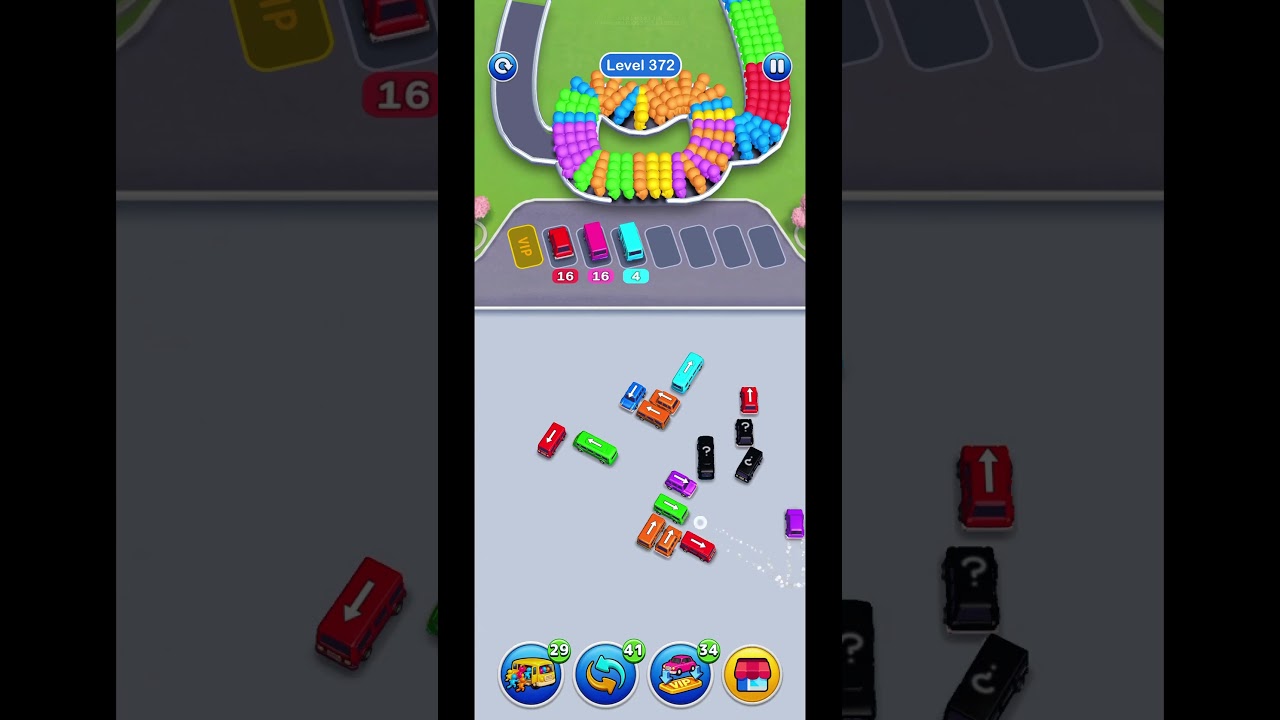
To beat Level 372 in Bus Traffic Fever!, dispatch perimeter vehicles only when their color matches the passengers at the head of the queue. Preserving open bays at the loading dock is necessary to prevent parking lot gridlock and avoid spending coins on boosters.
Layout and Bottlenecks in Level 372
Level 372 features a dense parking grid where central, high-capacity buses are enclosed by crossing lanes and outer vehicles. Interlocking bumpers mean that moving a vehicle without an open runway traps adjacent lanes.
The stage deliberately presents outer vehicles whose colors do not immediately match the front of the passenger line. Tapping outward-facing buses simply to remove them from the lot quickly fills the dock with idle vehicles. A successful run requires balancing cleared board space against available dock capacity.
Step-by-Step Dispatch Sequence
Clear Level 372 by working from the outer perimeter toward the trapped central buses in three stages:
- Clear matching perimeter exits: Tap outer buses that have an unobstructed path and directly match the visible front passengers. This immediately boards travelers and clears the dock bays.
- Pivot cross-traffic blockers: Move perpendicular vehicles blocking central lanes only when their arrival at the dock coincides with matching passengers stepping to the front of the queue.
- Untangle the core: Route freed multi-seat buses through opened lanes to board high-volume passenger groups in single cycles.
Managing Dock Bay Capacity
The loading dock holds four to five vehicles and serves as your active staging area. A bus dispatched without matching passengers sitting at the front of the line will sit idle in a bay until preceding groups clear.
| Dock State | Risk Level | Required Action |
|---|---|---|
| 3+ Empty Bays | Safe | Dispatch clear perimeter vehicles to open inner corridors. |
| 1–2 Empty Bays | Moderate | Only send vehicles that achieve immediate, complete passenger boarding. |
| 0 Empty Bays | Gridlock | Stop moving vehicles. Only a departing, fully loaded bus can free a slot. |
Always maintain at least one open bay. Check the line ahead: if a bus requires four matching passengers, confirm that earlier queue segments already have vehicles waiting or boarding.
Breaking Mid-Stage Deadlocks
If the passenger queue requires a color locked behind opposing buses, you can temporarily buffer a blocking vehicle into the dock, provided you have at least two empty bays:
- Verify that the dock has two or more open slots.
- Send the non-matching blocking vehicle into a temporary bay to open the travel path.
- Dispatch the newly freed matching bus immediately behind it.
- Let the matching bus absorb front passengers, clearing the queue and opening boarding spots for your temporary buffered bus.
Never attempt this sacrifice with only one empty bay. If the queue behind the blocker does not clear immediately, the dock will lock completely.
Common Mistakes That Cause Failures
- Rapid tapping: Dispatching multiple buses of the same color when only one group of passengers is ready clogs bays with partially loaded vehicles.
- Mismatched capacity: Sending a high-capacity bus to pick up a small group leaves the bus occupying a bay until future matching passengers appear.
- Ignoring bumper clearance: Some vehicles appear to have an open nose but will clip adjacent vehicles with their rear bumpers. Trace the full exit lane before tapping.

Free Bus Traffic Fever! Codes
Current active codes and how to redeem them.

Michael Smith
Michael covers live-service games, events, reward systems, and efficient daily routines, turning frequent updates into clear actions for players.
COMMUNITY
Player Comments
83 players commented on this guide.
Nice guide. I am checking the other Bus Traffic Fever! articles next.
I tried this today and it worked better than my old setup.
The explanation is clear, especially for beginners.
Can you add more details about strategy in a future update?