
You can improve your daily play and study in Chess.com - Play and Learn by using built-in platform tools that many players overlook. These features require no third-party extensions and help eliminate interface distractions, organize tactical calculations, build coordinate literacy, and export clean match replays.
Focus Mode: Remove Interface Distractions with Hotkey Z
Pressing Z on your keyboard during any live match toggles Focus Mode. This expands the chessboard to fill the browser viewport and strips away secondary interface elements:
- Hidden elements: Numeric ratings, player avatars, country flags, the active chat feed, and sidebar navigation tabs.
- Visible elements: The enlarged chessboard and the active chess clocks.
Focus Mode minimizes rating anxiety and tilt caused by facing higher-rated opponents or reacting to chat messages during critical time scrambles. The primary trade-off is that Focus Mode suppresses the notation ledger, rematch offers, and incoming draw proposals. Press Z again at any point to restore the standard interface.
Multi-Colored Board Arrows: Organize Candidate Moves
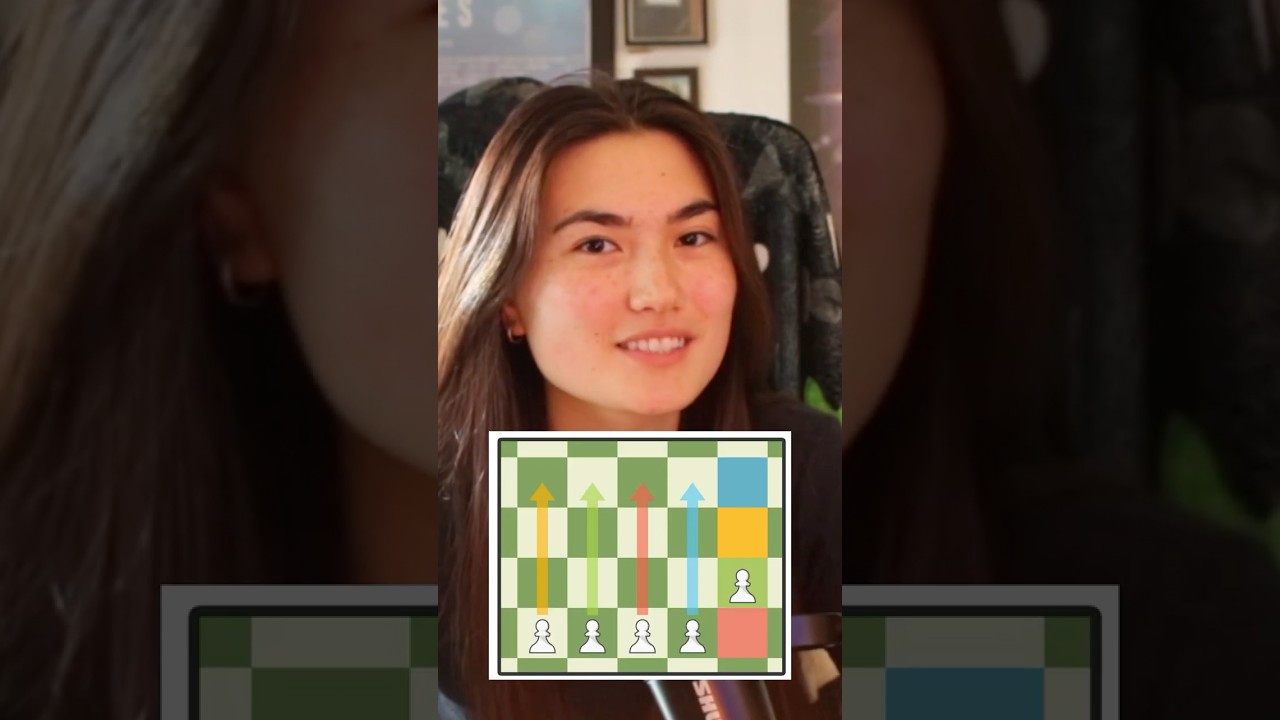
On the desktop browser interface, you can draw four distinct colors of arrows and highlight squares by combining mouse actions with keyboard modifiers. Holding the right mouse button and dragging across squares generates visual plans that remain visible only on your local screen:
| Shortcut | Highlight & Arrow Color | Recommended Tactical Use |
|---|---|---|
| Right-Click Drag | Green | Candidate moves, protected pieces, and safe outposts |
| Shift + Right-Click Drag | Red | Direct enemy threats, tactical blunders, and pinned pieces |
| Alt + Right-Click Drag | Blue | Defensive maneuvers, pawn structures, and quiet plans |
| Ctrl + Right-Click Drag | Yellow | Intermediate checks (zwischenzugs), forks, and alternate branches |
Using distinct colors prevents visual confusion during complex calculations. All arrows and square highlights clear automatically when you make a move or left-click an empty square. Note that custom color modifiers require a physical mouse and keyboard; standard mobile touch interfaces only support default green markers.
Vision Trainer: Practice Board Coordinate Recognition
The Vision diagnostic tool sharpens your ability to read algebraic notation through 30-second timed sprints. Located in the platform's learning menu, Vision prompts you to locate or name specific squares before the timer expires.
- Configuration: Run drills from White's perspective, Black's perspective, or an alternating view to remove orientation blind spots.
- Routine: Completing two to three 30-second rounds serves as an effective pre-game warm-up.
- Limitation: Vision tests square identification rather than tactical calculation, making it a complement to daily puzzle solving rather than a replacement.
Animated GIF Generator: Export Match Replays
The platform provides a built-in GIF exporter to convert completed games into looping animations without external recording software:
- Open a finished game and select the Share icon beneath the move history ledger.
- Select the GIF tab from the share menu.
- Download the generated visual replay file.
The exported GIF automatically preserves your selected board theme and piece set from the opening move through the final checkmate or resignation. The animation runs at a fixed speed without manual pause or rewind controls, making it ideal for sharing matches on social feeds rather than performing deep engine analysis.
Solo Chess: Train Calculation Through Elimination Puzzles
Found in the puzzle variants section, Solo Chess is a single-player minigame designed to sharpen piece geometry and candidate-path visualization. Each puzzle presents an asymmetrical board layout with three strict rules:
- Every legal move must capture an opposing piece.
- No piece can capture more than twice; once a piece makes two captures, it becomes greyed out and immobile.
- Check and checkmate rules are disabled, and the board is cleared when only one piece remains.
Because pieces lock in place after two captures, forward guessing often leads to stranded pieces. Solve higher-level boards through backwards calculation by identifying which piece can make the final capture and working the required sequence in reverse.
Free Chess.com - Play and Learn Codes
Current active codes and how to redeem them.

James Brown
James focuses on Android gaming on PC, emulator setup, controls, performance tuning, and practical troubleshooting for longer play sessions.
COMMUNITY
Player Comments
129 players commented on this guide.
I tried this today and it worked better than my old setup.
This guide answered the exact question I had.
Good guide for Chess.com - Play and Learn players. The strategy part was useful.
Can you add more details about strategy in a future update?