
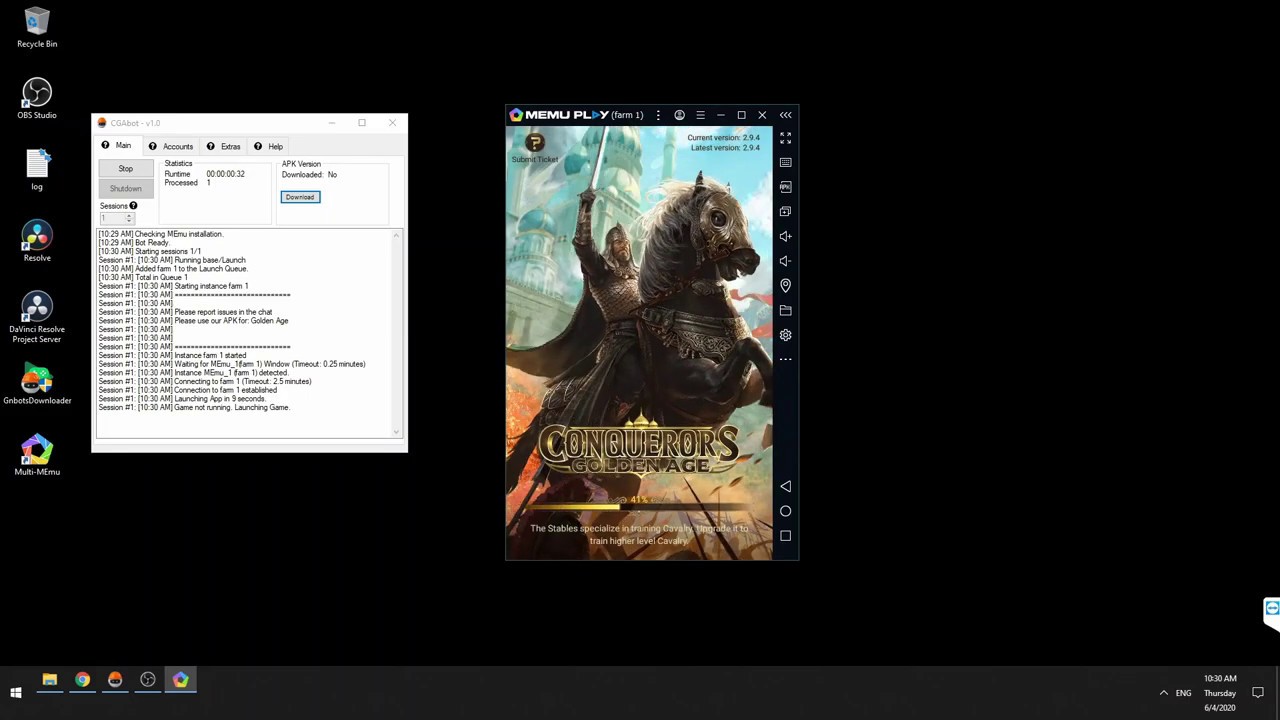
To automate resource farming across multiple accounts in Conquerors: Golden Age, configure an Android emulator to run repetitive gathering loops, deploy high-capacity siege units to targeted resource nodes, and maintain strict Peace Shield schedules to protect stockpiles. Note that while automated tools for the game date back to 2020 demonstrations, third-party scripting violates standard terms of service and carries account ban risks.
Emulator Setup and Multi-Account Cycling
Automated farming scripts interact with the game by scanning on-screen coordinates through an Android emulator. Maintaining stable screen recognition across multiple accounts requires consistent system settings:
- Display Settings: Lock the emulator to a fixed resolution of 1280x720 at 240 DPI. Shifting resolutions or arbitrary window resizing causes click-coordinate misses.
- Hardware Allocation: Assign a minimum of 2 CPU cores and 2048 MB of RAM to each active emulator instance to prevent crash-inducing frame drops during map transitions.
- Rotation Cycles: Organize secondary accounts into sequential login batches. Allow the script to clear daily chests, assist alliance members, dispatch all march queues, and log out for a two- to three-hour dormant period before returning.
- Timeout Recovery: Include connection-buffer delays within your setup to handle network re-sync prompts and maintenance interruptions gracefully.
Gathering Node Priorities and Unit Selection
Tailor your automated march filters to target the specific resources required by your primary castle's current development stage. Early Palace levels demand Grain and Wood, while late-game research and elite military training depend heavily on Iron and Silver.
| Resource Type | Preferred Tile Level | Recommended Unit Type | Strategic Purpose |
|---|---|---|---|
| Grain / Food | Level 3–5 | Siege Engines / Low-Tier Infantry | Sustains troop upkeep and meets construction prerequisites. |
| Wood | Level 3–5 | Siege Engines | Powers early and mid-tier Palace and camp upgrades. |
| Iron | Level 4–6 | Siege Engines / Cavalry Mix | Funds academy research branches and wall fortifications. |
| Silver | Level 5+ | High-Capacity Siege Engines | Supplies late-game military technology and high-tier recruitment. |
Siege units provide the highest resource load capacity per troop, making them the most efficient unit type for clearing resource tiles with minimal army sizes. Configure the tool's march logic to ignore occupied nodes, bypass tiles located inside foreign alliance territory, and recall marching units if hostile armies approach the target tile.
Base Defense and Scheduled Peace Shields
Secondary castles holding unshielded stockpiles attract enemy scouts and rival raiders. Protect accumulated loot through defensive automation rules:
- Automated Shield Renewal: Program the script to inspect active shield timers during every rotation cycle and automatically consume 8-hour or 24-hour Peace Shield items whenever remaining protection drops below a safe threshold.
- Event Schedules: Keep continuous shield coverage active throughout high-threat server windows, such as Kill Events and Kingdom Wars.
- Emergency Reactions: Configure alert hooks to activate an immediate inventory Peace Shield or shelter garrisoned units if incoming hostile scouting or attacks are detected while unshielded.
Transferring Resources and Reducing Detection Risks
Moving accumulated resources from secondary bases to your main castle can be handled through two distinct methods:
- Alliance Market Caravans: Transport materials directly through the Alliance Market. This method is completely safe from troop casualties, though it incurs a resource tax determined by your Market building level.
- Controlled Plundering: Attack your own farm castle with your main army for faster extraction. Before launching an attack, ensure all troops stationed in the farm castle are sheltered or dismissed to avoid unnecessary troop deaths and hospital overflows.
Because automated scripts simulate player inputs, reduce detection flags by avoiding continuous 24-hour operational loops. Introduce randomized click offsets (shifting tap coordinates by 5 to 10 pixels) and variable delay timers (pausing 3 to 12 seconds between discrete actions). Disconnect all automation tools prior to scheduled game maintenance.

Free Conquerors: Golden Age Codes
Current active codes and how to redeem them.

James Brown
James focuses on Android gaming on PC, emulator setup, controls, performance tuning, and practical troubleshooting for longer play sessions.
COMMUNITY
Player Comments
98 players commented on this guide.
This guide answered the exact question I had.
Good guide for Conquerors: Golden Age players. The strategy part was useful.
I wish I had read this before upgrading the wrong thing.
Nice guide. I am checking the other Conquerors: Golden Age articles next.