
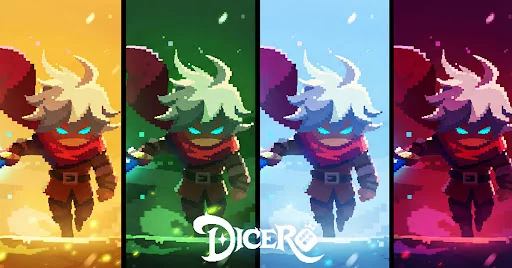
Understanding the Visual Evolution of Dicero!!
Recent updates to Dicero!! have focused heavily on enhancing the visual fidelity of the game. For long-time players and newcomers alike, these changes represent a shift toward a more polished aesthetic. The integration of 3D assets combined with refined animation sequences changes how the game feels during combat and menu navigation.
Key Visual Improvements
The shift in production quality is most noticeable in the following areas:
- 3D Modeling: Characters and environment objects now feature more defined structures, moving away from flat textures to provide a sense of depth.
- Animation Fluidity: Dice interactions and combat effects have been updated to feel more responsive, which helps in tracking high-speed combat sequences.
- Asset Consistency: The new design language aims to unify the look of various heroes and enemies, making the visual feedback during intense stages more coherent.
Impact on Player Experience
While these updates are primarily cosmetic, they serve a functional purpose in a game where tracking rapid inputs and visual cues is essential for success.
| Feature | Improvement Impact |
|---|---|
| 3D Rendering | Better visual clarity for unit positioning. |
| Animation Timing | Improved feedback for successful dice rolls. |
| UI/UX Polish | Smoother navigation through menus and gear screens. |
How Visual Updates Affect Performance
Because Dicero!! relies on quick reactions and tactical decision-making, the improved animation frames help players identify when a skill has successfully triggered. If you are returning to the game after a hiatus, notice how the cleaner 3D assets make it easier to distinguish between different enemy types during crowded encounters.
Tips for Adjusting to the New Look
If you find that the updated visuals require an adjustment period, consider the following practical tips to maintain your combat efficiency:
- Monitor Skill Cues: Focus on the new animation "tells" that signify a character's readiness to act. The visual upgrade may have shifted the timing window slightly compared to older versions.
- Optimize Settings: If your device struggles with the new 3D assets, check the settings menu to adjust graphical quality. Prioritizing performance over high-fidelity textures can keep your dice rolls snappy.
- Visual Clarity: Take a moment in the hero preview screen to familiarize yourself with the updated character models, as their silhouettes may have changed slightly with the transition to 3D design.

Free Dicero! Codes
Current active codes and how to redeem them.

Michael Smith
Michael covers live-service games, events, reward systems, and efficient daily routines, turning frequent updates into clear actions for players.
COMMUNITY
Player Comments
92 players commented on this guide.
Good guide for Dicero! players. The updates part was useful.
The tips are practical and easy to follow.
This saved me time in the early game.
Can you add more details about updates in a future update?