
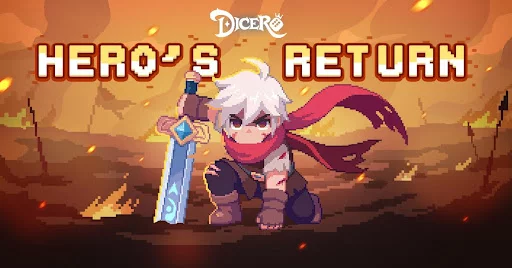
To play Dicero!! before its global release, you must circumvent regional restrictions imposed by the alpha testing phase. Because Habby limits server access to specific territories, players in unsupported regions cannot find the game via standard search queries. You can successfully install the game by modifying your Apple ID region or sideloading the application via trusted Android storefronts.
Verifying Regional Availability and Alpha Status
Dicero!! is currently in an alpha testing phase, which means developer Habby is limiting the user base to gather data on game balance, server load, and core mechanics. Before attempting to change your device settings, verify the current "live" regions. These are typically announced via the official Habby Discord server or their social media pages.
Understanding the alpha nature of the game is essential. Alpha builds are inherently unoptimized. You should expect:
- Occasional Server Downtime: Developers may take servers offline for maintenance or patch deployment without notice.
- Potential Progress Wipes: While rare, early-access titles sometimes undergo data resets to test progression systems from scratch.
- Localization Limitations: Some text or UI elements may only be available in the language of the primary launch region.
Strategies for iOS Regional Access
The iOS ecosystem is more rigid than Android, requiring you to interact directly with Apple’s regional storefront policies. There are two primary ways to bypass these restrictions:
1. Creating a Dedicated Regional Apple ID
This is the most stable method. Do not change your primary Apple ID region, as this can disrupt active subscriptions like Apple Music or iCloud storage.
- Log out of your current Apple ID in the App Store.
- Create a new Apple ID, setting the region to a country where Dicero!! is officially live (e.g., Australia or Canada, depending on the current phase).
- You do not need a local credit card for this; you can select "None" as the payment method. You may need a valid address in that country for the billing section.
- Log in with this new account, search for Dicero!!, and download it.
2. Switching Your Existing Apple ID
If you do not want to manage two accounts, you can change your existing account's region. Note that you must cancel all active subscriptions and spend any remaining store credit before you can switch. This is generally discouraged for casual players due to the friction of managing multiple billing profiles.
Android Sideloading and Marketplace Alternatives
Android users have the advantage of "sideloading," which allows for the installation of apps outside of the official Google Play Store.
Using Trusted Third-Party Marketplaces
Platforms like APKMirror or QooApp are the standard for enthusiasts playing early-access games.
- Source Reliability: Only use reputable sites. Avoid "modded" APKs, which often contain malicious software or game-breaking cheats that can lead to permanent account bans.
- Installation: Download the
.apkor.xapkfile. Your phone will prompt you to "Allow installation from unknown sources" within your browser or file manager settings. - Manual Updates: Unlike the Play Store, third-party apps do not always auto-update. You must periodically revisit the site to check if a new version is available, or you may be locked out of the game during a forced server-side update.
Managing Device Compatibility and Performance
Dicero!! demands consistent performance to handle the visual effects of its dice-rolling combat. If you are playing from a restricted region, your latency may be higher than average.
- VPN Usage: If you encounter "Server Unreachable" errors, use a high-quality VPN connected to a server in the region where the game is live. This masks your true IP address and aligns your connection with the authorized server clusters.
- Storage Requirements: Alpha builds are often larger than they appear due to unoptimized game assets. Clear at least 4–6GB of space to ensure the game can unpack and install properly without crashing during the initial boot sequence.
- Hardware Specs: As a strategy-focused roguelite, the game relies on smooth UI transitions. If you experience frame drops, lower the graphical settings within the game menu to keep the dice animations fluid.
Crucial Steps for Data Preservation
The biggest mistake players make during alpha testing is playing as a "Guest." If you switch back to your original region, clear your cache, or update your phone, guest data is often wiped.
Secure Your Progression
- Account Binding: Navigate to the in-game settings immediately after the tutorial. Bind your account to a permanent service like Google Play, Facebook, or a Habby-specific account.
- Cross-Platform Readiness: By binding your account, you ensure that once the global version of Dicero!! is released, you can transfer your hero progress, unlocked skills, and resource stockpiles to the official release version without losing your hard-earned stats.
- Documentation: Keep a screenshot of your Player ID (usually found on the loading screen or settings menu) in case you need to contact support regarding a missing purchase or progression error.
Strategic Decision Making: Why Early Access Matters
Playing Dicero!! during its alpha phase gives you a distinct advantage over the future global player base. By the time the game hits the worldwide market, you will have already mastered:
- Skill Synergies: Understanding which dice combinations provide the highest damage output.
- Hero Builds: Knowing which heroes are meta-defining and which are currently underpowered.
- Resource Management: Learning how to optimize your gold and upgrade materials, preventing the common early-game pitfall of wasting resources on low-tier gear.
Mastering these systems now puts you in the top tier of players. Use this time to experiment with different builds while the game is still in a state of flux. Treat every match as a learning opportunity, noting which dice rolls lead to success and which result in failure. When the game officially launches, you will transition from a student of the mechanics to a veteran player, ready to dominate the leaderboards from day one.

Free Dicero! Codes
Current active codes and how to redeem them.

Sarah Williams
Sarah specializes in RPG and collection games, explaining team building, character growth, and beginner-friendly ways to avoid expensive early mistakes.
COMMUNITY
Player Comments
140 players commented on this guide.
This guide answered the exact question I had.
Good guide for Dicero! players. The early game part was useful.
Nice guide. I am checking the other Dicero! articles next.
This saved me time in the early game.