
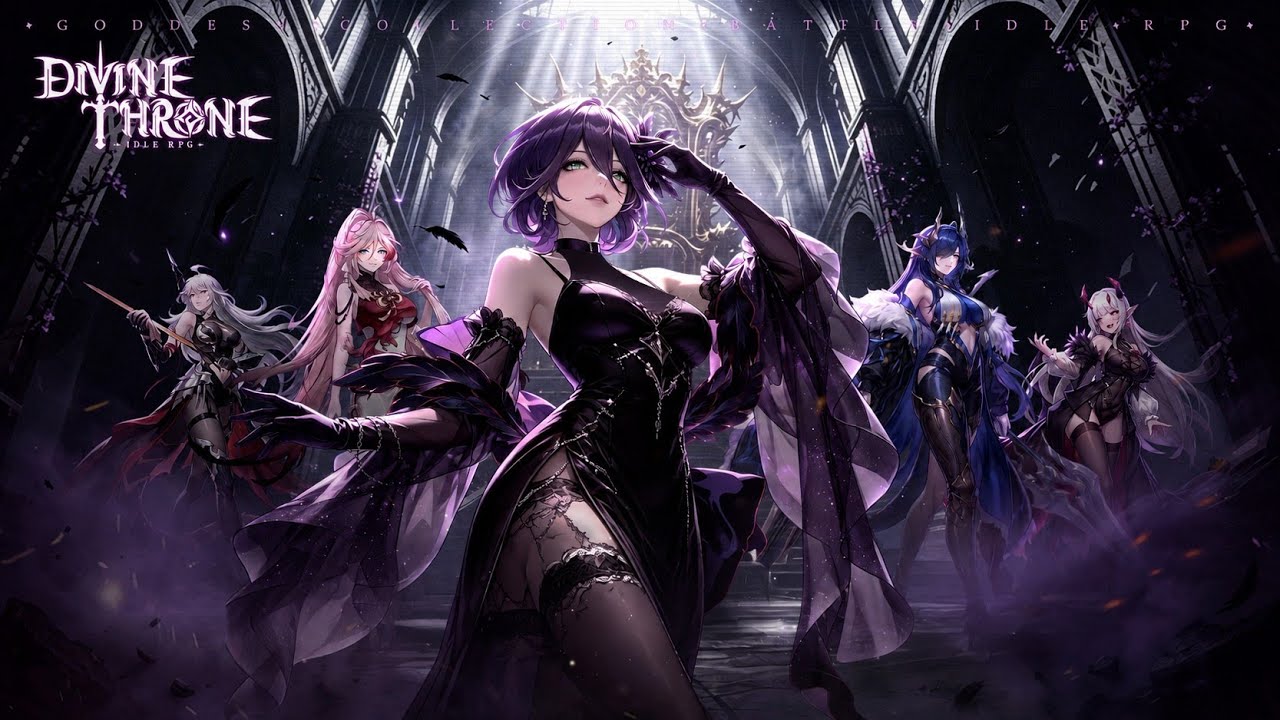
Optimizing your interaction with the Divine Throne: Idle RPG interface is the most effective way to accelerate your power growth and minimize time spent in menus. By mastering the dashboard, you can efficiently claim idle rewards, manage your hero roster, and navigate between combat stages without losing momentum. This guide focuses on interpreting the screen indicators and menu shortcuts that allow you to maintain consistent progression cycles, ensuring that every minute spent in the app contributes directly to your overall combat rating.
Navigating the Main Combat Dashboard
The primary screen in Divine Throne: Idle RPG serves as the central hub for all automated progression. You should prioritize monitoring the "Stage" indicator located at the top of the interface, as this dictates the difficulty of incoming enemies and the quality of your idle loot drops. By observing the flow of your heroes against waves of enemies, you can identify when your current team composition begins to struggle, signaling that it is time to shift focus toward individual hero leveling or equipment management.
Directly below the combat area, you will find the "Battle" button. This is your primary interaction point for manual interventions or speeding up the progression process. Keeping an eye on this button allows you to toggle between different combat states and ensures that your heroes are always engaged in the highest unlocked stage. Always verify that your auto-battle settings are active before stepping away; the idle nature of the game relies entirely on this constant cycle of combat and loot accumulation.
Managing Idle Loot and Resource Collection
Efficiently harvesting your resources is essential for sustaining long-term growth. The bottom navigation bar contains the "Loot" or "Reward" chest, which accumulates gold, experience, and gear based on your current stage progress. You should make it a habit to empty this chest frequently, as there is often a cap on how much idle loot can be held at once. Neglecting this collection process will result in wasted resources that could have been used for immediate hero upgrades.
When accessing your rewards, pay close attention to the specific gear drops and currency amounts displayed in the notification pop-ups. These items are randomized, and checking them regularly helps you track your current equipment tiers. If you notice a high frequency of low-level gear, it is a clear indicator that you need to push further in the main campaign to unlock better drop tables. Always prioritize upgrading your main damage dealers with the best gear collected from these idle sessions.
Hero Roster and Upgrade Menu Interface
The hero menu, accessible via the character icon at the bottom of the screen, is where you transform idle resources into combat power. Within this interface, you can select individual heroes to view their current level, equipment slots, and promotion status. You should focus your gold and experience on your primary carry hero first; early-stage progression in Divine Throne: Idle RPG is heavily dependent on the raw damage output of a single, highly leveled character.
When navigating the upgrade screen, utilize the "Equip" or "Auto-Equip" features if available to instantly boost your stats. The interface is designed to highlight heroes who have pending upgrades or new gear ready to be slotted. By regularly scanning these icons for red dots or visual indicators, you can ensure that no character is left behind. This systematic check of your roster is the most reliable way to maintain a competitive edge during the early and mid-game stages.
Interpreting Combat Statistics and Feedback
The visual feedback provided during combat is a critical diagnostic tool for adjusting your team’s efficiency. Watch the health bars and damage numbers floating above your heroes and enemies. If you notice your heroes are dying consistently before the timer runs out, it means your defensive stats—typically tied to gear upgrades or hero levels—are insufficient for the current stage. This is your cue to exit the battle and return to the main hub to focus on leveling.
Additionally, the interface provides information about the current enemy wave. Understanding the types of enemies you face helps you realize when you have hit a "wall." If a specific stage consistently results in failure, do not waste time attempting it manually. Instead, return to the idle screen, allow your resources to accumulate, and perform a bulk upgrade on your heroes. This cycle of testing a stage and retreating for upgrades is the fundamental loop for successful progression in Divine Throne: Idle RPG.
Utilizing Menu Shortcuts for Progression
Mastering the shortcuts on the bottom and side navigation bars will significantly reduce the time you spend menu-diving. These icons are grouped by functionality, with resource management, hero customization, and social or event tabs clearly labeled. Familiarize yourself with the positioning of the "Quests" or "Missions" tab, as completing these provides vital boosts to your progression speed that the idle loop alone cannot provide.
Lastly, always check for event banners or promotional notifications that appear on the main dashboard. These temporary elements often hide behind the static UI, but they frequently offer limited-time rewards or boosts that can drastically shorten your path to the next gear tier. By incorporating a quick sweep of these peripheral menus into your daily routine, you maximize the efficiency of your playtime and ensure your heroes are always optimized for the challenges ahead.
Advanced Strategy: The Progression Loop
To truly master the Divine Throne: Idle RPG interface, you must understand the "Push-Upgrade-Push" cycle. Use the UI to monitor your progress in short, high-intensity bursts.
- The Push: Attempt the highest possible stage to unlock better idle loot tiers.
- The Evaluation: If you fail, check the combat logs or watch the hero health bars to see if the issue is a lack of damage (time-out) or lack of survivability (hero death).
- The Upgrade: Navigate to the Hero Roster, apply upgrades, and swap gear using the "Auto-Equip" functionality.
- The Collect: Always empty your idle chest after pushing to a new stage, as your loot-per-minute rate increases with every successful completion.
By following this workflow, you eliminate the wasted time that occurs when players attempt to brute-force stages without optimizing their roster. The interface is your dashboard for this cycle; treat it with the same attention you give your hero builds to ensure your Divine Throne: Idle RPG experience remains efficient and rewarding.

Free Divine Throne: Idle RPG Codes
Current active codes and how to redeem them.

Michael Smith
Michael covers live-service games, events, reward systems, and efficient daily routines, turning frequent updates into clear actions for players.
COMMUNITY
Player Comments
72 players commented on this guide.
The explanation is clear, especially for beginners.
This saved me time in the early game.
The tips are practical and easy to follow.
Good guide for Divine Throne: Idle RPG players. The heroes part was useful.