
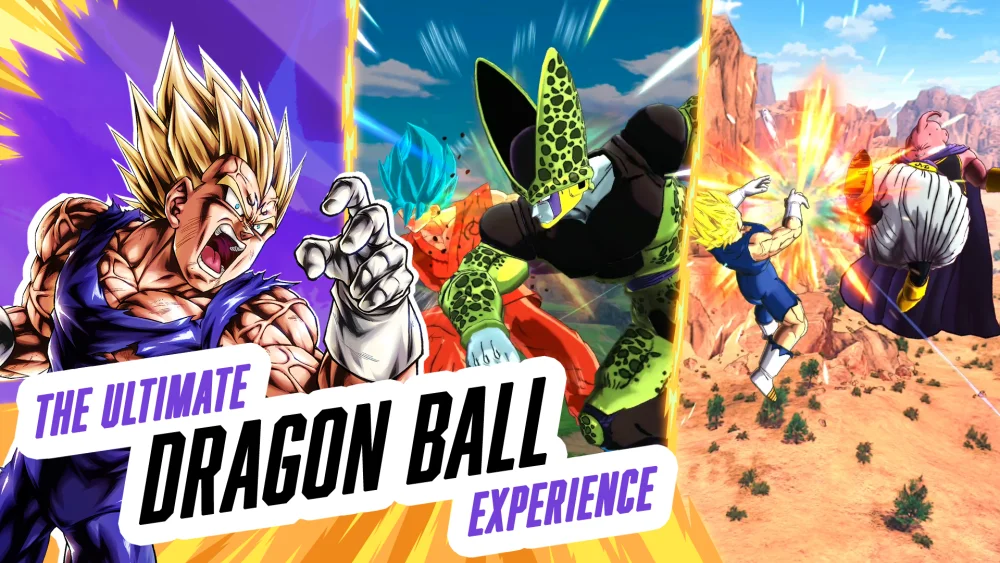
Before spending Chrono Crystals on a new banner in DRAGON BALL LEGENDS, watch the unit's in-game preview to evaluate its animation quality, then cross-reference those visuals with its kit stats, unique abilities, and Z-Abilities.
Key Visual Elements to Inspect in Previews
When a new character is revealed, review their gameplay showcase to assess the production effort behind the release. Developers typically dedicate the highest visual polish to premier units, making animation quality a useful initial indicator of character distinction.
- Special Arts and Ultimate Arts: Check for seamless camera transitions and high-impact visual cues. Screen shaking or darkening during an attack connection signals heavy cinematic detail.
- Transformation Sequences: Evaluate the transition frames. Premium units often feature unique camera angles, custom lighting adjustments, and distinct energy charging animations when changing forms.
- Idle Poses: Look for custom idle stances on the field. Dedicated idle animations indicate custom model work rather than reused base assets.
- Legendary Finish (LL) Sequences: Compare standard Sparking moves against Legends Limited (LL) finishers. LL units feature cinematic finishing animations that represent the highest visual tier in the game.
| Animation Type | Key Visual Indicators | Tactical Significance |
|---|---|---|
| Special & Ultimate Arts | Camera angle shifts, screen darkening, custom impact frames | Clarifies skill execution and attack visual cues |
| Transformations | Dynamic lighting changes, custom model transitions | Signals unique character mechanics and higher production effort |
| Legendary Finish | Extended cinematic sequences reserved for LL units | Denotes premier banner status and promotional focus |
| Idle Stances | Non-standard stationary poses on the battle field | Distinguishes fresh character models from recycled assets |
Battle Timing, Technical Performance, and Kit Viability
Character animations in DRAGON BALL LEGENDS affect gameplay beyond visual presentation. Understanding how presentation interacts with battle flow and device hardware ensures better overall preparation.
Tactical Timing and Screen Time
The length of an animation determines how long a cinematic sequence locks the screen. Longer Ultimate Arts or cinematic moves consume battle time, allowing you to stall opponent action and buy brief moments for your vanish gauge to recover during complex sequences.
Mobile Performance Considerations
Detailed particle effects, rapid camera cuts, and high-resolution energy blasts place higher demands on mobile hardware. If you experience framerate drops or input stuttering during heavy Ultimate Art animations on older devices, lower your in-game graphics settings to ensure smooth competitive play in PvP mode.
Balancing Aesthetics with Kit Evaluation
A character with exceptional visual presentation is not automatically a top-tier combatant. High-budget animations show promotional priority, but tactical success depends on mechanics:
- Check Unique Abilities: Verify whether the character's abilities fit your preferred playstyle (aggressive, defensive, or support).
- Review Z-Abilities: Ensure the character provides stat tags that buff your primary team composition.
- Confirm Team Synergy: Avoid pulling for high-animation units if your current roster lacks compatible battle members to support them.
Free DRAGON BALL LEGENDS Codes
Current active codes and how to redeem them.

Michael Smith
Michael covers live-service games, events, reward systems, and efficient daily routines, turning frequent updates into clear actions for players.
COMMUNITY
Player Comments
30 players commented on this guide.
Nice guide. I am checking the other DRAGON BALL LEGENDS articles next.
This saved me time in the early game.
Good guide for DRAGON BALL LEGENDS players. The heroes part was useful.
This guide answered the exact question I had.