
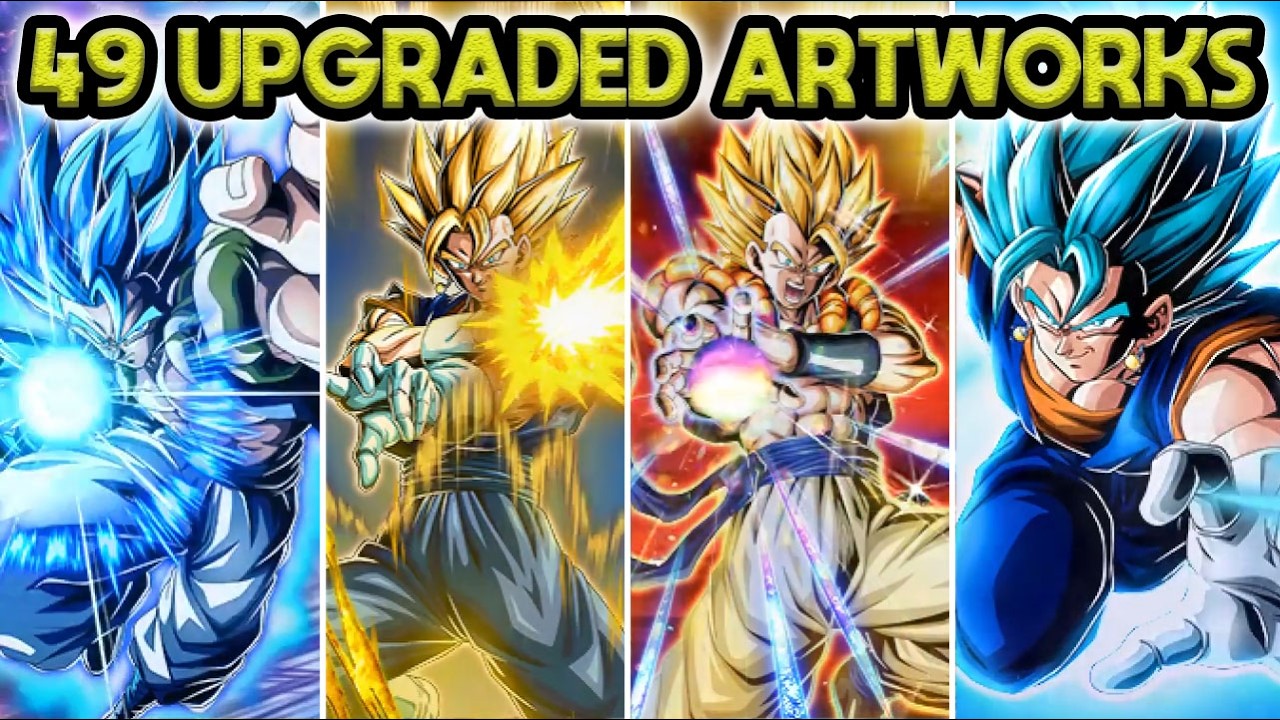
The 49 upgraded Legendary Rare (LR) card artworks in DRAGON BALL Z DOKKAN BATTLE deliver sharper card visuals while reducing total app storage by approximately 600 MB. Released in connection with the 400 Million Downloads Celebration milestone, this overhaul replaces early, heavily compressed art files with optimized asset packages.
If your device storage did not decrease after the update, stale asset caches are likely occupying space alongside the new files. To apply the 600 MB storage reduction, link your account and clear the game cache from the title screen menu.
How the Visual Overhaul and 600 MB Reduction Work
Older LR illustrations relied on legacy image-handling methods that bundled card art, lighting layers, holographic foils, and particle effects across separate, unoptimized image planes. Over years of updates, those files introduced noticeable compression artifacts, blurred linework, and unnecessary storage bloat.
The asset overhaul repacks these elements into streamlined texture containers. By eliminating redundant transparency masks and consolidating layering, the game displays crisper card art while shedding roughly 600 MB of outdated data.
| Feature | Legacy LR Asset Format | Upgraded Asset Format |
|---|---|---|
| Visual Quality | Heavy compression banding, blurry outlines | Sharpened linework, clean aura gradients |
| Asset Architecture | Fragmented, uncompressed texture layers | Consolidated, modern texture containers |
| Client Storage | Retained ~600 MB of legacy asset overhead | Net reduction of roughly 600 MB |
| Roster Navigation | Potential micro-stutter when loading art | Faster card rendering in box view |
LR Units Included in the Visual Update
The update focuses on early and mid-era Legendary Rare releases that previously suffered the most from outdated compression standards. Notable units include:
- Prime Battle and Free-to-Play LRs: Foundational cards like TEQ Super Saiyan Goku, STR First Form Frieza, and AGL Androids #17 & #18 receive cleaned outlines that remove jagged silhouette edges.
- Early Summonable LRs: Classic units such as INT Super Saiyan 2 Gohan (Youth), STR Legendary Super Saiyan Broly, and AGL Majin Vegeta feature smoothed energy auras and refined particle effects.
- Celebration Dual Dokkan Festival LRs: Major releases like AGL Super Saiyan Gohan (Youth) and INT Perfect Cell feature balanced texture layers across active forms and transformation card frames.
Viewing these units in your character box or full-screen card inspect mode displays cleaner gradients on aura effects, energy blasts, and character portraits.
How to Clear Cache and Reclaim Device Storage
If your device has not registered the 600 MB storage decrease, your local installation may still hold obsolete cached assets. Clearing cache forces the client to delete redundant legacy graphics and keep only the streamlined asset library.
- Confirm Account Linking: Go to the in-game settings to ensure your account is backed up to Google, Apple ID, or Facebook. Do not clear game data without verifying your account link.
- Open the Title Screen: Launch the game, but do not tap the screen to enter the main menu.
- Open the Title Menu: Tap the Menu button located in the corner of the title screen.
- Select Clear Cache: Tap Clear Cache and confirm. This removes temporary asset files without deleting your profile data or game progress.
- Download New Data: Tap to start the game on a stable Wi-Fi connection and complete the required patch download.
Completing this download ensures that only the optimized 49 LR assets are stored locally, locking in the full 600 MB storage reduction.
Free DRAGON BALL Z DOKKAN BATTLE Codes
Current active codes and how to redeem them.

Michael Smith
Michael covers live-service games, events, reward systems, and efficient daily routines, turning frequent updates into clear actions for players.
COMMUNITY
Player Comments
118 players commented on this guide.
This guide answered the exact question I had.
Nice guide. I am checking the other DRAGON BALL Z DOKKAN BATTLE articles next.
This helped me understand strategy much better.
I wish I had read this before upgrading the wrong thing.