
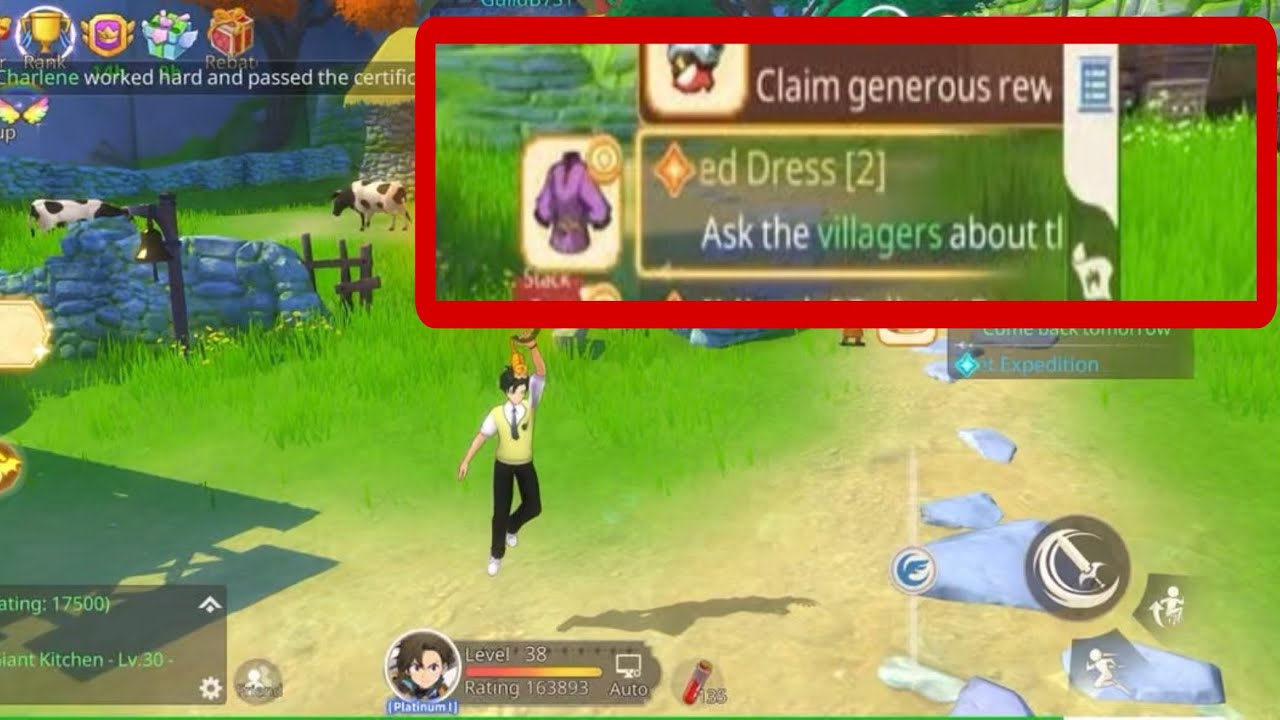
To get the free dress in Dragonbound: Wings of Magic, finish the municipal side quest in the main city hub instead of buying cosmetic outfits from the cash shop. Completing this errand grants an outfit item that unlocks a permanent costume in your wardrobe, granting passive collection stats without spending Diamonds or Bound Dragonite.
How to Unlock and Complete the Dress Quest
You must finish the opening tutorial missions and unlock free roaming in the main city district before the quest giver appears. Side quest icons do not always appear on the global tracker until your character walks close to the NPC.
- Reach the city hub: Complete the introductory story chapter until you gain unrestricted access to the town square.
- Find the quest giver: Walk through the settlement sector toward the tailoring or residential area and look for an NPC with an interactive dialogue bubble.
- Accept the quest: Speak with the NPC and let the dialogue run until the quest acceptance confirmation appears on your screen.
- Complete the local objective: Tap the active side quest entry on your quest tracker to pathfind toward the objective. This task involves simple errands, such as speaking with a secondary contact, picking up an item, or inspecting a station in town.
- Turn in the quest: Return to the original NPC and complete the dialogue to receive the reward container holding the dress.
If auto-pathing stops on background terrain or crowded obstacles, use the manual directional joystick to move into an open area, then tap the quest tracker again to reset navigation.
How to Register and Equip the Dress
Receiving the quest reward does not equip the costume automatically. You must register the item to your account before it appears in your cosmetic options:
- Open your main bag and check the general or appearance tab.
- Select the dress reward item and choose Use or Unlock. This consumes the inventory item and registers the appearance permanently to your account.
- Open your character profile and select the Wardrobe (or Appearance) menu.
- Select the dress under the chest or full-body suit slot to equip it.
The cosmetic dress functions as a visual skin. It overrides your active armor's appearance without lowering or altering your combat gear's defensive stats. You can equip or unequip the cosmetic appearance at any time at no cost.
Wardrobe Stats: Free Quest Outfit vs. Store Outfits
Cosmetics in Dragonbound: Wings of Magic grant passive collection points that increase your overall Combat Power (CP), whether you display the costume or keep it hidden.
| Feature | Quest-Unlocked Free Dress | Premium Store Outfits |
|---|---|---|
| Source | Regional town side quest | Cash shop purchases or gacha banners |
| Cost | 0 Diamonds / 0 Bound Dragonite | Diamonds or paid event vouchers |
| CP Contribution | Permanent baseline collection bonus | Moderate to high collection bonus |
| Combat Stats | Visual override only; retains gear stats | Visual override only; retains gear stats |
| Availability | Permanent side content | Often limited-time or rotational |
Even if you prefer the default look of your class armor, you should unlock the dress to claim the permanent collection bonus for your account.
Troubleshooting Missing Quests and Rewards
If you cannot find the quest or access the reward, check these common failure points:
- Dialogue prompt does not appear: Confirm that your main story quest has formally unlocked the current town district. If you meet the requirement but see no prompt, step away from the NPC, open your quest log to verify side quest visibility, and walk back into interaction range.
- Missing completion reward: Ensure you have at least two open inventory slots before speaking to the NPC. If your bag is full, the reward parcel is sent to your temporary in-game mailbox instead of your bag.
- Dress is missing from the Wardrobe: Confirm that you tapped Use on the reward item in your bag. The Wardrobe menu only displays outfits after the inventory token has been consumed.

Free Dragonbound: Wings of Magic Codes
Current active codes and how to redeem them.

James Brown
James focuses on Android gaming on PC, emulator setup, controls, performance tuning, and practical troubleshooting for longer play sessions.
COMMUNITY
Player Comments
143 players commented on this guide.
I tried this today and it worked better than my old setup.
Nice guide. I am checking the other Dragonbound: Wings of Magic articles next.
Can you add more details about strategy in a future update?
This helped me understand strategy much better.