
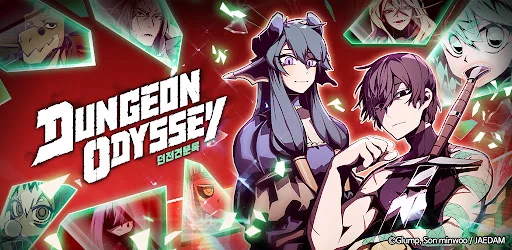
If you are experiencing frequent crashes, freezing, or launch failures while playing Dungeon Odyssey on Android, you can usually resolve these issues by clearing temporary data or managing device resources. These technical glitches often stem from outdated app files or insufficient memory allocation rather than the game servers themselves. By following a systematic approach to resetting the application's configuration and checking for system updates, you can restore stability and return to your dungeon crawl without further interruptions.
Clearing Temporary Data and Cache
The most effective way to address unexpected app closures in Dungeon Odyssey is to clear the local cache. Over time, cached files can become corrupted, leading to load errors or the app stopping unexpectedly during combat.
- Navigate to your phone’s Settings.
- Select Apps or Application Manager.
- Find Dungeon Odyssey in your list of installed applications.
- Tap on Storage.
- Select Clear Cache first. If the issue persists, use Clear Data (note: ensure your account is linked to a cloud service like Google Play Games before clearing data to avoid losing progress).
Updating the Application and Operating System
Compatibility issues are a common cause of performance lag and failure to open the application. If your version of Dungeon Odyssey is outdated, it may conflict with recent Android system patches or server-side updates.
- Check the Play Store: Open the Google Play Store, search for Dungeon Odyssey, and tap "Update" if it is available.
- System Update: Go to your device Settings > System > Software Update to ensure your Android OS is running the latest version, which often includes critical stability improvements for gaming.
Managing Background Processes and Memory
If Dungeon Odyssey runs slowly or lags, your device may be struggling to allocate enough RAM to the application. Closing background tasks can free up the necessary memory to prevent the game from crashing during intense moments.
| Action | Purpose |
|---|---|
| Close Background Apps | Frees up RAM for smoother performance. |
| Restart Device | Flushes temporary system memory and resets hardware states. |
| Check Storage Space | Ensures the device has enough room to write new game data. |
Reinstalling for Persistent Errors
If you have cleared the cache and verified your updates but the app still fails to load, a clean installation is the final logical step. This removes any potentially corrupted installation files that standard updates cannot overwrite.
- Uninstall Dungeon Odyssey from your device.
- Restart your phone to clear residual temporary files.
- Re-download the game directly from the Google Play Store.
- Log back into your account to sync your saved progress.
Free Dungeon Odyssey Codes
Current active codes and how to redeem them.

James Brown
James focuses on Android gaming on PC, emulator setup, controls, performance tuning, and practical troubleshooting for longer play sessions.
COMMUNITY
Player Comments
84 players commented on this guide.
Good guide for Dungeon Odyssey players. The strategy part was useful.
Can you add more details about strategy in a future update?
I tried this today and it worked better than my old setup.
This saved me time in the early game.