
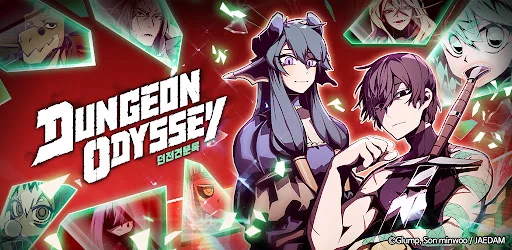
Dungeon Odyssey is designed for efficient, one-handed portrait play, requiring players to adapt their focus to a vertical UI layout. Unlike traditional horizontal RPGs, this title prioritizes quick menu navigation and streamlined idle progression, allowing you to manage hero teams and loot collection simultaneously. To maximize your time, focus on mastering the bottom-aligned navigation tabs and the vertical skill-casting interface, which are essential for maintaining consistent progress during both active dungeon crawls and passive idle sessions.
Optimizing Vertical Interface Navigation
The vertical orientation of Dungeon Odyssey centers on a compact UI, placing critical hero and inventory management tools within easy reach of your thumb. Players should prioritize learning the fixed-position bottom menu, which grants instant access to your party roster, current gear loadouts, and the primary dungeon progression screen. By keeping your most frequently used menus in this lower zone, you minimize time spent scrolling through secondary screens during intense combat sequences.
Efficient Idle Progression Strategies
Idle rewards are the backbone of your advancement, and managing them effectively requires regular interaction with the vertical home screen. Since the game features a persistent idle system, you should monitor the "Auto-Battle" status indicator at the top of the screen to ensure your team is consistently pushing toward new stages.
| UI Element | Primary Function | Interaction Frequency |
|---|---|---|
| Bottom Navigation | Menu Access | High |
| Top Stage Indicator | Progress Tracking | Medium |
| Combat Log | Ability Monitoring | Low |
| Resource Bar | Currency Management | High |
Managing Hero Teams in Portrait Mode
Team management is simplified through a vertical drag-and-drop system that allows for rapid hero swapping. Because the screen space is limited, the character portraits are stacked to prevent overlap. When adjusting your formation for difficult boss encounters, use the dedicated hero inspection window to view detailed stats without leaving the current dungeon map. This allows you to identify which hero slots need equipment upgrades or skill resets while keeping the main combat feed visible in the background.
UI Tips for Active Combat
Active combat in Dungeon Odyssey relies on clear visual cues that appear vertically along the center of the screen. Watch for indicator flashes that signal when a hero's ultimate ability is ready for deployment. In portrait mode, you can easily tap your hero icons to trigger skills while still monitoring the health bars of your backline units. Always keep your primary damage dealers positioned in the central slots to ensure their ability activations are easily accessible during fast-paced dungeon boss fights.

Free Dungeon Odyssey Codes
Current active codes and how to redeem them.

James Brown
James focuses on Android gaming on PC, emulator setup, controls, performance tuning, and practical troubleshooting for longer play sessions.
COMMUNITY
Player Comments
70 players commented on this guide.
I tried this today and it worked better than my old setup.
This guide answered the exact question I had.
The explanation is clear, especially for beginners.
This helped me understand heroes much better.