
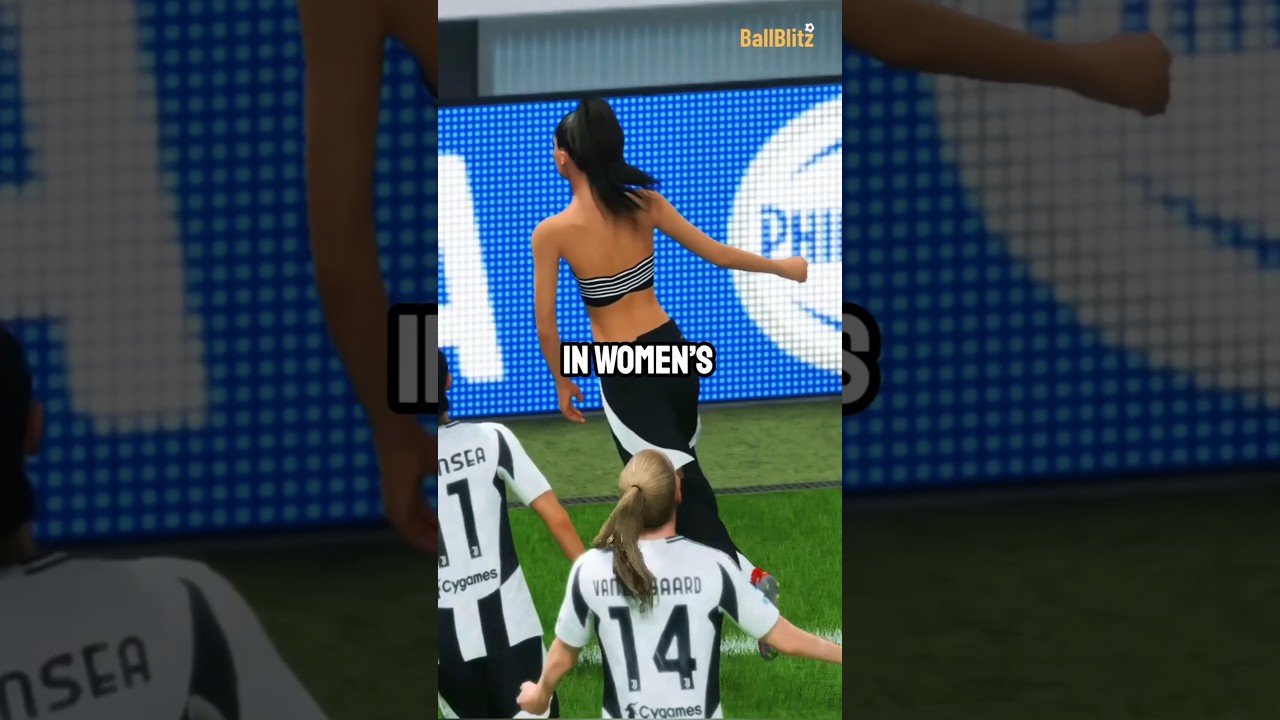
To trigger provocative celebrations in EA SPORTS FC Soccer Mobile 26, pre-equip unlocked animations in the Locker Room customization menu or manually steer your goalscorer toward interactive pitch boundaries immediately after scoring. Rapidly entering directional commands during the post-goal window prevents the match engine from defaulting to generic team celebrations.
How to Equip and Trigger Celebrations
Goal animations trigger through pre-match squad customization or direct manual inputs during the brief celebration window following a goal.
Pre-Match Setup in the Locker Room
- Open the Locker Room tab from the main squad management screen.
- Select your marquee player or squad customization settings.
- Assign your preferred celebration package unlocked through seasonal progression or reward tracks.
- Save the loadout so that running forward after a goal automatically initiates the assigned signature animation without requiring extra inputs.
In-Match Manual Controls
If you do not have a signature taunt equipped or want a situational animation, input your action within two seconds of scoring:
- Interactive Pitch Boundaries: Use the virtual joystick to run directly into the nearest touchline broadcast camera or corner flag. Sideline cameras initiate a cinematic screen takeover, while the corner flag triggers an extended group huddle.
- On-Screen Emote Prompt: Tap the celebration button that appears on the right side of the screen before the sequence locks.
- Directional Swipes and Flicks: Perform a directional flick on the movement controls immediately after the ball crosses the goal line to execute context-sensitive animations like the Cry Baby.
Comparing Top Celebrations and Match Situations
Provocative animations differ in sequence length, camera presentation, and strategic utility during competitive Head to Head matches.
| Celebration | Activation Method | Sequence Duration | Primary In-Game Situation |
|---|---|---|---|
| The Griddy | Locker Room equip or swipe input | 4–5 seconds | Stoppage-time match winners |
| The Cry Baby | Post-goal joystick flick | 3–4 seconds | Following opponent defensive blunders |
| Touchline Camera Rush | Sprint directly to sideline camera | Cinematic cut | Stalling against high-pressing opponents |
| Calm Down (Calma) | Signature forward assignment | 3 seconds | Consolidating second-half comebacks |
| Corner Flag Dance | Sprint directly into corner flag | Long group sequence | Protecting multi-goal leads late in matches |
Managing Match Momentum and Opponent Tilt
Elaborate celebrations alter match pacing by forcing opponents through unskippable cutscenes, disrupting the rhythm of players reliant on rapid passing. However, triggering provocative taunts early—such as after a fortunate first-half deflection—can backfire by prompting an opponent to adopt high-intensity pressing tactics. These animations are most strategically effective after the 80th minute, when reduced remaining match time limits an opponent's comeback opportunities.
If an opponent subjects you to celebration spam, use the cutscene window to your advantage:
- Adjust Game Mentality: Open the tactical overlay during the sequence to shift your team setting from Balanced to Attacking or High Press.
- Analyze Conceded Errors: Identify the breakdown that caused the goal—such as an overcommitted center-back or missed midfield tackle—to adjust your defensive positioning.
- Focus on Composed Restarts: Avoid rushing hopeful long balls directly off the kickoff; use short passes through your central midfielders to regain possession and rhythm.
Free EA SPORTS FC Soccer Mobile 26 Codes
Current active codes and how to redeem them.

Emily Johnson
Emily writes practical mobile strategy guides with a focus on resource planning, base progression, and the early decisions that shape a long-term account.
COMMUNITY
Player Comments
40 players commented on this guide.
Good guide for EA SPORTS FC Soccer Mobile 26 players. The strategy part was useful.
I tried this today and it worked better than my old setup.
Nice guide. I am checking the other EA SPORTS FC Soccer Mobile 26 articles next.
Can you add more details about strategy in a future update?