
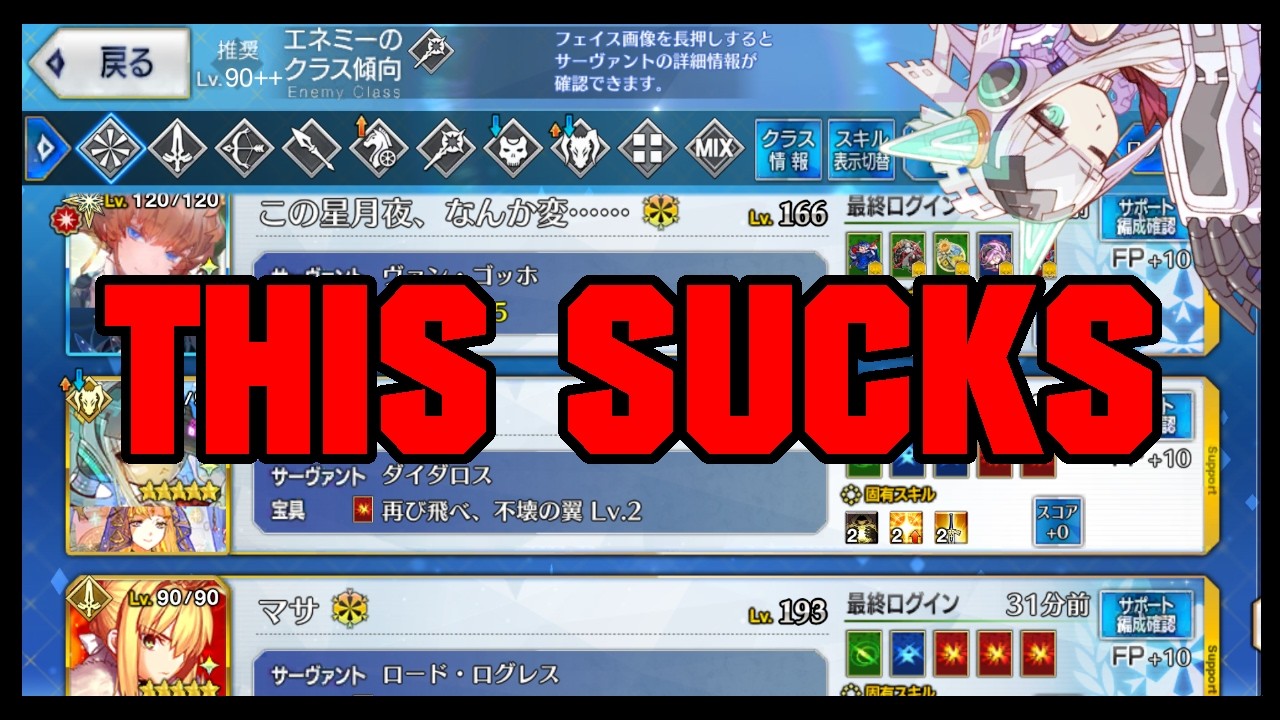
To optimize your Support setup in Fate/Grand Order and maximize your daily Friend Points, place high-demand support Casters in your "All" and "Caster" slots, keep your Event Support tab updated during limited campaigns, and remove inactive players from your Friend List.
Setting Up High-Utility Support Servants
Players most frequently borrow dedicated support Servants that enable NP battery farming and high-damage setups. Placing premier buffers in your primary slots ensures your roster is used regularly by friends.
- Priority Servants: Place meta-defining support Casters—such as Altria Caster (Castoria), Koyanskaya of Light, or Oberon—in your All or Caster slots.
- Craft Essence Matching: Pair support units with Craft Essences (CEs) that offer starting Noble Phantasm (NP) gauge, NP generation rate boosts, or passive stargen rather than purely offensive stats.
- DPS Servants: For non-Caster class slots, offer strong single-target or area-of-effect damage dealers equipped with offensive CEs (such as Buster, Arts, or Quick performance boosters, or raw NP strength buffs).
| Slot | Target Servant Type | Recommended Craft Essence Type |
|---|---|---|
| All | Premier Support (e.g., Castoria, Oberon) | Starting NP Gauge / Team Utility |
| Caster | Dedicated Support Caster | Starting NP Gauge / NP Charge |
| Class Slots | Strong Class DPS or Utility Servants | Role-Matching Offensive or Utility Boosts |
Managing the Event Support Tab
Fate/Grand Order uses separate Support list configurations for normal play and limited-time events. Because players look for drop-rate bonuses during events, an unmaintained Event Support tab significantly lowers your profile's utility.
- Update at Event Launch: As soon as an event begins, open your Event Support setup. Sort your available roster by event bonus Servants and assign them to your event list.
- Equip Event CEs: Attach event-specific Craft Essences that boost event item currency or drop rates.
- Provide Fallbacks: If you do not own event-specific drop CEs, equip neutral CEs that grant 50% or higher starting NP gauge so your Servants remain viable for farming nodes.
- Clear Outdated Setups: When an event ends, ensure your active list defaults back to standard configuration so players do not see obsolete event CEs on standard quest screens.
Auditing and Expanding Your Friend List
Friend Point income relies on mutual usage. Keeping your list populated with active players ensures you receive daily points and have access to the exact support units you need for challenging content.
- Remove Inactive Accounts: Check your Friend List periodically and remove players who have been offline for multiple days, as they do not generate Friend Points for your account.
- Send Requests After Quests: When completing quests using guest supports, send friend requests to active players running well-maintained rosters (such as fully skilled support Casters or equipped event units).
- Account for Refresh Limits: Remember that friends cannot select your exact Support unit twice in a row without a list refresh, and Friend Point updates occur when play sessions complete. Fluctuations in daily point gain are normal.
Free Fate/Grand Order Codes
Current active codes and how to redeem them.

Michael Smith
Michael covers live-service games, events, reward systems, and efficient daily routines, turning frequent updates into clear actions for players.
COMMUNITY
Player Comments
69 players commented on this guide.
This helped me understand strategy much better.
This saved me time in the early game.
This guide answered the exact question I had.
Can you add more details about strategy in a future update?