
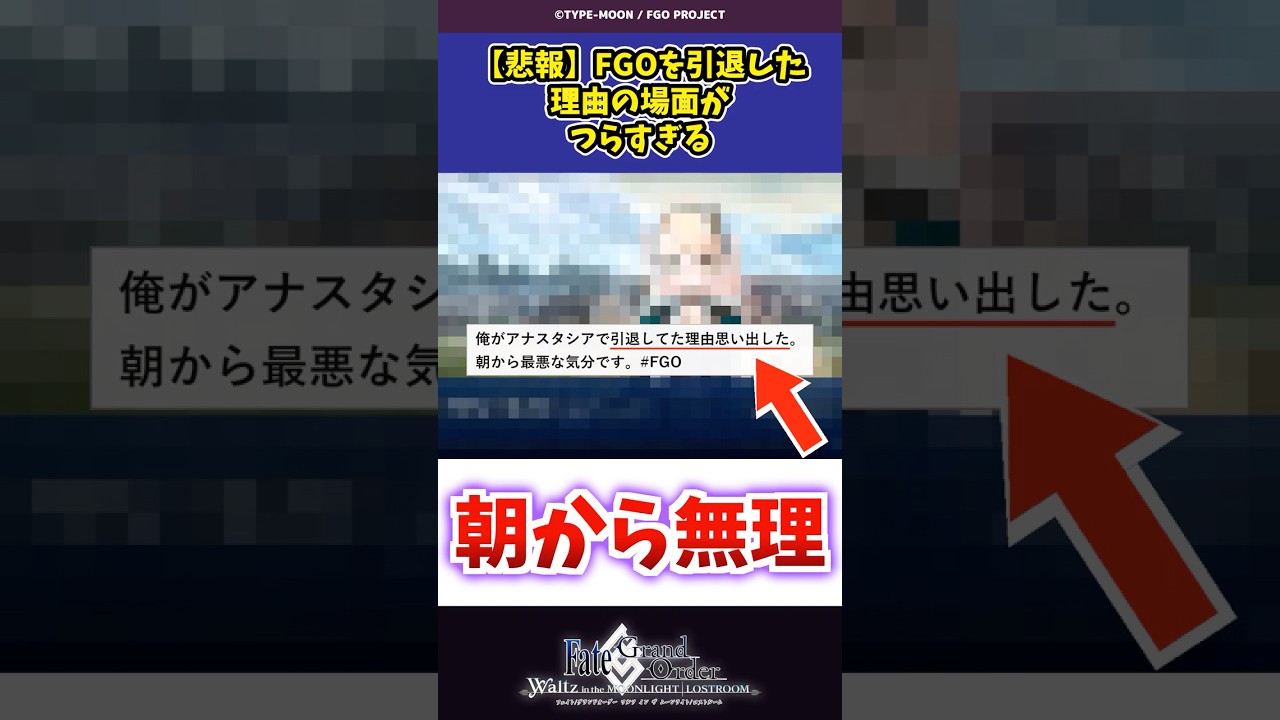
To overcome story burnout in Fate/Grand Order Part 2 (Lostbelt 1: Permafrost Empire Anastasia), speed up dialogue pacing, clear repetitive mob nodes with area-of-effect (AoE) teams, or skip lengthy cutscenes entirely to reread them later in the My Room Material archive.
Early Part 2 suffers from a known disconnect between its grim narrative stakes and primitive visual novel sprite animations. Adjusting your settings and playstyle allows you to advance through the 22 quest sections without losing track of essential lore.
Why Anastasia’s Sprite Hop Created Cutscene Dissonance
Lostbelt 1 marks a sharp tonal shift from the heroic restoration of Part 1 into a darker, survival-driven narrative. Chaldea must navigate an unforgiving frozen Russia populated by Yaga and ruled by Ivan the Terrible's Oprichniki. Despite the somber atmosphere of death, oppression, and pruning alternate timelines, early cutscenes frequently relied on generic engine assets from lighthearted events.
The most notorious example—often cited by players as a breaking point—is Anastasia’s sprite hop (referred to in the community as the "pyon" animation). During a severe village purge, Anastasia Nikolaevna Romanova’s 2D sprite bounces upward accompanied by a comedic sound effect. Instead of conveying icy dread or intimidation alongside Crypter Kadoc Zemlupus, this canned movement undermined the script's gravity. When paired with static backdrops and standard mob battles, this tonal whiplash contributed directly to player attrition.
| Presentation Element | Part 1 Singularities | Early Lostbelt 1 Staging |
|---|---|---|
| Narrative Tone | Classic heroic stakes and restoration | Survival horror, existential guilt, and timeline pruning |
| Sprite Movement | Basic vertical jumps, screen shakes, fades | Canned comedic bounce assets during somber sequences |
| Audio Direction | Standard combat SFX and heroic themes | Serious ambient tracks interrupted by generic emote noises |
| Burnout Risk | Low, driven by straightforward heroic objectives | Moderate to high, caused by pacing drags and visual dissonance |
Visual Upgrades in Later Lostbelts
Pushing through Lostbelt 1 is worthwhile because cutscene direction improves substantially in later chapters. Starting primarily with Lostbelt 5 (Atlantis and Olympus) and expanding further in Lostbelt 6 (Avalon le Fae), the game replaces basic sprite bounces with dedicated cinematic techniques:
- Custom Illustrations and CGs: Major narrative climaxes feature bespoke event illustrations rather than standard character portraits against static backgrounds.
- Dynamic Camera Direction: Zooming, panning frames, multi-layered particle effects, and tailored screen shakes give high-stakes battles cinematic weight.
- Servant Visual Variety: Key bosses and allies receive unique stances, expressions, and specialized animations fitted to the emotional context.
- Smoother Transitions: Story text boxes flow directly into tactical encounters without awkward audio interruptions.
How to Progress Through Lostbelt 1 Efficiently
If the pacing or sprite staging in early Part 2 feels tedious, use these three practical adjustments to maintain momentum:
- Adjust Text Display and Auto-Advance: Increase text display speed in the game settings to let dialogue flow smoothly. Faster delivery minimizes the unnatural pauses between text boxes that make canned sprite hops feel intrusive.
- Accelerate Generic Encounters: Multiple nodes feature multi-wave skirmishes against generic Oprichniki hounds. Run high-damage AoE Berserkers or standard three-turn farming setups to clear these trash waves immediately and preserve your focus for the narrative.
- Focus on Script Milestones: Pay attention to the primary ideological conflict between Chaldea and Kadoc, along with Patxi’s critical character arc and final dialogue in Section 21, while letting background engine limitations take a back seat.
Using My Room Material to Bypass Active Fatigue
When time-sensitive in-game events require Lostbelt 1 completion for access, forcing yourself through every cutscene in real time often accelerates burnout.
You can safely tap the Skip button during dialogue sequences to clear nodes quickly, spend AP efficiently, and collect Saint Quartz rewards. Once the chapter is cleared or event participation is secured, navigate to My Room, select Material, and choose Main Record to replay the unlocked story scenes at your own pace without interruption.
Free Fate/Grand Order Codes
Current active codes and how to redeem them.

Sarah Williams
Sarah specializes in RPG and collection games, explaining team building, character growth, and beginner-friendly ways to avoid expensive early mistakes.
COMMUNITY
Player Comments
82 players commented on this guide.
The explanation is clear, especially for beginners.
This helped me understand strategy much better.
This saved me time in the early game.
Good guide for Fate/Grand Order players. The strategy part was useful.