
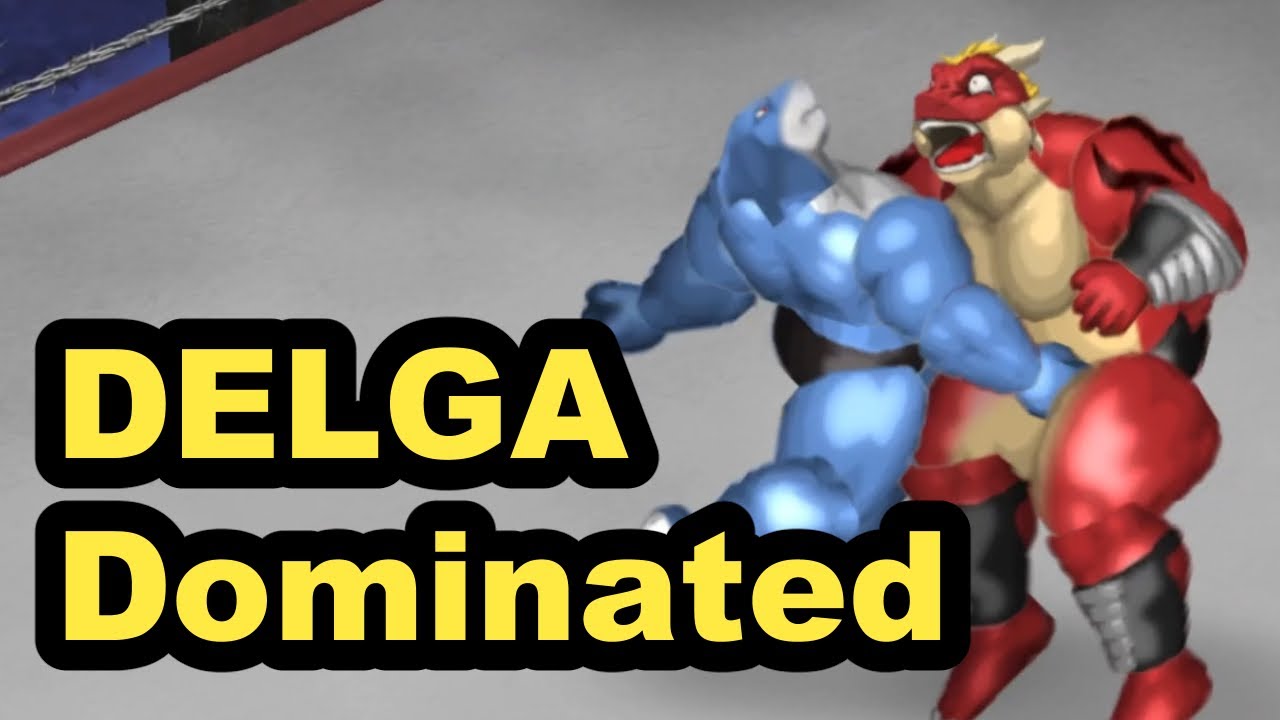
Integrating custom assets into Furry Fighters allows you to transform your idle hack-and-slash experience by replacing default character visuals with your own unique creations. Whether you are looking to bring a custom model like "Delga" into the game or want to animate specialized combat movements, the process requires a blend of artistic precision and technical file management.
This guide covers the entire workflow, from preparing your textures in Clip Studio Paint (CSP) to ensuring your custom combat animations sync perfectly with the game’s core mechanics.
Understanding the Custom Asset Workflow
In Furry Fighters, modifying your characters is a process of asset replacement. Because the game engine relies on specific file structures to map textures to character skeletons, you cannot simply drop in any image file. You must first extract the base game files to understand the standard formatting.
Step-by-Step Preparation
- Extract Base Files: Locate your Furry Fighters installation folder and identify the
CharactersorAssetsdirectory. Copy these files to a secure backup location before making any changes. - Analyze Texture Maps: Open the base character textures in an image editor. Note where limbs, torsos, and heads are positioned on the sprite sheet. These "anchors" are crucial; if your custom painting deviates from these zones, the game will map your textures incorrectly, leading to visual errors.
- Template Creation: Use your base extraction to create a template in CSP. Maintaining the original dimensions and resolution is non-negotiable; resizing files often breaks the game's shader compatibility.
Designing and Animating Custom Combat Movements
The heart of Furry Fighters is its hack-and-slash combat. If you want to replace standard animations—such as custom melee strikes or unique "crotch moves"—you must animate in frames that the game engine can interpret as a sequence.
Essential Rules for Custom Animation
- Frame Consistency: Every frame in your animation sequence must share the exact same resolution and color profile. Even a one-pixel shift in frame size can cause the game to stutter or "flicker" during high-intensity combat.
- Layer Organization: In CSP, keep your animation frames on separate, clearly labeled layers. This allows you to adjust individual frames if the movement feels "weightless" or jerky during testing.
- Hitbox Alignment: Remember that your character's physical hitboxes do not change when you update the art. If your custom animation shows a sword strike, but the frame is too slow, you will find your character taking damage before the animation actually connects. Always time your custom movements to match the original animation's "Active" frames.
Technical Requirements for Successful Imports
After you have finalized your art in CSP, the export phase is where most players encounter issues. The game engine is sensitive to alpha channels and file transparency.
Avoiding Common Export Pitfalls
- Alpha Channel Handling: Ensure your export settings in CSP preserve transparency correctly. If your transparency is not handled as an alpha channel, your character may appear with a "box" of color around them, obscuring the game's background elements.
- File Format Compatibility: Most Furry Fighters mods require specific formats (often PNG or custom binary formats). Verify that your export matches the file extension of the original asset you are replacing exactly.
- Naming Conventions: The game engine looks for specific filenames to trigger animations. If you name your file
Custom_Attack_01.pngbut the game is looking forAttack_01.png, the animation will fail to load, resulting in an invisible character or a crash.
Testing and Troubleshooting Your Mods
Once your files are in the directory, do not jump straight into a high-level wave. Use the game’s "Practice Mode" to stress-test your assets.
Troubleshooting Checklist
- Clipping Issues: If parts of your model disappear or stretch during a combat sequence, it usually means the skeleton mapping is misaligned. Double-check your CSP file to ensure no elements extend outside the defined "safe zones" for that animation frame.
- T-Posing: If your character remains frozen in a T-pose, the game has failed to read your animation sequence. This is typically a naming error or an unsupported frame rate.
- Lighting Artifacts: Some custom models may look "flat" compared to the game’s default assets. Ensure your textures are utilizing the correct color depth to allow the game's lighting engine to apply shadows and highlights appropriately.
Understanding the Limitations of Modding
It is vital to manage expectations regarding what custom assets can achieve. Furry Fighters is an idle game governed by strict internal statistics.
What You Cannot Change
- Mechanical Performance: Changing the visual appearance of a character does not alter their attack speed, crit chance, or movement range. Your custom model inherits the stats of the base character it replaces.
- Network Synchronization: If you share your custom models, remember that these are local-client modifications. Other players will not see your custom "Delga" model unless they have also installed your specific mod pack.
- Versioning: Every time Furry Fighters receives an official update, there is a risk that the underlying file structure will change. Always keep your original game files backed up in a separate folder; if an update breaks your mods, you will need to perform a clean install before reapplying your custom assets.
By following this workflow, you can push the boundaries of Furry Fighters and tailor the aesthetic to your exact vision. Focus on keeping your files organized, your frame rates consistent, and your backups current to ensure your custom fighters remain battle-ready through every update.
Free Furry Fighters Codes
Current active codes and how to redeem them.

Sarah Williams
Sarah specializes in RPG and collection games, explaining team building, character growth, and beginner-friendly ways to avoid expensive early mistakes.
COMMUNITY
Player Comments
144 players commented on this guide.
The tips are practical and easy to follow.
Good guide for Furry Fighters players. The heroes part was useful.
This saved me time in the early game.
I wish I had read this before upgrading the wrong thing.