
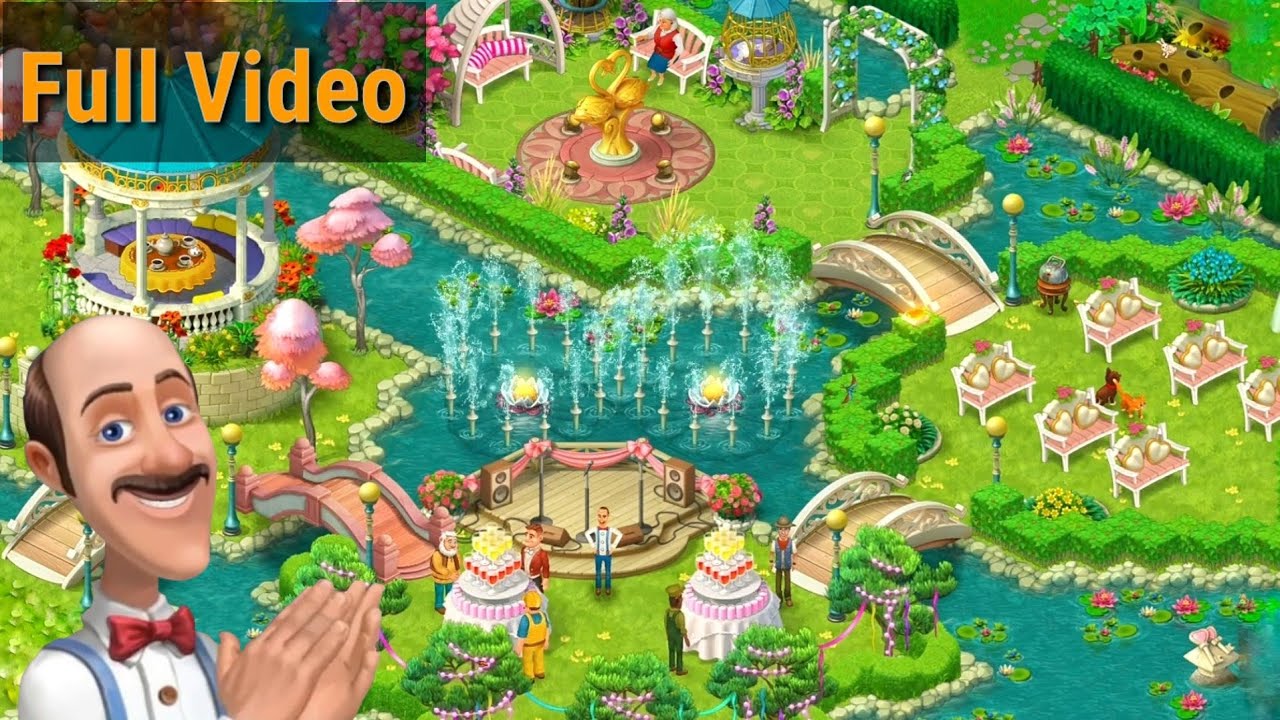
In Gardenscapes, unlocking and restoring every garden area is a strictly linear process. You earn stars by beating match-3 puzzle levels, then spend those stars on Austin’s in-game tablet to repair structures, clear debris, and decorate the grounds. You cannot skip ahead to distant areas of the estate; you must finish all required tasks in your active zone to reach 100% completion before the game unlocks the next sector.
How Area Progression and Star Costs Work
Estate expansion relies entirely on completing Austin's daily to-do list:
- Star acquisition: Each completed match-3 puzzle level awards exactly one golden star. The reward amount remains one star whether the stage is classified as Normal, Hard, or Super Hard.
- Task star costs: Individual restoration chores cost between one and five stars. Routine actions like raking leaves or feeding pets usually require one or two stars, while building major landmarks, docks, or large monuments costs between three and five stars.
- Area completion: Completing the final task on an area's checklist triggers a celebration cutscene, unlocks the path to the adjacent sector, and awards a completion bundle containing coins, boosters, and timed infinite lives.
Major Estate Zones and Milestones
As you advance, the estate moves from traditional manor grounds to specialized geographic features and themed gardens.
| Estate Zone | Key Landmark | Primary Renovation Focus |
|---|---|---|
| Manor Entrance | Central Fountain | Clearing brambles, paving paths, placing benches |
| Treehouse & Courtyard | Elevated Wooden Cabin | Installing rope ladders, building dog agility runs |
| Hedge Maze | Central Sundial & Statues | Trimming evergreen walls, installing wrought-iron gates |
| The Lakefront | Boathouse & Wooden Pier | Stabilizing shorelines, dredging debris, docking boats |
| Island Sanctuary | Restored Lighthouse | Constructing footbridges, wiring beacon systems |
| The Orangery | Glass Winter Greenhouse | Repairing iron framework, installing heating ducts and citrus planters |
| Asian Garden & Overlook | Lacquered Bridge & Observatory | Managing koi ponds, placing stone lanterns, restoring telescope domes |
When building prominent landmarks such as the central fountain, the game offers three design styles. You can pick any option freely without affecting your progression.
Tips for Managing Stars and Renovation Rewards
- Time your area completions: Finishing a sector often activates 30 to 60 minutes of unlimited lives alongside power-ups. Do not trigger the final task of a zone unless you are prepared to play through several match-3 levels immediately to capitalize on the timer.
- Redesign using coins instead of stars: If you want to change the look of a previously placed bench, fountain, or statue, tap and hold the item to bring up the customization menu. Swapping aesthetics costs coins, preserving your stars for unfinished areas.
- Clear available minigames: Periodic nightmare puzzles and interactive story minigames appear on the garden interface. Solve these when prompted to earn extra boosters and progression resources.
- Batch your star spending: Because later areas feature higher star requirements for structural projects, saving a reserve of 15 to 30 stars allows you to clear full narrative sequences and complete larger projects in a single sitting.
Free Gardenscapes Codes
Current active codes and how to redeem them.

Emily Johnson
Emily writes practical mobile strategy guides with a focus on resource planning, base progression, and the early decisions that shape a long-term account.
COMMUNITY
Player Comments
60 players commented on this guide.
Good guide for Gardenscapes players. The strategy part was useful.
This guide answered the exact question I had.
Can you add more details about strategy in a future update?
I wish I had read this before upgrading the wrong thing.