
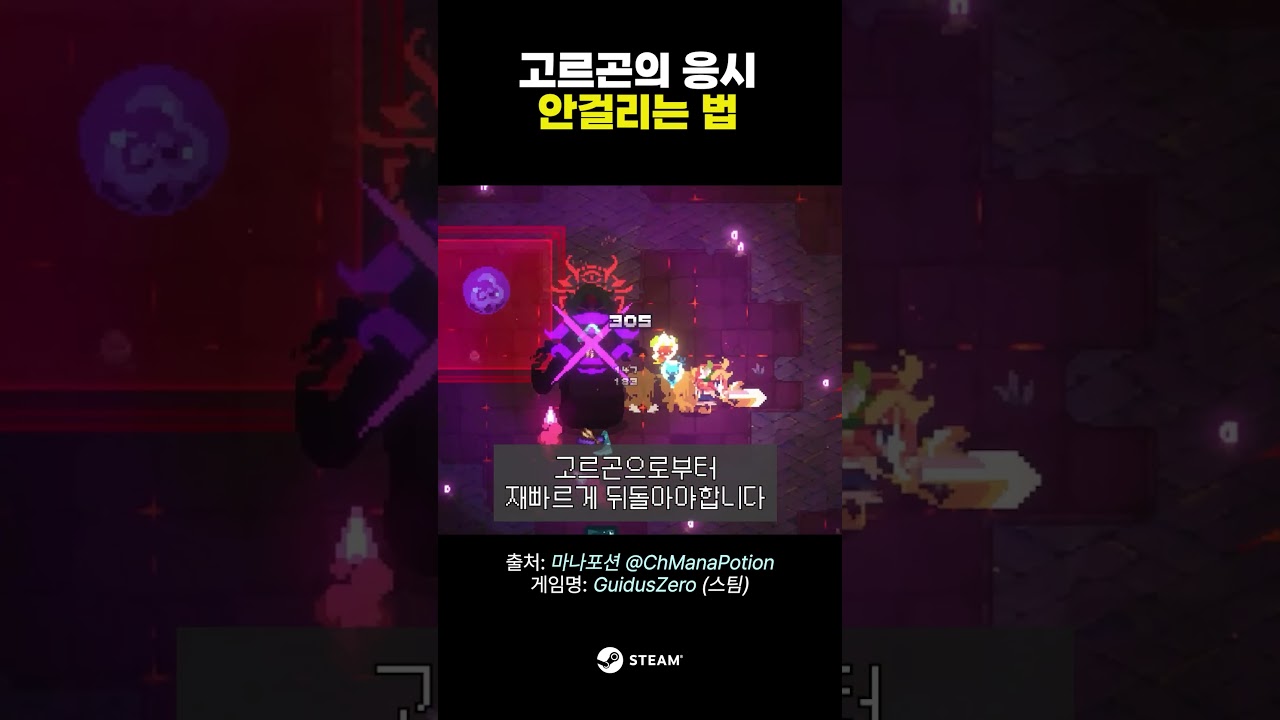
To avoid Gorgon's Gaze in Guidus One, stop attacking and face your character completely away from Gorgon before the cast finishes. The attack ignores dash invincibility frames and arena distance, checking only whether your character is looking at the boss. Turning your back completely negates both the damage and the petrification status effect, preserving your dash charges and positioning for an immediate counterattack.
Why Gorgon's Gaze Ignores Dodges
Gorgon's Gaze bypasses standard evasive maneuvers because it functions as a direct line-of-sight facing check rather than an area-of-effect hitbox. In Guidus One, most boss telegraphs encourage players to dash through incoming strikes using invincibility frames.
Dashing through or sprinting away from Gorgon fails against this specific skill:
- Dash invulnerability is ignored: If your character faces Gorgon when the cast finishes, petrification triggers even mid-dash.
- Range does not matter: The gaze covers the entire room, so retreating to the edges of the arena will not protect you.
- Facing direction is the sole check: The game calculates line of sight between character orientation and the boss. Facing away grants complete immunity.
| Player Action | Facing Direction | Result |
|---|---|---|
| Dash toward or through Gorgon | Facing boss | Full damage taken and petrification applied |
| Sprint backward while looking forward | Facing boss | Full damage taken and petrification applied |
| Stand still or move outward | Back turned | Zero damage taken and petrification negated |
| Continue attacking or casting | Snaps to boss | Forced forward facing, petrification applied |
Step-by-Step Evasion Sequence
Neutralizing the gaze requires no repositioning, meaning you do not need to spend stamina or give up ground. Follow this sequence when Gorgon begins charging the attack:
- Spot the telegraph: Watch for Gorgon to coil slightly and channel energy with a glowing aura or eye flash.
- Release attack inputs: Stop all primary strikes, weapon skills, and spells immediately so your character does not lock toward the target.
- Turn your back: Press and hold your movement control directly away from Gorgon's position.
- Hold until the effect clears: Maintain your backward stance until the screen flash and audio cue resolve completely.
- Punish the recovery: Turn back toward Gorgon immediately after the flash dissipates to exploit the boss's recovery window.
Preventing Auto-Targeting and Buffering Mistakes
Unintentional reorientation is the primary reason players get petrified despite understanding the mechanic. Attacks automatically snap your character model toward the nearest target. If you press an attack button while attempting to steer away, the input buffer prioritizes the combat action and turns your character back toward Gorgon.
To prevent accidental turns:
- Keyboard and Mouse: Release the attack button entirely, then use WASD or your cursor to direct your character away from the boss.
- Controller: Let go of the attack button or trigger, then firmly push the left analog stick in the opposite direction.
- Avoid queueing combos: Do not try to fit an extra hit into the telegraph window if your weapon has long recovery animations.
Tactical Advantages and Timing Errors
Mastering the look-away mechanic provides significant offensive and defensive advantages during the fight. Gorgon frequently follows the gaze with physical sweeps, poison hazards, or lunges. By avoiding the gaze without dashing, you preserve all of your dash charges and stamina to dodge those follow-up attacks.
Furthermore, turning your back lets you maintain point-blank positioning. Instead of running across the room and losing damage uptime, you can stand directly beside Gorgon with your back turned. As soon as the gaze discharge fades, you can immediately begin executing your heaviest combos without wasting time closing the distance. Wait until the flash completely disappears before re-engaging, as turning around a fraction of a second early will still trigger petrification.

Free Guidus One Codes
Current active codes and how to redeem them.

Emily Johnson
Emily writes practical mobile strategy guides with a focus on resource planning, base progression, and the early decisions that shape a long-term account.
COMMUNITY
Player Comments
37 players commented on this guide.
Can you add more details about heroes in a future update?
I tried this today and it worked better than my old setup.
The tips are practical and easy to follow.
Good guide for Guidus One players. The heroes part was useful.