
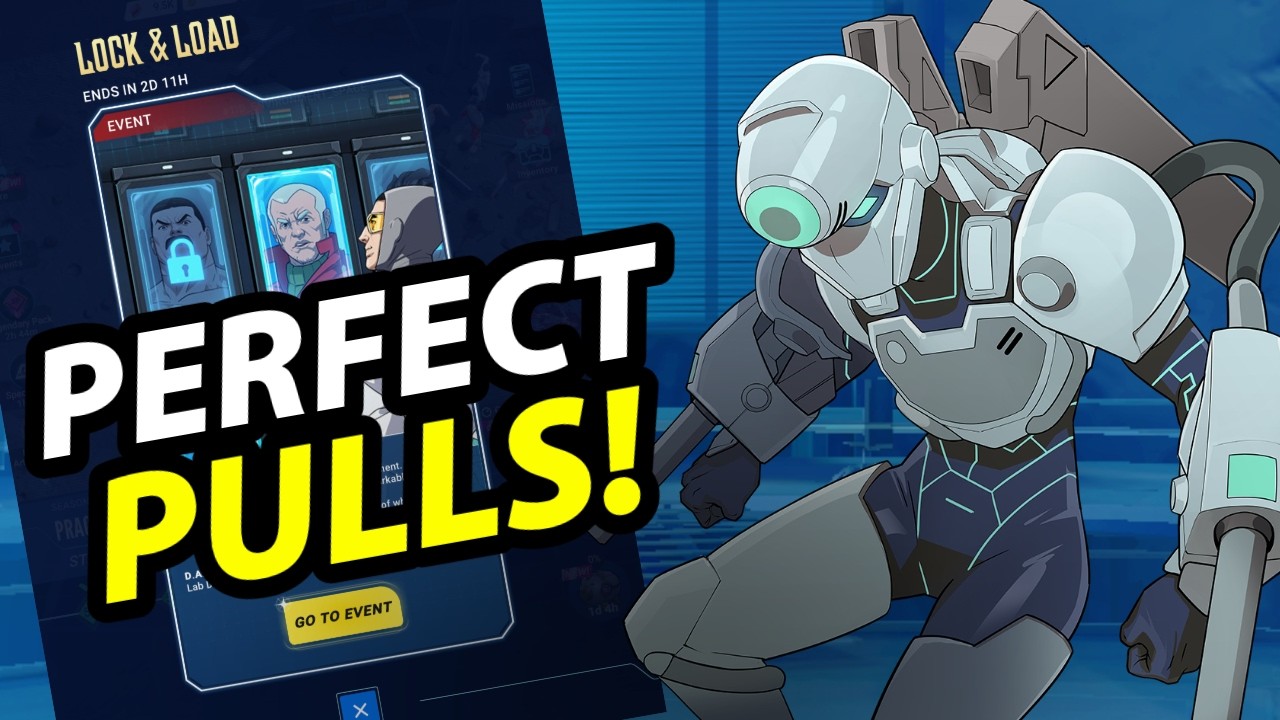
Lock your recruitment board in Invincible: Guarding the Globe only when it contains at least two Elite heroes or a critical core carry you actively build, and only if you can realistically secure the Hero Dossiers or Gems to buy them within a few hours.
Tapping the padlock icon pauses the automatic shop timer, keeping the current five-hero lineup from rotating out. However, pausing the timer prevents free shop refreshes from cycling in. Leaving a board locked for extended periods halts your shop progression and wastes opportunities to encounter new heroes.
How the Shop Lock Mechanic Works
The standard recruitment shop displays five heroes that refresh automatically on a set countdown. Activating the lock preserves those exact five cards until you manually unlock the shop or purchase them.
Key operational rules of the lock include:
- Selective Purchasing: You can pull individual cards while the board remains locked. The remaining slots stay frozen in place.
- Timer Freezing: The countdown timer halts entirely. It will not tick down to zero or trigger an automatic lineup wipe while the lock is active.
- Opportunity Cost: While the shop is locked, you receive no passive rotations. Every missed refresh denies you new free hero rolls and slows your Recruitment Shop leveling, which requires hero purchases to improve baseline Elite drop rates over time.
When to Lock vs. When to Let the Board Rotate
Because locking halts account momentum, do not lock for single fodder units or common Elite defenders. Evaluate the board against these conditions before toggling the lock:
| Board State | Recommended Action | Target Resolution Time |
|---|---|---|
| Two or More Elites | Lock immediately | Clear within 6 to 12 hours |
| Top-Tier Carry or Support (e.g., Invincible, Robot) | Lock only if currency is reachable | Clear within 12 hours |
| Single Mid-Tier or Fodder Elite | Do not lock; let the timer expire | 0 hours (let it rotate) |
| Limited-Time Event Banner Hero | Lock if event currency is pending | Clear before event expires |
If you roll a single Elite that you do not urgently need for rank promotions, let the timer expire naturally. Saving one standard unit is not worth losing multiple free shop resets.
How to Clear a Locked Board Quickly
Never lock a board if your resources are empty and your campaign progress is completely stuck. Before you press the lock button, verify that you have fast, reliable methods to collect Hero Dossiers or Gems:
- Check GDA Ops Timers: Verify if active operations, such as Downtown Destruction or faction-specific missions, are set to finish soon with Dossier or Gem payouts.
- Review Daily and Weekly Milestones: Check quest trackers to see if completing minor tasks—such as lab nodes or arena battles—will trigger an immediate currency milestone.
- Push Campaign or Cecil’s Nightmares: If you are one or two stages away from a milestone reward chest containing recruitment currency, clear those stages to fund the pull.
Once you purchase your target Elite, unlock the shop immediately. Do not leave the timer frozen to gather lower-tier rare or common units remaining on the board.
Locking on Limited Event Banners
Limited-time recruitment banners feature separate timers and use dedicated event currencies. Locking on an event banner is often worthwhile because promotional units are available only for a narrow window.
However, shop locks do not override event expiration dates. If an event ends while your banner is locked, the entire event interface closes, discarding the board and converting unspent event currency. Always unlock or spend down your pulls before the master event countdown reaches zero.
Free Invincible: Guarding the Globe Codes
Current active codes and how to redeem them.

Sarah Williams
Sarah specializes in RPG and collection games, explaining team building, character growth, and beginner-friendly ways to avoid expensive early mistakes.
COMMUNITY
Player Comments
157 players commented on this guide.
This helped me understand strategy much better.
The explanation is clear, especially for beginners.
Can you add more details about strategy in a future update?
I tried this today and it worked better than my old setup.