
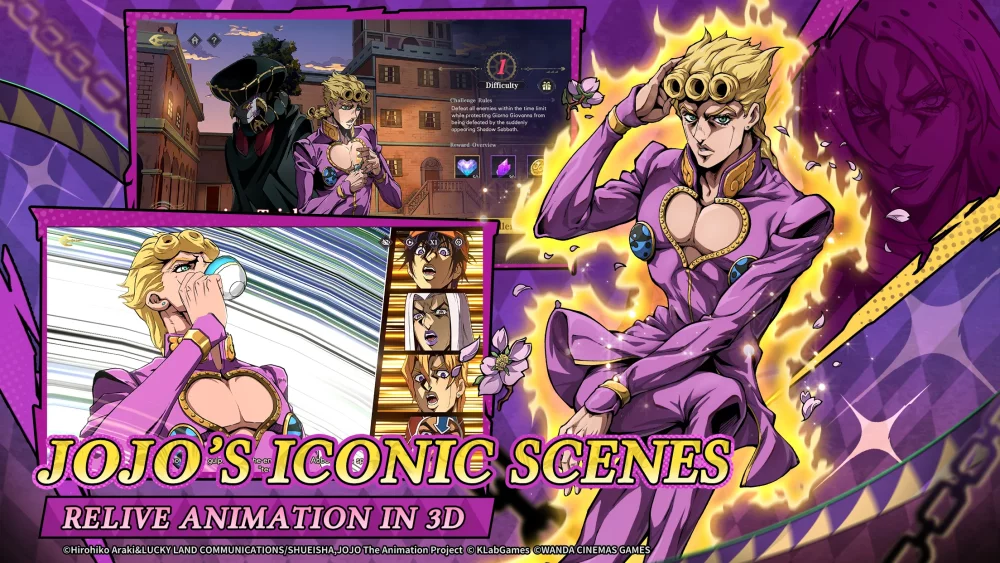
To achieve the highest level of immersion and competitive edge in JoJo's Bizarre Adventure: GS, players must prioritize a balanced calibration of graphical fidelity and audio precision. Because the game relies heavily on visual combat cues and dynamic soundscapes that react to your performance, improper settings can lead to missed dodge windows or obscured tactical information. This guide provides the expert configuration strategies required to experience the game’s production quality while maintaining the performance stability necessary for high-stakes encounters.
Maximizing Character Model Fidelity
The character models in JoJo's Bizarre Adventure: GS are built with specific art-style shaders that define the "JoJo" aesthetic. When these models are rendered at low resolutions, the sharp edges and dramatic shadows—the hallmarks of the series—become muddy, making it difficult to read animations.
- Texture Quality: Always set this to "High" if your device hardware allows. This ensures that the texture mapping on character costumes and Stand entities remains crisp, which is vital for identifying specific character variants during team-building phases.
- Anti-Aliasing: If you notice jagged lines (aliasing) on character outlines, enable TAA or FXAA. While this has a minor performance cost, it preserves the clean, cel-shaded look intended by the developers.
- The "Blur" Test: If models look soft or blurry, check if your device is running in "Battery Saver" mode or if your internal resolution scale is set below 100%. Keeping this scale at native resolution is the single most important factor for visual clarity.
Mastering Tactical Audio Cues
Audio in JoJo's Bizarre Adventure: GS is not merely atmospheric; it is a mechanical tool. Many Stand abilities and signature moves are accompanied by unique audio triggers that serve as an early-warning system.
Audio Settings Strategy
- Prioritize SFX: In the audio settings menu, keep your "SFX" volume at least 15-20% higher than your "BGM" (Background Music) volume. The game's score is iconic, but you cannot afford to have it drown out the distinct "ping" or "vocal shout" that signifies an opponent activating a Stand ability.
- Dynamic Range: If your hardware supports it, select a "High Dynamic Range" or "Night Mode" audio profile. This compresses the loudest sounds and boosts quieter, nuanced cues, making it easier to hear footsteps or subtle ability activation sounds amidst the chaos of a full-team engagement.
- Headset Usage: Always play with stereo or spatial-enabled headsets. JoJo's Bizarre Adventure: GS utilizes positional audio, which is crucial for identifying where an off-screen threat is positioning their Stand during multi-target encounters.
Managing Performance for Visual Consistency
High visual settings are useless if they result in frame drops during critical input windows. Consistency is the primary goal; a steady 60 FPS is superior to a fluctuating 120 FPS that suffers from thermal throttling.
- Capping Framerate: If you experience "stuttering" during intensive Stand rushes or ultimate animations, cap your frame rate at a stable 30 or 60 FPS. This prevents the device from pushing its hardware to the absolute limit, which often leads to thermal throttling and sudden, jarring frame drops.
- Thermal Management: JoJo's Bizarre Adventure: GS is graphically demanding. If your device heats up, the CPU/GPU will automatically throttle. To avoid this, lower your "Shadow Quality" or "Post-Processing" settings before touching "Texture Quality." Shadows and bloom effects are often the biggest contributors to heat without significantly impacting your ability to play the game.
- Background Processes: Before launching, ensure that no memory-intensive applications are running in the background. RAM overhead is essential for loading character models quickly, preventing the "pop-in" effect that can be distracting during story cinematics.
UI Customization for Competitive Play
The User Interface (UI) is designed to be thematic, but it can sometimes obscure the action. A clean screen is a high-performance screen.
- HUD Scale: Navigate to the UI settings and reduce the scale of non-essential elements like the chat box or mini-map if they are blocking your field of view during combat.
- UI Transparency: If you find the health bars or ability cooldown timers are distracting, look for an "Opacity" or "Transparency" slider. Setting these to 80-90% allows you to maintain awareness of your cooldowns while still seeing the battlefield clearly through the UI elements.
- Indicator Clarity: Ensure "Damage Numbers" are visible but not so large that they obscure character animations. You need to see the enemy’s frame-by-frame movement to react effectively.
Troubleshooting Common Visual Issues
If your game does not look or feel correct, follow this troubleshooting hierarchy:
- Resolution Mismatch: If the game looks stretched or blurry, ensure your device's display resolution matches the game's supported aspect ratio.
- Shadow Artifacts: If shadows appear pixelated or "flicker," set "Shadow Quality" to "Medium." This is often a driver-level issue or a limitation of mobile GPU architecture that is easily bypassed with a moderate settings tweak.
- Input Latency: If you feel like your inputs are delayed, disable "V-Sync." While this may introduce minor screen tearing, it significantly reduces input lag, which is essential for timing perfect counters and dodges.
By systematically adjusting these settings, you transition from playing a standard mobile experience to mastering a highly tuned, responsive, and visually stunning version of JoJo's Bizarre Adventure: GS. Focus on the balance between high-fidelity character models and the performance stability required to keep your reaction times sharp.

Free JoJo's Bizarre Adventure: GS Codes
Current active codes and how to redeem them.

James Brown
James focuses on Android gaming on PC, emulator setup, controls, performance tuning, and practical troubleshooting for longer play sessions.
COMMUNITY
Player Comments
93 players commented on this guide.
Nice guide. I am checking the other JoJo's Bizarre Adventure: GS articles next.
I wish I had read this before upgrading the wrong thing.
The tips are practical and easy to follow.
This guide answered the exact question I had.