
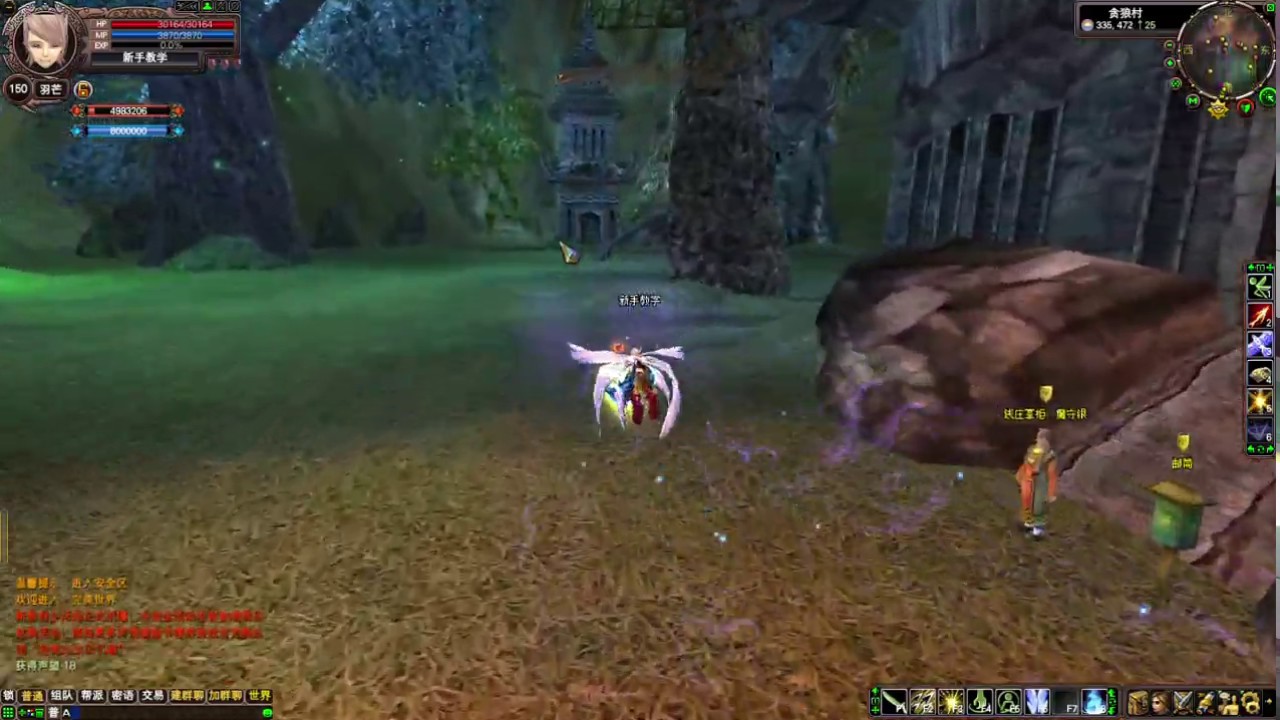
In Journey to Immortality 2, the Demon Saint (Mo Sheng) ascension represents one of the most pivotal milestones in your cultivation journey. Transitioning into this stage is not merely a stat boost; it is a complex, multi-stage process that tests your combat readiness, attention to detail, and ability to navigate intricate NPC dialogue trees. Failing to follow the specific sequence of events can lead to progression bottlenecks, leaving your character stuck at the brink of advancement.
This guide provides the authoritative path to completing the Demon Saint transition, ensuring you avoid common pitfalls and secure your new rank efficiently.
Prerequisites: Preparing for the Demon Saint Trial
Before you can engage with the Demon Saint questline, you must ensure your character is truly ready. In Journey to Immortality 2, the game engine checks your current cultivation status before enabling quest triggers.
- Cap Your Cultivation: Ensure your current rank experience is at 100%. Attempting to trigger the quest while your cultivation bar is incomplete will result in NPCs refusing to provide the necessary quest prompts.
- Inventory Management: Clear your inventory before starting. The quest involves gathering specific, non-recoverable items. If your inventory is full, the system may glitch, failing to register the acquisition of critical quest items, which can force you to reset the entire sequence.
- Skill Optimization: Prepare a loadout focused on single-target burst damage. While many players default to AoE (Area of Effect) builds for standard grinding, the Demon Saint quest requires precise elimination of elite mobs.
Step 1: Initiating the Quest Sequence
The quest begins at the designated Demon Saint gatekeeper NPC. The most common mistake players make is assuming they can skip through dialogue. In this questline, dialogue is functional, not flavor text.
To initiate the sequence, you must exhaust every dialogue branch available. Do not simply click through the prompts; read the NPC’s requests carefully. The game registers your "flag" for the quest only after you have cycled through the entire conversation tree. If you exit early, the world map will not update with the required quest markers, leaving you wandering in search of an objective that hasn't officially triggered yet.
Step 2: Navigating Combat Milestones
Once triggered, you will be directed to specific zones to face the Demon Saint trial combat. These are not standard dungeon grinds; they are scripted tests.
Target Prioritization
The combat encounters feature waves of enemies where only specific "Elite" units drop the required quest items. If you use wide-area attacks to clear the screen, you risk killing the elites too quickly or failing to loot their remains before the phase resets.
- Strategy: Isolate the elite targets. Use crowd control (CC) skills to lock down smaller mobs while you focus your damage on the elites.
- Looting: Never leave the area until the quest log specifically updates to show you have collected the required items. If you kill the elite but fail to collect the drop, you will have to wait for a full respawn timer, which can take several minutes.
Step 3: Mastering Dialogue Trees
The Demon Saint path is narrative-heavy. Throughout the quest, you will be presented with moral or tactical choices during conversations.
- The "Demon Saint" Alignment: Always select options that favor the aggressive, power-seeking path associated with the Demon Saint archetype. Choosing "passive" or "defensive" dialogue options can lead to "Failure to Resonate" prompts, which lock the NPC dialogue for that session.
- Observation: Pay attention to the NPC's response. A successful interaction will always result in a distinct audio-visual cue or the addition of an item to your inventory. If you do not receive an item, you have likely chosen the wrong path.
Step 4: Troubleshooting Progression Bottlenecks
Even veteran players occasionally get stuck. If you find your quest log is not updating despite finishing a combat encounter, use this checklist:
- Verify the Quest Log: Open your quest menu after every interaction. If the objective text is greyed out or shows "N/A," the server has not synced your last action.
- Backtrack to Shrines: Often, the game requires you to visit a secondary shrine or speak to a hidden auxiliary NPC to "validate" your combat progress. Check your map for faint, non-pulsing markers—these usually indicate the hidden sub-tasks required to move the main quest forward.
- Relogging: If you are certain you have completed an objective, perform a full client exit and restart. Journey to Immortality 2 occasionally suffers from synchronization lag where the server-side state is ahead of your client-side display.
Finalizing Your Advancement
Once you have returned to the primary NPC with all gathered materials, you are ready to finalize your ascension.
The Final Interaction: Ensure you have enough inventory space for your reward. The ascension process grants you a unique item that acts as the "key" to unlocking your new cultivation nodes. If your bag is full, this item may be deleted or fail to trigger the final cutscene.
Post-Ascension Checklist:
- Verify Stats: Check your character panel. Your cultivation rank should now display "Demon Saint."
- Unlock New Nodes: Head to your Cultivation Menu. New, previously locked skill nodes will now be accessible.
- Equip Tier Upgrades: Your gear slots for higher-tier equipment will now be active. Equip any items you had saved for this specific milestone.
By following these steps, you avoid the common pitfalls that plague many players. The Demon Saint ascension is a test of patience as much as power; take your time with the dialogues, prioritize your targets, and always verify your quest log to ensure your path to power remains clear.

Free Journey to Immortality 2 Codes
Current active codes and how to redeem them.

James Brown
James focuses on Android gaming on PC, emulator setup, controls, performance tuning, and practical troubleshooting for longer play sessions.
COMMUNITY
Player Comments
156 players commented on this guide.
This helped me understand strategy much better.
This saved me time in the early game.
The explanation is clear, especially for beginners.
The tips are practical and easy to follow.