
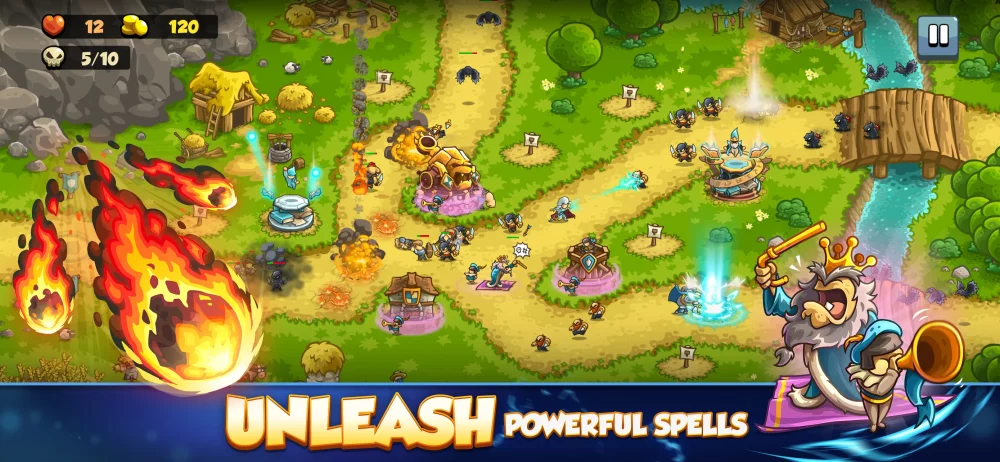
To prevent enemies from leaking through your defense in Kingdom Rush 6: Genesis, read visual movement warnings at lane entry points before units reach your tower range. Adjusting hero positioning and barracks rally points during enemy wind-up animations allows you to intercept high-threat units early and build the correct tower counters before a lane is overwhelmed.
Reading Visual Signals and Enemy Indicators
Reacting to enemies after they enter tower range often leaves insufficient time to reassign units or upgrade towers. Focus on entry portals, terrain textures, and sprite variations to identify incoming threats.
| Visual Indicator Type | On-Screen Signal | Recommended Defensive Action |
|---|---|---|
| Entry Point Movement | Wind-up animations near lane spawns | Move your hero or shift barracks rally points to the target chokepoint. |
| Terrain Shifts | Flickering markers or changing ground textures | Prepare for incoming lane transitions and rerouted enemy paths. |
| Enemy Sprite Variations | Color-coded glow or increased sprite size | Pivot tower upgrades toward specialized armor-piercing or heavy single-target damage. |
| Wave Density | Dense clusters of smaller enemy sprites | Invest in area-of-effect tower upgrades before the wave reaches the main defense line. |
| Map Structure Cooldowns | Active timer indicators on interactive elements | Trigger environmental map devices to deliver burst damage during heavy clusters. |
Managing Tower Priorities and Hero Positioning
Matching your tower damage types to enemy visual profiles prevents leaks during high-density waves:
- Observe Enemy Formations at Spawn: If incoming units show heavy visual armor indicators, prioritize single-target armor-reducing towers. If the wave appears as a fast, crowded swarm, build or upgrade area-of-effect towers immediately.
- Kite with Hero Units: When visual clutter makes target selection difficult, move your hero to pull high-threat units away from primary tower clusters. Stalling enemies outside main chokepoints gives stationary towers uninterrupted time to deal sustained damage.
- Clear Screen Noise: Avoid activating non-essential passive or hero aura abilities during dense waves so you can clearly track unit movement paths and sprite indicators.
Resource Allocation and Spell Timing
Gold spending and global ability usage should follow the visual feedback provided during the opening seconds of each wave:
- Tower Upgrades vs. Stalling Tactics: Build sustained damage towers when indicators signal slow, high-health targets. Switch to crowd control and hero blocking when visual cues show fast, erratic units attempting to bypass your front line.
- Global Ability Reservation: Hold global spells for visual "critical breaches"—points where enemies escape your primary tower line and threaten your base lives. Using spells early leaves you without a safety net when lanes suddenly shift.

Free Kingdom Rush 6: Genesis Codes
Current active codes and how to redeem them.

James Brown
James focuses on Android gaming on PC, emulator setup, controls, performance tuning, and practical troubleshooting for longer play sessions.
COMMUNITY
Player Comments
142 players commented on this guide.
Nice guide. I am checking the other Kingdom Rush 6: Genesis articles next.
The explanation is clear, especially for beginners.
Can you add more details about early game in a future update?
The tips are practical and easy to follow.