
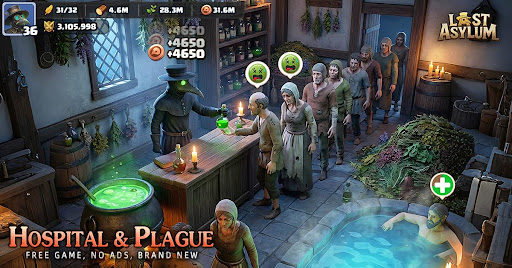
To manage account progression efficiently in Last Asylum: Plague: Plague, reset early-game heroes when switching to higher-tier carries to reclaim 100% of your invested materials, promote existing soldiers instead of training fresh batches from scratch, and leave resource crates unopened in your inventory to avoid plunder losses during enemy raids.
How Hero Resets Work and What Resources Return
Resetting a hero allows you to reallocate materials into newly acquired high-tier units without losing the base hero card. Triggering a reset through the hero management menu returns the character to Level 1 and refunds 100% of the Hero EXP and tactical skill manuals previously spent on them.
Resetting has specific limitations:
- Star ranks remain locked: The reset refunds level-up items and skill manuals, but it does not unbind duplicate hero fragments or reverse star ascensions.
- Currency requirements: Resets require either specific reset vouchers or an amount of diamonds, depending on your account progression and VIP status.
- Equipment handling: Bound gear and exclusive weapons must be manually detached and equipped onto your new primary carry after the reset is complete.
Because invested EXP and manuals are fully refundable, you can invest into early-game heroes to clear PvE plague swarms and story stages, then reclaim those resources once elite UR units join your roster.
Server Transfers and Kingdom Migration Rules
Relocating your Sanctuary depends on your account age, Sanctuary level, and server status:
- Beginner Migration: If your Sanctuary is Level 6 or below and your account is only a few days old, use the Beginner Migration item in your inventory to teleport directly to any eligible open kingdom. Once your Sanctuary exceeds Level 6, this item expires permanently.
- Standard Immigration: Once past the beginner threshold, moving kingdoms requires Immigration Passes. You can only move during an open recruitment window. The target kingdom cannot be engaged in active cross-server KvK combat, and its server age must align with your account's progression bracket.
- Pre-migration checklist: Before initiating any immigration transfer, recall all marching troops, disband active rallies, and leave your current alliance.
Promoting Troops vs. Training New Batches
When you reach a barracks or research milestone that unlocks a higher troop grade, promote existing units rather than queueing full recruitment cycles from scratch.
To upgrade soldiers, open your training camp, choose your lower-tier units, and select the Promote option.
| Training Method | Resource Cost | Time Investment | Army Management Impact |
|---|---|---|---|
| New Troop Training | 100% Base Cost | Full Training Duration | Increases raw unit count; risks filling hospital capacity faster. |
| Troop Promotion | Tier Difference Only | ~50% Reduced Timer | Upgrades obsolete units to current stats without inflating infirmary clutter. |
Promoting also protects your hospital buffer during defensive engagements. Keeping large numbers of Tier 1 or Tier 2 units causes them to occupy infirmary beds during attacks, which can force wounded high-tier units to spill over into permanent casualties.
Protecting Bag Resources from Plunder
Unopened resource crates stored in your bag cannot be scouted by enemies and cannot be plundered during base attacks. In contrast, resources in your base are only protected up to the storage cap determined by your Warehouse level. Any food, lumber, or iron exceeding that cap is classified as unprotected and can be stolen.
To keep your supplies secure, follow an on-demand spending routine:
- Keep all resource chests, supply crates, and metal cases unopened in your inventory.
- Check the exact costs required for your next building upgrade or research node.
- Open only the specific amount needed to start the construction or research queue, keeping your open resources beneath the Warehouse protection limit.
Rally and Garrison Capacity Limits
Rally attack sizes and reinforcement limits are determined by the command buildings of the host player, not the stats of the members joining the action:
- Offensive Rallies: Total troop participation is capped by the initiator's Rally Center (Hall of War). If a player with a low-level command building starts a rally, the group's overall march size is restricted. Designate the player with the highest-level command building and strongest tactical military buffs as the rally leader.
- Defensive Garrisons: When sending defensive reinforcements to an ally under attack, the total number of foreign troops allowed inside their base is restricted by the defender's Embassy level. Coordinate in alliance chat so that participating members send only their highest-tier units to avoid filling Embassy slots with lower-tier troops.

Free Last Asylum: Plague Codes
Current active codes and how to redeem them.

James Brown
James focuses on Android gaming on PC, emulator setup, controls, performance tuning, and practical troubleshooting for longer play sessions.
COMMUNITY
Player Comments
112 players commented on this guide.
This guide answered the exact question I had.
This helped me understand early game much better.
I tried this today and it worked better than my old setup.
The explanation is clear, especially for beginners.