
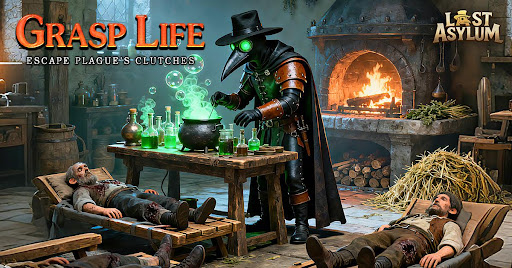
The visual identity of your heroes in Last Asylum plays a significant role in how you manage your roster’s aesthetic. While many players focus heavily on stat-boosting gear and leveling, customizing hero appearances is a popular way to personalize your squad. This guide explains how to navigate the customization menus to apply unique skins to your characters.
Locating the Hero Customization Menu
To change how your heroes appear on the battlefield or in your base, you must access the specific hero management screen. Follow these steps:
- Open the Hero Roster: Tap on the "Heroes" icon located on your main dashboard.
- Select Your Target Hero: Choose the hero you wish to customize from your unlocked list. Note that not all heroes currently support alternative skins; ensure your selected hero has a "Skin" or "Appearance" tab available.
- Navigate to the Appearance Tab: Within the individual hero details page, look for a button or tab labeled "Skin" or a hanger/wardrobe icon. This will display all currently available looks for that specific character.
Applying and Unlocking New Skins
Once you are in the customization menu, you will see a list of available skins. Understanding how to manage these is key to your visual progression:
- Equipping Skins: If you own multiple skins, you can toggle between them by selecting the skin and tapping "Equip." Changes are usually applied instantly to the hero’s 3D model in the overview and combat environments.
- Unlock Requirements: Some skins are unlocked through specific game milestones, seasonal events, or premium purchases. If a skin is locked, tapping on it will usually reveal a tooltip explaining how to obtain it (e.g., "Event Reward" or "Store Exclusive").
- Visual Previews: Always utilize the preview window to rotate your hero and see how the skin looks under different lighting conditions. This helps you decide if a specific skin is worth the investment of resources or time required to unlock it.
Why Customize Your Heroes?
While skins are primarily cosmetic in Last Asylum, they serve several practical purposes for active players:
| Benefit | Description |
|---|---|
| Squad Identification | Distinguish between heroes quickly during high-intensity combat or crowded base views. |
| Achievement Display | Rare skins often signify completion of difficult event challenges or long-term dedication. |
| Aesthetic Preference | Tailor your squad's look to match your personal theme or preferred character style. |
Tips for Skin Collection
- Watch for Limited Events: Many of the most sought-after skins in Last Asylum are tied to limited-time events. Keep an eye on the event calendar to ensure you don't miss the window to earn exclusive rewards.
- Check the Shop Regularly: The in-game shop occasionally cycles through skin bundles. If you are looking to complete a set for your favorite hero, monitor the store updates during major game patches.
- Focus on Main Carries: If your resources are limited, prioritize obtaining skins for your primary DPS or tank units, as these are the heroes you will see most frequently on your screen.

Free Last Asylum: Plague Codes
Current active codes and how to redeem them.

Michael Smith
Michael covers live-service games, events, reward systems, and efficient daily routines, turning frequent updates into clear actions for players.
COMMUNITY
Player Comments
55 players commented on this guide.
I tried this today and it worked better than my old setup.
Good guide for Last Asylum: Plague players. The heroes part was useful.
The explanation is clear, especially for beginners.
This guide answered the exact question I had.