
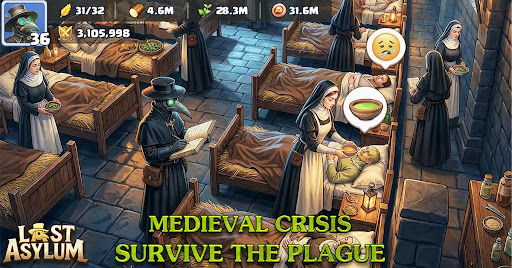
In Last Asylum, the Plague mechanics are more than just an environmental hazard—they represent a significant shift in how you must manage your screen space and combat information. During high-intensity plague encounters, the sheer amount of visual effects and pop-ups can obstruct your view, potentially leading to mismanaged unit positioning or missed threat warnings.
Managing Visual Clarity During Plague Outbreaks
When a plague event triggers, the game intensifies its visual atmosphere. While this adds to the immersion, it often obscures crucial health bars and enemy indicators. To maintain control of your squad, follow these tactical adjustments:
- Adjust Camera Zoom: If your combat area is flooded with plague-related visual clutter, pull your camera back to its maximum distance. This provides a wider field of view, allowing you to spot encroaching enemy swarms before they reach your front line.
- Monitor Threat Indicators: Plague zones often introduce unique UI overlays. Pay close attention to the perimeter of your screen; if red or darkened "fringe" effects appear, it indicates an active infection or an incoming wave of infected enemies.
- Prioritize Unit Health Bars: During heavy combat, focus your eyes on the status bars rather than the character models. In plague-dense zones, models can blend into the environment, but health bars remain consistent, allowing you to identify which squad members are taking critical damage.
UI and Combat Performance Tips
| Feature | Impact during Plague | Strategy |
|---|---|---|
| Environmental Overlays | Obscures pathing | Use manual move commands rather than auto-pathing. |
| Status Effect Icons | Indicates infection risk | Keep your medic or cleanser units near your frontline. |
| Enemy Spawn Cues | Hidden by plague fog | Listen for audio cues that signal wave spawns. |
Tactical Positioning in Obscured Zones
When the plague effect is active, your ability to react to sudden flanking maneuvers is reduced. The best way to mitigate this is to avoid hugging the edges of the map where visual artifacts are most concentrated. Position your squad in the center of open areas where the UI and ground textures are less likely to hide incoming threats.
If you find that the visual effects are consistently causing you to lose track of your heroes, consider reducing your graphics settings to "Balanced" or "Performance" mode during intense plague events. This often simplifies the particle effects related to the infection, providing a much cleaner view of the battlefield without sacrificing the core mechanics of your squad’s survival.

Free Last Asylum: Plague Codes
Current active codes and how to redeem them.

Michael Smith
Michael covers live-service games, events, reward systems, and efficient daily routines, turning frequent updates into clear actions for players.
COMMUNITY
Player Comments
40 players commented on this guide.
The tips are practical and easy to follow.
This saved me time in the early game.
Nice guide. I am checking the other Last Asylum: Plague articles next.
I tried this today and it worked better than my old setup.