
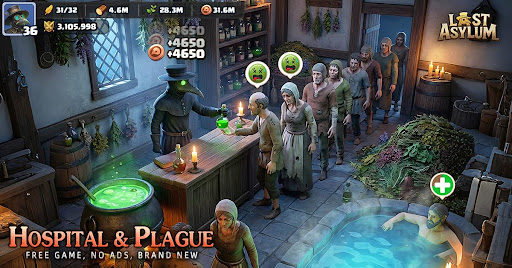
Maximizing your progression in Last Asylum often requires access to bonus materials, which developers frequently distribute through limited-time gift codes. For players looking to accelerate their growth, understanding how to find these codes and navigate the redemption process is a key strategy for maintaining a competitive edge.
Why Use Gift Codes?
Gift codes in Last Asylum are designed to provide players with a head start or a mid-game boost. These rewards typically include:
- Essential Resources: Wood, steel, and food to speed up base construction.
- Speed-ups: Items that reduce the wait time for building upgrades or unit training.
- Premium Currency: Occasional injections of in-game currency that would otherwise require significant farming or microtransactions.
How to Find Active Codes
Because gift codes are often time-sensitive or limited by usage counts, keeping an eye on official channels is crucial. Players should focus on:
- Official Social Media: Follow the official Last Asylum community pages on Facebook, Twitter, and Discord. Developers frequently drop codes during major updates or special events.
- Community Hubs: Platforms like YouTube, Reddit, and dedicated gaming forums are common sources where active codes are aggregated.
- Content Creator Links: As seen in recent community updates, creators often feature specific codes in their video descriptions to help their audience progress faster.
Redemption Best Practices
To ensure you don’t miss out on rewards, follow these steps to redeem your codes:
| Step | Action | Tip |
|---|---|---|
| 1. Find the Code | Check the latest official update videos or social posts. | Always check the date on the post to ensure the code hasn't expired. |
| 2. Open Settings | Navigate to your player profile or the settings menu in-game. | Look for the "Gift Code" or "Redeem" button. |
| 3. Input Carefully | Type the code exactly as it appears. | Codes are often case-sensitive; avoid adding spaces before or after the string. |
| 4. Collect Rewards | Check your in-game mailbox after redemption. | Rewards may take a few moments to process; restart your game if they do not appear immediately. |
Troubleshooting Common Issues
If a code fails to redeem, check the following:
- Expiration: Most codes are temporary. If a code was released during an event, it likely deactivates once the event concludes.
- Usage Limits: Some codes have a finite number of redemptions. If you receive an "Invalid" or "Reached Limit" error, the code has likely been fully claimed by the community.
- Typing Errors: Double-check for common mistakes, such as confusing the letter "O" with the number "0" or lowercase "l" with uppercase "I".
- Regional Restrictions: Occasionally, specific codes may only be valid for certain server regions. Ensure you are following codes relevant to your global server.
By staying updated with the latest community releases and acting quickly when new codes drop, you can significantly reduce the grind and focus more on the tactical aspects of surviving the plague.
Free Last Asylum: Plague Codes
Current active codes and how to redeem them.

James Brown
James focuses on Android gaming on PC, emulator setup, controls, performance tuning, and practical troubleshooting for longer play sessions.
COMMUNITY
Player Comments
114 players commented on this guide.
Nice guide. I am checking the other Last Asylum: Plague articles next.
The tips are practical and easy to follow.
I tried this today and it worked better than my old setup.
This helped me understand redeem codes much better.