
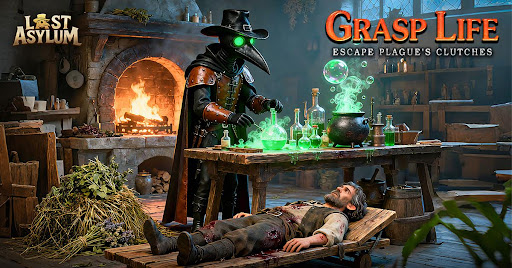
In Last Asylum, special events are the most effective way to accelerate your progression, provided you manage your resources correctly. Rather than spending blindly, understanding the structure of these events allows you to hit milestones that provide gear, hero shards, and essential currency. This guide covers how to approach these limited-time challenges to ensure you get the best return on your investment.
Understanding Event Cycles
Special events in Last Asylum typically follow a rotation pattern. These events are designed to test different aspects of your base management, including resource gathering, combat power, and alliance participation.
- Preparation Phase: Before an event officially begins, look for the "pre-event" window. This is your chance to hoard stamina, speed-ups, and gathering resources.
- Active Phase: During this time, focus strictly on the event objectives. Do not waste your saved resources on non-event facility upgrades or hero training if the current event does not reward those specific actions.
- Cooldown Phase: Use this time to replenish your reserves. Trying to push for rank in every single event will quickly drain your inventory, leaving you vulnerable for the next major event.
Key Strategies for Event Success
1. Prioritize Milestone Rewards over Global Ranking
New players often make the mistake of competing for top-tier leaderboard spots. Unless you are a high-spending player, the competition for the top 10 is rarely worth the resource cost. Instead, focus on hitting every individual milestone. These milestones offer a predictable, guaranteed return on your investment.
2. Time Your Resource Consumption
Many events offer points for increasing your Power or completing specific facility tasks. If you have finished a building upgrade, wait until an event that rewards "Power Growth" or "Construction" to finish or claim the completion. Saving these actions can be the difference between reaching a high-tier reward and falling just short.
3. Alliance Coordination
Many special events feature mechanics that benefit from alliance participation. If your alliance plans to rally together for a boss or a shared objective, ensure you are online during these windows. Participating in group activities often yields significantly higher rewards than solo grinding.
Event Checklist for Maximum Efficiency
| Action Type | Timing Strategy |
|---|---|
| Speed-ups | Save for building/research events; avoid using for idle time. |
| Stamina | Accumulate before combat-heavy events to maximize enemy kills. |
| Hero Shards | Only spend when there is a "Hero Growth" or "Power-Up" milestone. |
| Resource Packs | Keep unopened in your inventory until an event requires resource consumption. |
Avoiding Common Pitfalls
- The "Burnout" Trap: Do not feel pressured to participate in every minor event. Focus your energy on events that provide items essential to your current progression stage (e.g., specific gear materials or hero fragments for your main squad).
- Ignoring Event Rules: Always tap the "i" or "Help" icon on the event banner. Some events have hidden mechanics, such as bonus points for using specific hero types or deploying specific troop tiers. Misinterpreting these rules can waste hours of effort.
- Spending Too Early: In events that reward cumulative points, many players finish their tasks too early. If the event lasts several days, space out your actions to ensure you don't hit a wall where you have no tasks left to complete while the event is still active.
By treating Last Asylum special events as a strategic resource management puzzle rather than a race, you will consistently improve your squad's power level without depleting your long-term reserves.

Free Last Asylum: Plague Codes
Current active codes and how to redeem them.

Michael Smith
Michael covers live-service games, events, reward systems, and efficient daily routines, turning frequent updates into clear actions for players.
COMMUNITY
Player Comments
73 players commented on this guide.
The explanation is clear, especially for beginners.
Can you add more details about resources in a future update?
Nice guide. I am checking the other Last Asylum: Plague articles next.
I tried this today and it worked better than my old setup.