
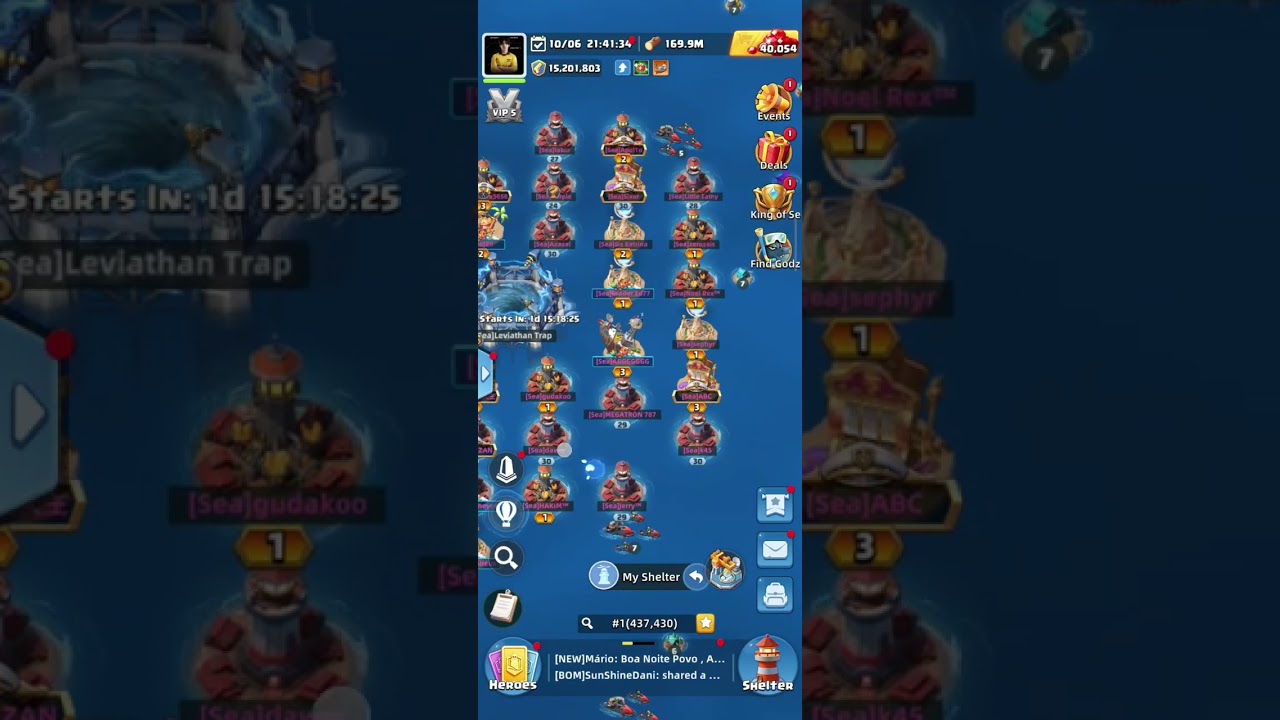
In Last Beacon: Survival, entering coordinates from another server shifts your camera view to that foreign realm so you can scout alliances, ocean resources, and player bases. Searching external coordinates only moves your tactical map perspective; it does not physically teleport your settlement or units across servers.
How to Enter Cross-Server Coordinates
To look up locations outside your home server, switch from your settlement view to the tactical world map:
- Zoom out from your home raft or select the globe icon on the main interface to open the world map.
- Select the coordinate display or the magnifying glass icon to open the search keypad.
- Locate the server identifier input, which uses a dropdown menu or a hash symbol (
#). - Enter the target server number, followed by the specific horizontal (X) and vertical (Y) grid numbers.
- Confirm the search to initiate the camera transition to the target server.
If the search produces an error, confirm that the X and Y numbers fall within that server's active grid dimensions and verify that the server number is entered correctly.
Scouting Foreign Servers
Using coordinate navigation lets you inspect prospective servers before investing migration items. Once your map anchors onto the destination server, evaluate the surrounding territory:
| Scouting Focus | Target Information | Practical Purpose |
|---|---|---|
| Alliance Territory | Boundary lines and banner markers | Shows which factions control high-yield waters and open perimeter space. |
| Player Base Levels | Settlement tiers and combat strength | Identifies the server's competitive balance and relative progression stage. |
| Resource Density | Levels of surrounding salvage nodes | Confirms whether gathering routes have sufficient materials nearby. |
| Sea Beacons | Control status of neutral capture points | Reveals event participation and coordination among resident alliances. |
Coordinate Scouting vs. Base Migration
Jumping your camera view across servers does not relocate your base. To move your settlement permanently to the coordinates you scouted, you must satisfy official transfer requirements:
- Migration Items: Relocating your base requires server relocation tokens or migration passes tied to your chapter progression.
- Server Age Restrictions: Older servers cannot transfer high-level accounts into newer servers. If a server has not entered its open migration window, base transfer options remain locked even though you can freely view its coordinates.
- Resource Protection Caps: Resources exceeding your warehouse protection limit can be lost during an inter-server transfer. Spend surplus stockpiles on permanent upgrades before executing a move.
- Alliance Coordination: Use private messaging to contact leadership on the target server before migrating. Securing an alliance spot beforehand prevents your base from landing in hostile or contested waters.

Free Last Beacon: Survival Codes
Current active codes and how to redeem them.

Emily Johnson
Emily writes practical mobile strategy guides with a focus on resource planning, base progression, and the early decisions that shape a long-term account.
COMMUNITY
Player Comments
53 players commented on this guide.
Nice guide. I am checking the other Last Beacon: Survival articles next.
This saved me time in the early game.
The tips are practical and easy to follow.
I wish I had read this before upgrading the wrong thing.