
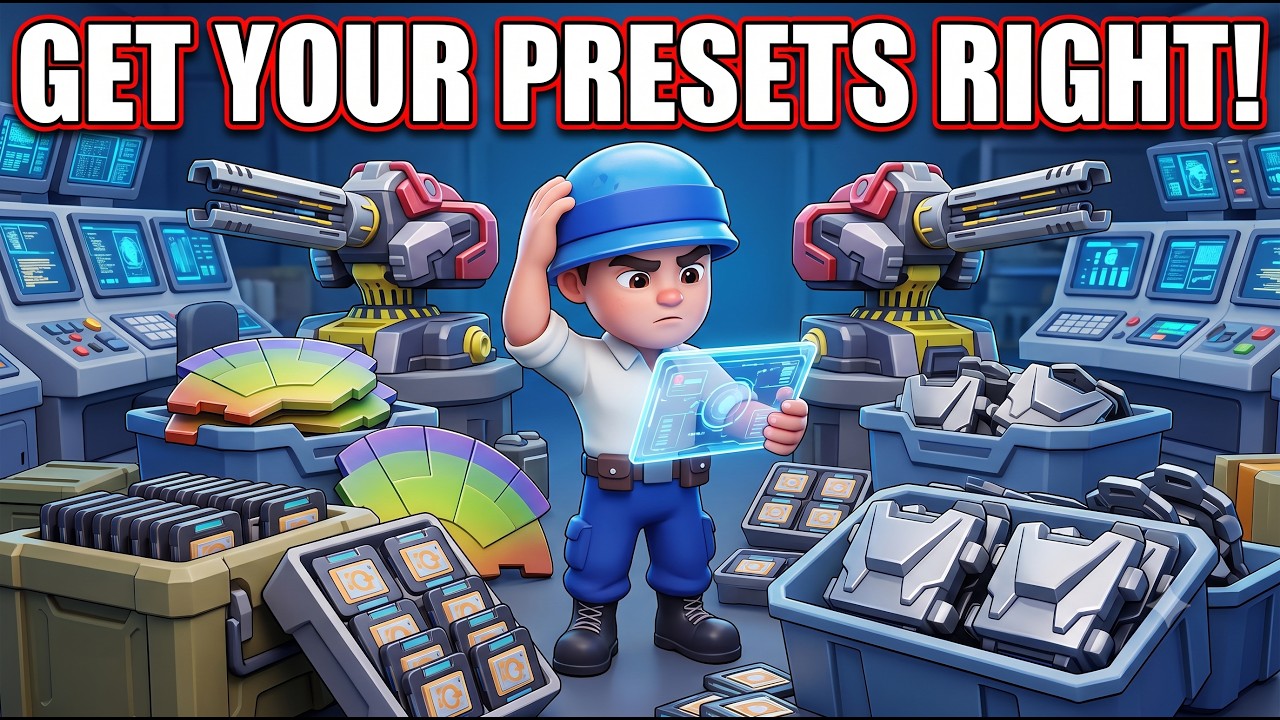
Efficiency in Last War is the difference between a thriving shelter and a base waiting to be overrun. As you progress, the complexity of managing hero compositions for PvE, PvP, and resource gathering becomes a significant time sink. The Hero Presets feature is the most powerful tool in your arsenal for streamlining this process. By mastering the preset system, you can instantly swap between specialized squads, ensure your strongest units are always deployed, and—most importantly—avoid the common interface pitfalls that cause players to accidentally deploy suboptimal formations during high-stakes events.
Understanding the Hero Presets Interface
The Last War Hero Presets interface is designed to eliminate the manual "drag-and-drop" tedium that plagues many strategy games. Instead of manually reassigning heroes every time you switch from farming zombies to defending your base, you save your optimal squad compositions into dedicated, numbered slots.
To access this, navigate to your Squad Formation screen. You will see the preset management options, typically located above or beside your active squad list.
Best Practices for Organization:
- Slot 1 (The "Main" Squad): Reserve this for your highest-power PvP or boss-killing formation. This should be your "default" for any urgent situation.
- Slot 2 (Gathering/Grinding): Store your heroes with the highest resource-gathering buffs here.
- Slot 3 (Secondary/Defensive): Use this for specialized defensive heroes or your second-strongest combat team for multi-squad events.
- Naming Conventions: If the game version allows, use clear identifiers. If not, maintain a strict mental order (e.g., 1 is always PvP, 2 is always Gathering) to build muscle memory.
Solving the Critical "Preset Reset" Bug
A persistent issue in Last War involves a "ghost reset" bug where saved presets fail to reflect recent hero upgrades. This typically occurs when a player levels up a hero, changes their gear, or promotes them in rank without manually updating the saved preset slot. The game engine may still be calling on the "old" version of that hero data, causing the system to revert your squad to an inferior setup.
How to avoid the bug:
- Never assume auto-save: The game does not always detect hero-level changes automatically. Every time you level up a hero, increase their stars, or equip new gear, treat the preset as "dirty."
- The Overwrite Rule: After any change to your squad composition, you must manually select the preset slot and hit the "Save" or "Overwrite" button.
- The Verification Check: Before committing to a big battle, rally, or event, tap your preset button once to load it, then tap it again to confirm the heroes currently on screen match your expectations. This two-second check prevents the catastrophic error of sending a level 1 hero into a high-level engagement.
Streamlining Daily Tasks for Maximum Efficiency
Time is a finite resource in Last War. By reducing the time spent in menus, you increase the time available for map strategy, alliance communication, and resource acquisition.
Optimize your daily flow:
- The "One-Tap" Switch: During daily "kill events" or stamina-heavy grinding sessions, keep your primary damage squad in a preset slot. You can clear a zombie tile, immediately switch to a gathering squad to collect resources, and switch back to combat with zero delay.
- Rally Preparedness: In high-level alliance play, rallies often trigger with very short timers. If you are fumbling through your hero roster to find the right squad, you will miss the rally window. Having a "Main Combat" preset ready ensures you are always the first to join a rally, which is vital for securing spots and maximizing damage output.
Strategic Limitations and Trade-offs
While presets are an essential tool, they are not a "set it and forget it" solution. Understanding their limitations is key to playing at a high level.
Gear Management
Presets save the hero, not necessarily the specific gear configuration if you are in the habit of swapping high-tier equipment between heroes. If you have one set of "Best in Slot" gear that you move between your PvP squad and your PvE squad, presets will not move the gear for you. You must manually move the equipment before or after loading the preset. Relying on presets while forgetting to move your gear is a common mistake that leads to drastically lower performance than your power level suggests.
Predictability in PvP
If you use the same three presets for every interaction, you become predictable. In Last War, advanced players will scout your base and learn your primary squad composition. If your opponent knows exactly which heroes you use, they can counter-pick your squad with heroes that have specific elemental or type advantages.
The Expert Strategy: Use your presets for 90% of your gameplay to save time, but always remain flexible. When facing a difficult opponent or a high-level boss, manually audit your squad. If a specific preset is getting countered, don't be afraid to break the mold and manually swap in a hero that specifically counters the enemy's formation.
Final Thoughts: The Path to Mastery
Using Hero Presets in Last War is about more than just convenience; it’s about tactical readiness. By organizing your squads, strictly following the manual-save habit to avoid the reset bug, and knowing when to deviate from your saved formations, you elevate your gameplay from reactive to proactive.
Dedicate time today to clean up your preset slots. Test them, verify your hero power levels after saving, and turn your menu time into combat time. In a game where every second counts in the apocalypse, these optimizations will provide the competitive edge needed to lead your alliance to victory.
Free Last War Codes
Current active codes and how to redeem them.

James Brown
James focuses on Android gaming on PC, emulator setup, controls, performance tuning, and practical troubleshooting for longer play sessions.
COMMUNITY
Player Comments
96 players commented on this guide.
Good guide for Last War players. The heroes part was useful.
Can you add more details about heroes in a future update?
I tried this today and it worked better than my old setup.
The tips are practical and easy to follow.