
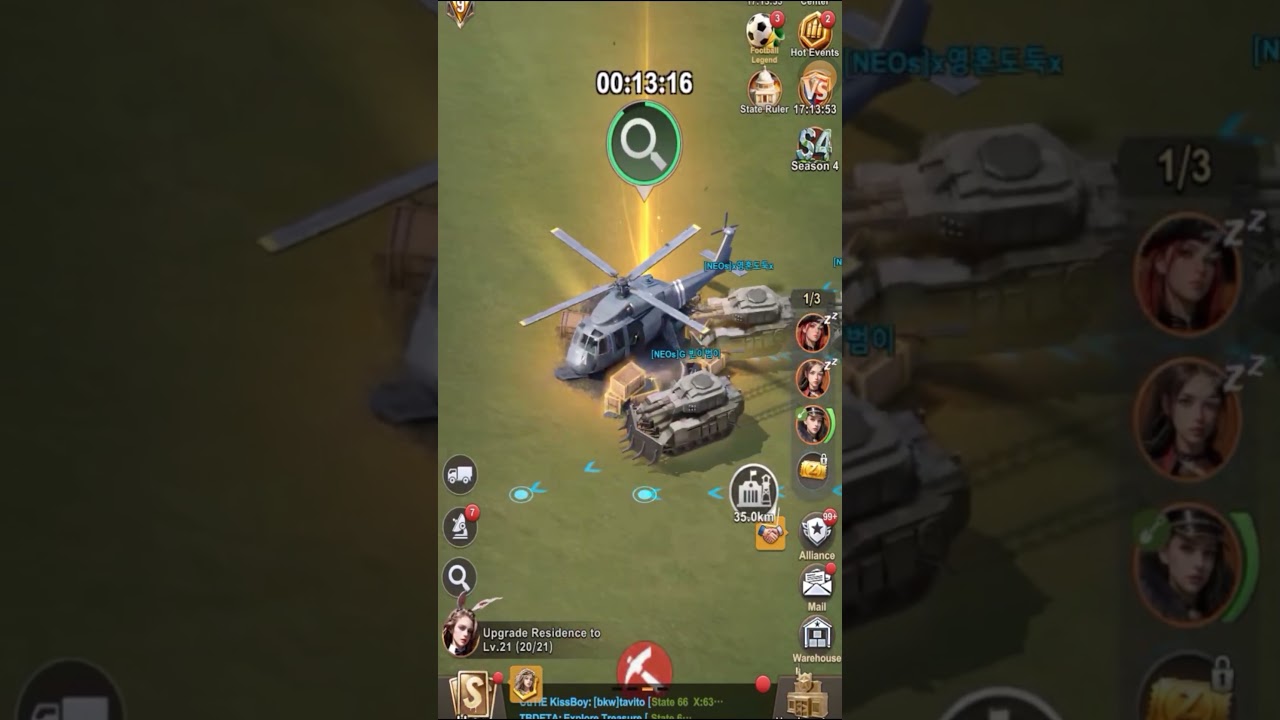
To reliably secure contested helicopter treasures before competing players in Last Z: Survival Shooter, run your game client through an Android cloud phone service. Because the central game server processes tap requests on a first-come, first-served basis, routing your session through a dedicated cloud instance situated near server backbones drops effective network latency to as low as 0.1 ms, allowing your pickup commands to register ahead of players on standard mobile connections.
The Latency Bottleneck for Helicopter Drops
Helicopter supply containers spawn on server-wide timers, prompting multiple players in the area to tap the exact coordinates simultaneously. When several commanders attempt to collect the drop at once, the server awards the loot to whichever packet enters its processing queue first.
On residential Wi-Fi or cellular networks, standard geographical distance adds 100 to 300 milliseconds of transit delay. Even with fast physical reflexes and high-touch-sampling mobile screens, remote network routes lag behind closer players, causing your client to return an error stating the supply box has already been claimed.
How Cloud Phones Lower Latency
An Android cloud phone hosts the game client on high-speed enterprise servers rather than on your local device hardware.
- Direct Server Proximity: Cloud data centers run on high-bandwidth infrastructure close to primary game hosting hubs, enabling packet transit times as low as 0.1 ms.
- Input Separation: Your physical handset only displays an incoming video feed. When you tap a supply box, the active client running inside the data center fires the collection command directly across localized backbones.
- Queue Priority: Because the remote instance sends the collection packet with near-zero latency, your tap reaches the server database ahead of players relying on standard residential internet.
Setting Up a Cloud Phone for Last Z: Survival Shooter
Setting up a remote Android environment takes only a few minutes and typically costs between $10 and $15 per month.
- Choose a Cloud Provider: Select an established Android cloud phone provider (such as LDCloud, Redfinger, or UgPhone) with regional nodes close to the game's servers.
- Purchase a Monthly Plan: Select a standard plan priced around $10 to $15 per month to ensure adequate RAM and processing performance.
- Select Server Location: Choose a data center node geographically aligned with the game's server host region.
- Install the Client: Open the app store on the virtual device, search for Last Z: Survival Shooter, and download the game along with any required asset patches.
- Bind Your Account: Log in using your existing third-party credentials (such as Google Play, Facebook, or your specific account ID) to load your commander profile.
- Adjust Stream Quality: Set the streaming resolution to balanced or medium in the cloud app settings. Lowering video bitrates minimizes stream delay to your display, helping you react quickly when the helicopter appears.
Physical Mobile Device vs. Cloud Phone
The choice between a local handset and a virtual cloud instance comes down to recurring monthly cost versus event efficiency.
| Feature / Metric | Standard Physical Mobile Device | Cloud Phone Subscription |
|---|---|---|
| Server Response Latency | 100 ms – 300 ms (depends on location) | As low as 0.1 ms directly to host |
| Treasure Sniping Success | Low in crowded contested zones | High packet queue priority |
| Hardware & Battery Wear | High thermal output and battery drain | Minimal local drain (video stream only) |
| Monthly Cost | Free | Approximately $10 – $15 |
| Account Rule Compliance | Fully compliant official client | Fully compliant official client |
Account Rules and Practical Limitations
Running Last Z: Survival Shooter on an emulated cloud instance uses the official, unmodified application and does not alter memory or employ automated scripts. Because actions originate from normal manual input on an authentic operating system, the connection complies with fair play rules.
However, operating through a cloud service introduces specific practical considerations:
- Display Lag: While the cloud client interacts with the game server at sub-millisecond speeds, your physical screen still relies on a video feed. A slow local connection can introduce visual stutter or video compression artifacts.
- Manual Timing: A 0.1 ms connection only gives priority when you tap. You must still monitor helicopter timers, track flight corridors, and tap the drop container promptly to claim the rewards.
Free Last Z: Survival Shooter Codes
Current active codes and how to redeem them.

James Brown
James focuses on Android gaming on PC, emulator setup, controls, performance tuning, and practical troubleshooting for longer play sessions.
COMMUNITY
Player Comments
145 players commented on this guide.
I tried this today and it worked better than my old setup.
This helped me understand strategy much better.
This saved me time in the early game.
The tips are practical and easy to follow.