
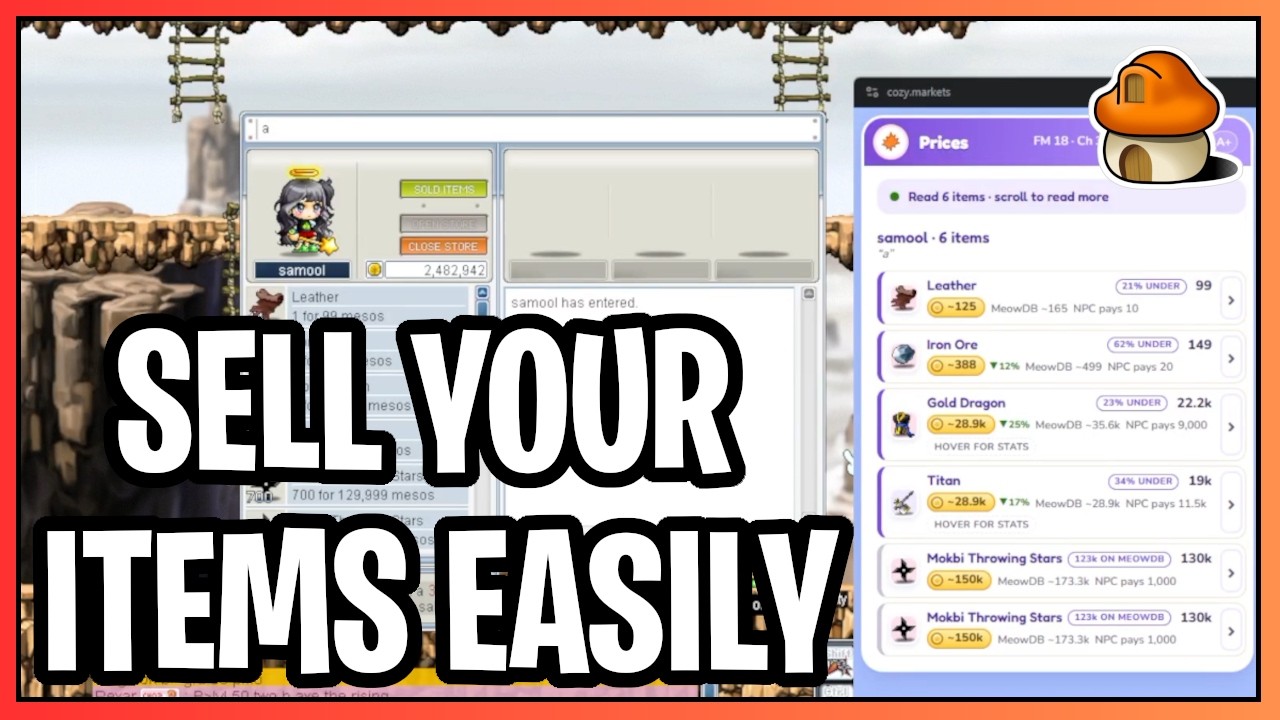

To sell out your Free Market shop from any room or channel in Classic MapleStory, price your inventory to lead market scanner search results rather than competing for high-traffic entrance stalls. Item search tools index goods across every room simultaneously. Because buyers sort by price and travel directly to the cheapest listing, holding a low-price listing in an outer room delivers the same buyer visibility as a front-door stall in Room 1.
How Shop Scanning Replaces Room 1 Stalls
Historically, Free Market sales depended on foot traffic. Sellers either camped Room 1 portals for hours or paid mesos to buy spots from leaving merchants so passing players would click their banners. Stalls in back rooms received little to no foot traffic.
Market search tools such as the Owl of Minerva and server-level indexes bypass foot traffic entirely:
- Global indexing: Search tools query all active stalls across every room and channel.
- Sorted results: Queries automatically sort identical items from lowest to highest price.
- Direct navigation: Buyers identify the cheapest viable listing and walk or teleport straight to that specific stall, ignoring intermediate rooms.
Because search engines treat a shop in Room 18 identically to a shop at the Room 1 entrance, your position in the search index matters more than your stall's physical location.
Pricing Routine Before Opening Your Shop
Guessing prices risks either listing items too high—stalling your inventory—or undercutting so deeply that you surrender substantial meso value. Run through a systematic search before finalizing your stall's item prices:
- Search the exact item name: Check current listings across all channels to see active supply and competitor prices.
- Filter out outliers: Disregard obvious joke listings or heavily inflated, inactive storefronts to identify the true lowest market price.
- Apply a slight undercut: Set your price 1 to 10,000 mesos below the lowest valid listing to secure the top spot on search filters without crashing the item's baseline value.
- Evaluate stat variance on equipment: For gear with randomized stats, compare rolled values against items with identical Weapon Attack or primary stats rather than clean base versions.
High-Turnover Search Categories
Items with standardized stats and consistent progression utility turn over fastest through search tools because players look for them by exact name.
| Item Category | Representative Examples | Buyer Search Behavior | Pricing Strategy |
|---|---|---|---|
| Enhancement Scrolls | Scroll for Gloves for ATT 60%, Overall DEX 60% | Sorted strictly by lowest meso cost | Undercut lowest listing by 1,000–5,000 mesos |
| Crafting Components | Dark Crystals, Steel Ores, Moon Rocks | Bought in bulk to finish specific crafting tiers | Price slightly below stack average for rapid buyouts |
| Base Equipment | Clean Work Gloves, Bathrobes, Maple Weapons | Searched by base item name and standard stats | Undercut average base price to win the first search result |
| High-Roll Equipment | High-Attack Work Gloves, godly rolled Maple Wagner | Filtered by specific stat tiers | Price within the top three listings of identical stat brackets |
Stall Placement and Naming
While search tools drive the majority of buyers directly to your coordinates, basic stall setup choices prevent missed sales and capture supplementary foot traffic:
- Room selection: Place stalls in mid-traffic rooms (such as Rooms 5 through 15) or quiet back rooms. Avoid high-congestion entrance portals where heavy player density causes client lag or transaction delays.
- Portal clearance: Do not position your merchant directly on top of entrance spawns where visual overlap makes your stall difficult to click.
- Store naming: Use clear, item-specific titles like "60% SCROLLS / CLEAN WG / ORES." Accurate titles attract nearby shoppers who have just completed a purchase at an adjacent stall.
Maintaining Shop Turnover
Setting up a shop is not a passive task. Market conditions change as players log in, raid, and list new loot throughout the day.
- Re-scan after undercutters arrive: If another seller lists the same scroll or ore below your price, your listing drops off the first page of search results and sales will stall. Check the market periodically during long selling sessions to adjust prices.
- Clear stagnant stock: Merchant slots are limited. If an item does not sell after two scanning intervals, reduce its price or replace it with liquid commodities like scrolls or ores to keep mesos flowing into your inventory.

Michael Smith
Michael covers live-service games, events, reward systems, and efficient daily routines, turning frequent updates into clear actions for players.
COMMUNITY
Player Comments
101 players commented on this guide.
This guide answered the exact question I had.
Can you add more details about strategy in a future update?
Nice guide. I am checking the other HOT articles next.
I wish I had read this before upgrading the wrong thing.