
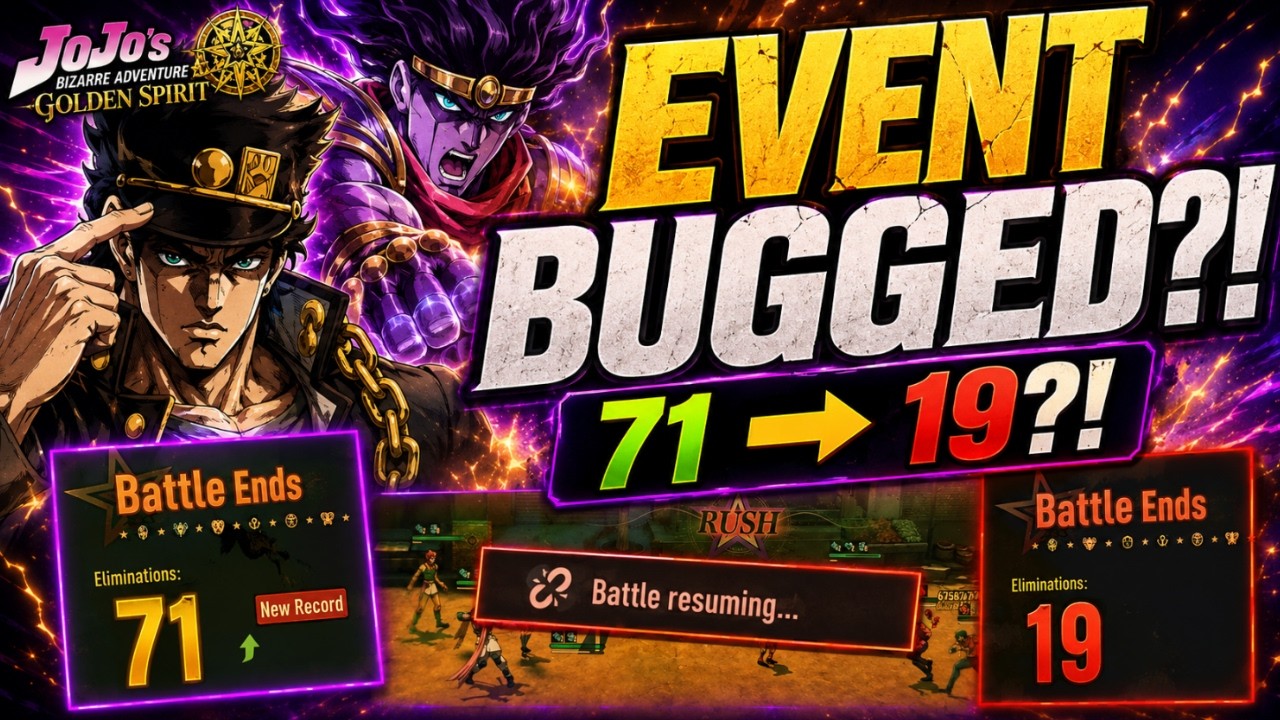

In JoJo Golden Spirit, the Purge Tactical Simulation is currently the most challenging and rewarding game mode, but it is also prone to technical inconsistencies that can tank your score. Players have reported massive performance drops—with some users seeing elimination counts swing from 71 down to 19 using the exact same team and buff loadout. This guide breaks down why these bugs occur, how they impact your leaderboard standing, and the best strategies to mitigate them while maximizing your potential for high-scoring runs.
Identifying Tactical Simulation Performance Bugs
The primary frustration in the Tactical Simulation currently stems from two distinct technical failures that undermine player agency. Recognizing these early is the first step in protecting your run.
1. The "Idle AI" Bug
The most critical issue is a failure in character AI logic where units stop attacking mid-battle. When this happens, your characters may simply stand idle while enemies overwhelm them or the timer runs out. Because there is no visual indicator or error message, you might not realize your damage output has bottomed out until the end-of-run results screen appears.
2. The "Battle Resuming" Hang
The game frequently hitches on a "Battle resuming..." message, often during high-intensity moments with many assets on screen. This hang usually signifies a desync between your client and the server. When the game resumes, the simulation engine often fails to retroactively calculate the eliminations that should have occurred during the freeze, leading to a massive discrepancy between your live kill count and your final score.
Impact of Inconsistency on Leaderboard Progression
Because the Tactical Simulation functions as a competitive leaderboard event, these bugs create a significant barrier to entry for top-tier rewards. When the game engine fails to process combat data consistently, it creates a "lottery effect" where your success is determined more by server stability and device performance than by actual team composition or strategic planning.
If you find your score plummeting despite using the same team, do not immediately assume your build is obsolete. In most cases, these discrepancies are the result of the simulation engine "skipping" cycles or failing to register hits during technical hangups. Competitive players must treat these runs with a degree of caution, knowing that even a "perfect" team can fail if the game environment becomes unstable.
Recommended Buff Strategy for Success
Even with technical instability, you can maximize your chances by selecting buffs that front-load your damage. The goal is to clear as many waves as possible before the "Battle resuming..." hang has a chance to trigger or before AI logic degrades.
The Optimized Loadout
Based on community testing, the following setup currently provides the most consistent results for high-volume eliminations:
- Starting Energy (+500): This is non-negotiable. By starting with +500 Energy, you bypass the early-game ramp-up phase, allowing your team to deploy powerful abilities immediately.
- The "RUSH" Buff: Focus heavily on this to increase your burst damage potential during the crucial first waves.
- Attack Speed Up (3 Stacks): By stacking 3 instances of Attack Speed Up, you increase the frequency of your attacks, which helps "force" the game engine to register more hits per second, potentially mitigating the impact of minor lag spikes.
Strategic Tips for Mitigating Technical Limitations
While you cannot fix the game's backend, you can change how you interact with the simulation to reduce the likelihood of encountering these errors.
Monitor Device Heat and Memory
The Tactical Simulation is resource-intensive. If you are playing on a mobile device, play in a cool environment and ensure your device is charged. Heat throttling can often exacerbate the "Battle resuming..." issue by slowing down your processor, which the game interprets as a synchronization error.
Run in Short Bursts
If you notice the simulation performance degrading, restart the game entirely. There is evidence that the game’s performance in this mode degrades over long play sessions due to memory leaks or asset caching. A fresh app restart before your "serious" run can significantly improve stability.
Documenting Discrepancies
If you experience a massive drop in eliminations (e.g., from 70+ to under 20), note the following:
- Device: Are you on iOS, Android, or PC?
- Connection: Is your ping stable during the "Battle resuming..." hang?
- Timing: Did the issue occur during a specific wave or after a specific character ultimate?
Reporting this information to the developers through official channels is the only way to ensure these bugs are prioritized in future patches.
Final Decision: Is Your Build the Problem?
When you see your score drop from 71 to 19, the most logical response is to pivot your strategy—but you should exercise caution. If you change your team and buffs every time you experience a bug, you will never accurately test which team is actually the "meta" choice.
Our Recommendation:
- Stick to one proven team build for at least 3–5 runs to account for the "bug variance."
- Ignore low-score outliers caused by clear "Battle resuming..." hangs or instances where your units stood idle.
- Use your "good" runs (the ones where the game functioned smoothly) as the true benchmark for your team's effectiveness.
By filtering out the results of bugged runs, you can objectively evaluate your team's power level. Do not let the current technical instability discourage you from experimenting; instead, treat the Tactical Simulation as a test of endurance and stability, and focus on the strategies that yield the highest potential ceiling when the game is at its best.

Michael Smith
Michael covers live-service games, events, reward systems, and efficient daily routines, turning frequent updates into clear actions for players.
COMMUNITY
Player Comments
65 players commented on this guide.
This guide answered the exact question I had.
This helped me understand strategy much better.
Nice guide. I am checking the other HOT articles next.
I wish I had read this before upgrading the wrong thing.