
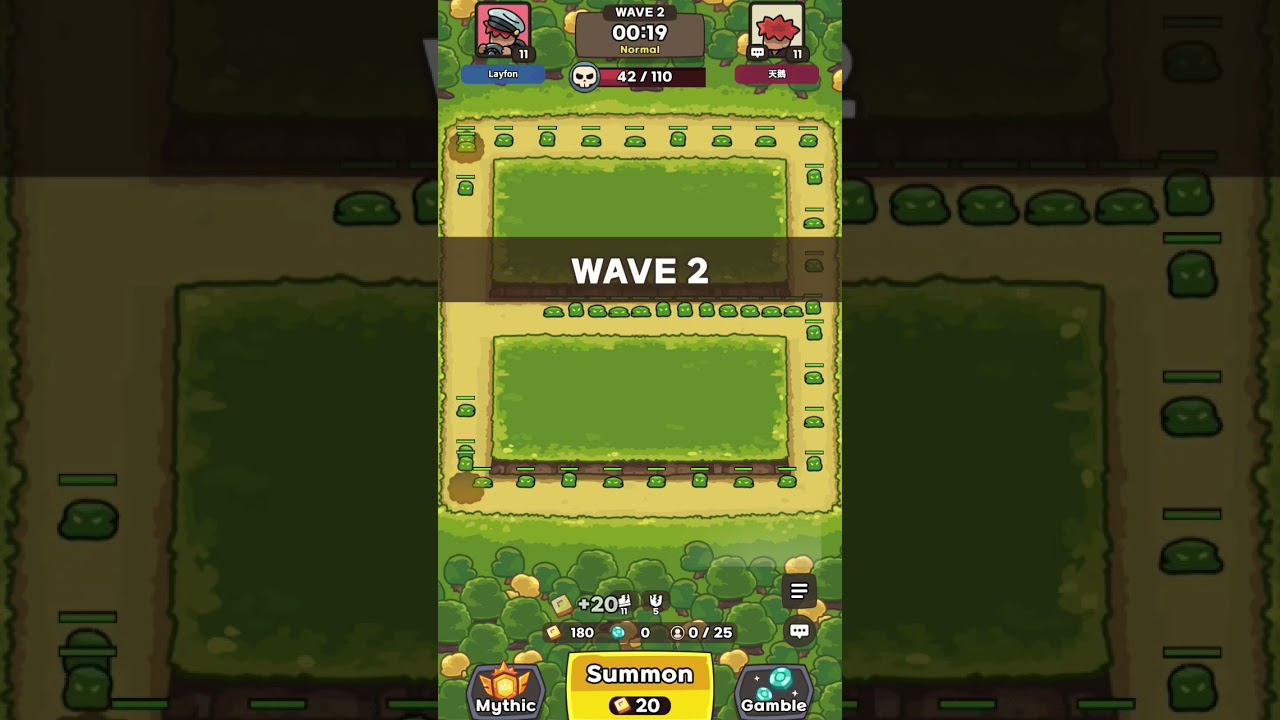
To complete the 90-mob hidden quest at the start of a match in Lucky Defense!, avoid attacking early enemy spawns until the on-screen monster counter reaches 90. Allowing the board population to rise from 90 to 99 triggers an early achievement that rewards starting gold and Lucky Stones to both players. Because having 100 active monsters results in an immediate defeat, you must stall attacks carefully and reposition your units into attack range the moment the quest registers.
Step-by-Step Setup to Stall the Wave
Executing the opening stall requires keeping incoming monsters alive on the track while limiting your board's offensive output. Placing units near spawn points or along central choke points damages creeps too quickly and prevents the mob count from climbing.
- Summon minimally: Spend only enough initial currency to summon two or three basic units. Avoid filling the board with excess attackers.
- Move units to the corners: Drag all active guardians to the bottom corners or back rows, away from the monster track. Check that their range indicators do not cover the enemy path.
- Hold level upgrades: Do not purchase early attack or unit tier upgrades during the stall phase. Higher damage output increases the risk of clearing the wave prematurely.
- Track the mob counter: Watch the enemy count at the top of the screen as monsters loop around the map.
| Phase | Monster Count | Primary Action | Unit Positioning |
|---|---|---|---|
| Initial Stall | 0–75 | Hold attacks; summon 2–3 basic units maximum | Far bottom corners, clear of lanes |
| Danger Window | 76–89 | Select primary damage unit; prepare to drag | Hovering above central choke point |
| Quest Trigger | 90–92 | Confirm quest payout; place damage units | Central intersections and lanes |
| Board Stabilization | Under 40 | Resume standard summoning and upgrade tiers | Standard frontline formations |
Safely Exiting the 90-to-100 Danger Zone
The margin between triggering the quest at 90 monsters and losing the run at 100 monsters is only 10 enemies. Hesitation or input lag during this window can lead to an instant wipe.
To clear the wave safely:
- Select your strongest attacker before the counter reaches 90 and hover it over the central intersection.
- Release the unit into the lane the instant the counter reaches 90 and the quest completion registers.
- Immediately summon two to three additional units directly onto the frontline path.
- Prioritize placing splash-damage dealers or crowd-control units, such as Bandits or common mages, to halt the front of the enemy wave while your main damage dealers reduce the mob count below 50.
- If your device experiences frame drops when enemy counts are high, start moving your units into position at 88 monsters instead of waiting for 90.
Post-Quest Resource Priorities
Once the quest delivers its bonus gold and Lucky Stones, invest the proceeds into establishing board stability and long-term income:
- Deploy Bandits along the loop: Position Bandits where monster density is highest. Their gold-on-hit ability turns clustered waves into steady currency generation.
- Save gold if using Safe Box: If your artifact setup includes Safe Box, maintain a reserve balance to generate compound interest between rounds rather than rolling away all your gold immediately.
- Hold Lucky Stones for key units: Avoid spending starting Lucky Stones on low-chance early Mythic gambles. Reserve them for critical legendary support units or guaranteed carry transitions later in the run.
Common Stall Pitfalls
- Uncoordinated co-op partners: In random matchmaking, partners who do not know the strategy may summon heavily and upgrade units immediately. If your teammate wipes early waves, the mob count will stay around 30 to 40, making the 90-mob threshold impossible.
- Overlapping attack ranges: Ranged units placed slightly too close to the lane can chip away at monsters, causing the counter to peak between 85 and 89 without reaching the required 90. Always verify range outlines when placing units in corners.

Free Lucky Defense! Codes
Current active codes and how to redeem them.

James Brown
James focuses on Android gaming on PC, emulator setup, controls, performance tuning, and practical troubleshooting for longer play sessions.
COMMUNITY
Player Comments
58 players commented on this guide.
The explanation is clear, especially for beginners.
Good guide for Lucky Defense! players. The early game part was useful.
This helped me understand early game much better.
I wish I had read this before upgrading the wrong thing.