
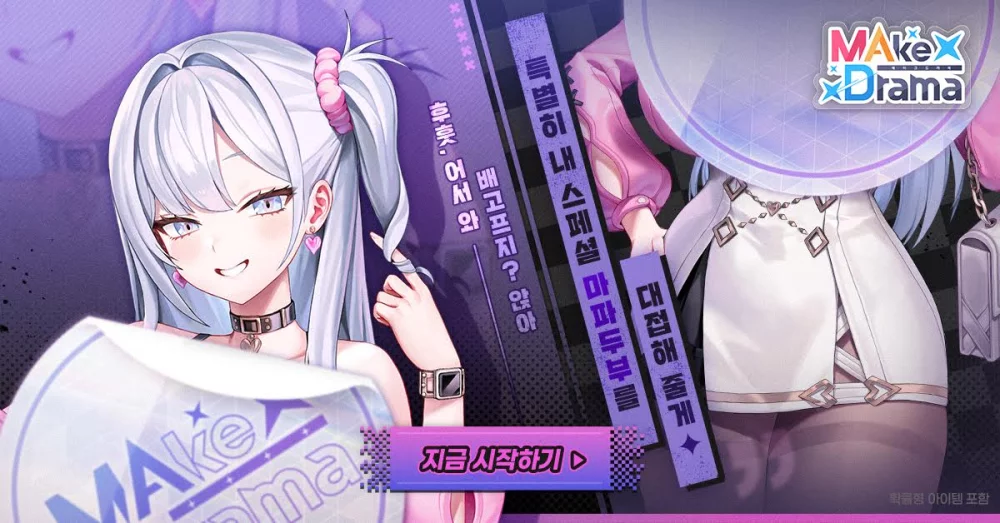
Players looking to access the Korean version of MAke Drama : MAD must utilize third-party distribution platforms, as the title is often restricted to regional Google Play Stores. By installing the TapTap application, you can bypass regional IP restrictions and download the official Korean build directly to your mobile device. This method ensures you are installing the authentic game files directly from the publisher’s intended regional distribution channel rather than relying on potentially insecure third-party APK sites.
Why Access the Korean Version of MAke Drama : MAD?
The primary motivation for installing the Korean version of MAke Drama : MAD is to access content, narrative updates, and community events that frequently debut in the Korean market weeks or months ahead of global releases. Because the game is hosted on specific regional servers, players who want to experience the latest "neon-lit" heroines and story arcs must ensure their client matches the Korean server region.
Furthermore, some veteran players prefer the Korean client for its unique interface stability and native language support. By using a reputable platform like TapTap, you ensure that you are downloading official game files. This maintains the integrity of the game's security protocols, anti-cheat measures, and update architecture, which are often compromised when players download "modded" APKs from untrusted sources.
Preparing Your Android Device for Installation
Before attempting to install MAke Drama : MAD, your mobile device must be configured to allow installations from external sources. Android devices block these by default for security reasons.
- Enable Unknown Sources: Navigate to Settings > Apps > Special App Access > Install Unknown Apps. Select the browser (e.g., Chrome) or the TapTap app you intend to use to download the game and toggle "Allow from this source" to ON.
- Verify Hardware Requirements: MAke Drama : MAD features high-fidelity, anime-style cinematic assets that require significant processing power and storage. Ensure you have at least 6–8GB of free internal storage to account for the initial install and the inevitable data patches that follow.
- Check Network Stability: Because you are downloading a regional build from a server potentially located far from your physical location, use a stable Wi-Fi connection. A weak connection can lead to file corruption during the extraction of large cinematic asset files.
Step-by-Step Installation via TapTap
Once you have configured your device, follow these steps to secure your copy of the game:
- Download TapTap: Visit the official TapTap website and download the client. Avoid mirror sites that claim to offer "pre-installed" versions of games.
- Search for the Title: Open the TapTap app and search for "MAke Drama : MAD." You may notice multiple entries; look for the one published by the official Korean developer or the entry specifically marked with the Korean language tag.
- Initiate the Download: Tap the "Download" or "Install" button. The app will manage the retrieval of the core files.
- Grant Permissions: During the first launch, the game will request storage and media permissions. These are required to load the game's cinematic assets and localized text files.
- Initial Data Patching: Once the core app is installed, the game will perform an internal update. Do not close the app during this phase, as it is downloading the latest narrative assets and server-sync data.
Managing Updates and Regional Trade-offs
Using a third-party store comes with specific responsibilities that players must manage to keep their game running smoothly.
- Manual Updates: Unlike the Google Play Store, where updates happen automatically in the background, you must manually check the TapTap app for updates. When a new version of MAke Drama : MAD drops, the game will often display a "Version Mismatch" error upon login. Return to TapTap to trigger the update.
- Language Barriers: The Korean version is localized primarily for the Korean market. If you are not fluent in Korean, you may struggle with dialogue choices—which are central to the "Drama" mechanics of the game. Consider using a screen-translation tool or overlay app if you find the navigation difficult.
- Account Syncing: Ensure you create an account within the game (via email or a dedicated platform login) rather than relying on Google Play Games integration, as the latter may not support the Korean regional server.
Troubleshooting Common Installation Issues
If you encounter errors, consider these expert tips:
- "App Not Installed" Error: This usually occurs if you have an older version of the game already installed. Uninstall any previous "Global" or "Beta" versions of MAke Drama : MAD before attempting to install the Korean version.
- Region Lock Warnings: If the game fails to connect to the server, it may be performing an IP check. In rare cases, you may need a high-quality VPN set to a South Korean node to bypass the initial handshake between your device and the game server.
- Storage Optimization: If the game crashes on startup, it is often due to an incomplete download. Clear the game cache in your Android settings, restart the TapTap client, and verify the file integrity through the TapTap "My Games" menu.
By following these steps, you gain access to the most current iteration of MAke Drama : MAD, allowing you to dive into the immersive storytelling and complex heroine relationships exactly as the developers intended for the Korean player base.

Free MAke Drama : MAD Codes
Current active codes and how to redeem them.

Michael Smith
Michael covers live-service games, events, reward systems, and efficient daily routines, turning frequent updates into clear actions for players.
COMMUNITY
Player Comments
38 players commented on this guide.
This guide answered the exact question I had.
I wish I had read this before upgrading the wrong thing.
I tried this today and it worked better than my old setup.
The explanation is clear, especially for beginners.