
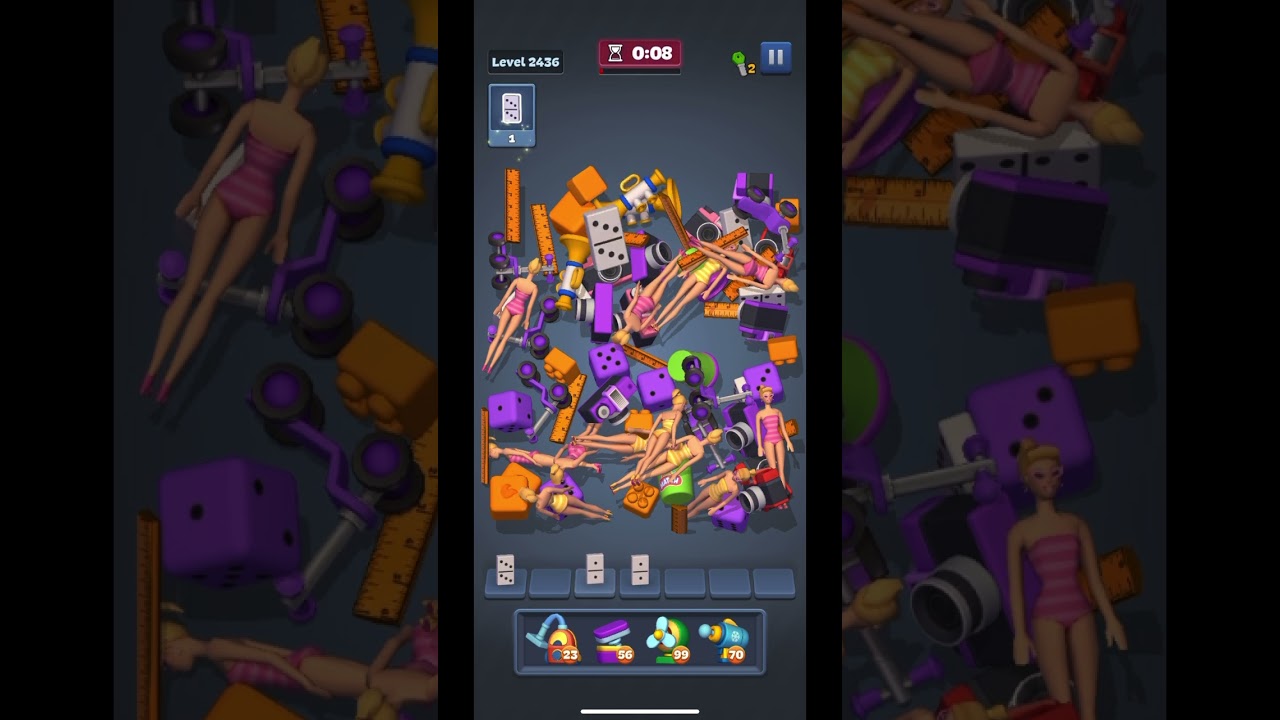
To clear Level 2436 in Match Factory!, you must prioritize target objectives displayed on the top banner, maintain at least two empty tray slots at all times, and reserve clearing boosters for the final 30 seconds of the timer. Level 2436 is classified as a Super Hard stage, featuring deep, multi-layered object piles and a high volume of decoy clutter designed to cause tray overflow.
Managing the Seven-Slot Dock
The primary failure condition on Level 2436 is filling all seven dock slots without completing a set. Because non-objective items take up valuable space without progressing the level, you must avoid collecting clutter unless it directly unlocks an essential objective piece.
Apply these operational rules to prevent tray gridlock:
- Maintain a Two-Slot Safety Buffer: Never let your dock exceed five filled slots without an immediately accessible match on the board.
- Commit to Instant Triples: Tap items only when you can see all three matching pieces on the surface and grab them in rapid succession.
- Limit Staged Pairs: Never hold two separate incomplete pairs at the same time unless the third piece for one of those pairs is fully exposed and reachable.
- Halt on Congestion: If your dock reaches five items, stop pulling new object types immediately. Scan the pile exclusively for pieces that match the items currently sitting in your tray.
Layer Dismantling and Pile Physics
Match Factory! uses a physics engine where removing an item causes surrounding objects to settle, tumble, or slide. Digging a deep vertical hole into the center of the pile causes surrounding clutter to cave inward, burying objective targets even further.
- Clear Broad Perimeter Layers: Work across the surface ridges and outer edges evenly. Keeping the pile flat prevents steep shifts that trap target items under large debris.
- Target Support Pieces: When a required objective item is partially pinned, identify the exact clutter piece resting on its collision border. Removing that single piece allows the target to dislodge.
- Scan Before Tapping: Rotate your focus across the entire layout before committing to an isolated piece. Pulling an unlinked object blindly risks stranding it in your dock.
When to Deploy Boosters
Boosters compensate for unfavorable item distributions or time deficits. Deploy them when natural clearing routes are blocked or the countdown risks expiring.
| Booster | Best Use Condition | Primary Function |
|---|---|---|
| Vacuum / Cleaner | Multiple target items are scattered while the dock is crowded | Instantly clears target sets without filling tray slots |
| Spring | A required objective is wedged beneath heavy clutter pieces | Catapults blocking debris away to reveal trapped targets |
| Freeze / Time Stop | The final 30 seconds of the stage with unfinished goals | Halts the countdown to allow methodical dock matching |
| Fan / Shuffle | Items are wedged at awkward angles or obscured face-down | Shakes the pile to loosen debris and surface hidden goals |
Reserve high-impact tools like the Vacuum and Freeze for the final third of the stage. Early clears should rely on manual surface matching, keeping boosters available when target items become widely dispersed across the remaining clutter.

Free Match Factory! Codes
Current active codes and how to redeem them.

James Brown
James focuses on Android gaming on PC, emulator setup, controls, performance tuning, and practical troubleshooting for longer play sessions.
COMMUNITY
Player Comments
28 players commented on this guide.
Good guide for Match Factory! players. The strategy part was useful.
I wish I had read this before upgrading the wrong thing.
This saved me time in the early game.
Nice guide. I am checking the other Match Factory! articles next.