
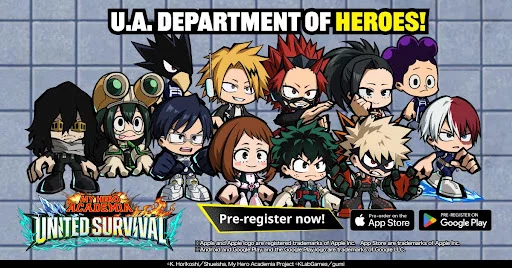
To effectively dominate the field in MHA: UNITED SURVIVAL, players must prioritize mastering the mobile interface and touch-based control scheme. The game utilizes a standard mobile layout, placing movement controls on the left and ability triggers on the right. Developing muscle memory for these inputs early is essential for reacting to dynamic environmental hazards and enemy encounters, ensuring you stay mobile while managing your hero's unique Quirk abilities during high-pressure survival scenarios.
Navigation and Movement Mechanics
Efficient movement is the foundation of survival in MHA: UNITED SURVIVAL. The virtual joystick located on the bottom left of your screen provides 360-degree control over your hero's positioning.
- Virtual Joystick: Use this to reposition during combat or when exploring the environment.
- Sprint Toggle: Keep an eye on your stamina gauge while running to avoid being caught stationary when an enemy initiates an attack.
- Camera Control: Drag the right side of the screen to adjust your viewing angle, which is vital for situational awareness in the open field.
Combat Input and Quirk Execution
Combat in MHA: UNITED SURVIVAL relies on a combination of basic attacks and specialized Quirk activations. Buttons located on the bottom right of the interface are mapped to your selected hero’s abilities.
| Action | Control Location | Strategic Use |
|---|---|---|
| Basic Attack | Bottom Right (Large Button) | Primary damage output for standard encounters. |
| Quirk Ability 1 | Bottom Right (Secondary) | Utility or crowd control focused move. |
| Quirk Ability 2 | Bottom Right (Secondary) | High-damage burst or finishing move. |
| Dodge/Dash | Bottom Right (Near Attack) | Essential for avoiding telegraphed enemy strikes. |
Managing the User Interface (UI)
The UI in MHA: UNITED SURVIVAL is designed to present vital information without cluttering your field of vision. Keeping track of these indicators will prevent unnecessary deaths during your initial sessions.
Health and Status Indicators
Your health bar is typically positioned at the top left of the screen. When your health drops below specific thresholds, the UI may highlight edges of your screen to signal imminent danger. Always monitor this gauge before engaging in sustained combat.
Interaction Prompts
When nearing lootable resources or environmental objects, an interaction prompt will appear on the right side of the screen. Pay attention to these prompts, as they are context-sensitive and will change based on whether you are near a supply crate or a tactical objective point. Quickly tapping these ensures you spend less time standing still and more time moving to safety.

Free MHA: UNITED SURVIVAL Codes
Current active codes and how to redeem them.

Michael Smith
Michael covers live-service games, events, reward systems, and efficient daily routines, turning frequent updates into clear actions for players.
COMMUNITY
Player Comments
120 players commented on this guide.
The explanation is clear, especially for beginners.
This saved me time in the early game.
The tips are practical and easy to follow.
Good guide for MHA: UNITED SURVIVAL players. The strategy part was useful.