
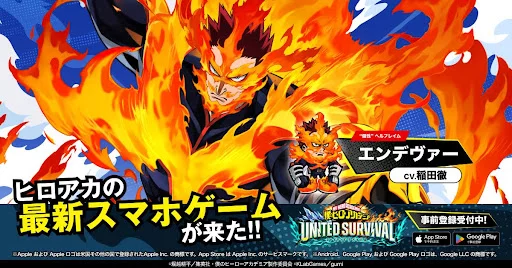
Resetting your account in MHA: UNITED SURVIVAL requires utilizing the in-game data clearing function rather than reinstalling the application to save time. By navigating directly to the account settings menu, you can reset your progress instantly, allowing you to restart the initial summoning process without downloading large assets repeatedly. This method is the most efficient way to secure top-tier heroes during your initial sessions, significantly reducing the downtime between unsuccessful gacha attempts.
Efficient Account Reset Procedure
The fastest way to reset your progress involves using the built-in "Reset" or "Clear Data" option located within the game's settings interface. Relying on this internal feature prevents the need to delete the entire app or clear your system cache, which keeps the bulk of the game files intact on your device.
- Access the Menu: Locate the settings icon, usually found on the main screen or within the player profile menu.
- Locate Reset: Look for the account management or data reset option.
- Confirm: Confirm the selection to wipe current progress and return to the title screen.
- Restart: Once the game reloads, you can immediately start a new account session without re-downloading core data.
Optimizing Your Reset Routine
To minimize the time spent during each cycle, focus on skipping non-essential cutscenes and rushing through the mandatory tutorial stages. Many players find that keeping an eye on the clock during the first few pulls helps identify the fastest path to the summoning screen.
| Action Step | Efficiency Tip |
|---|---|
| Tutorial Skipping | Use the skip button whenever prompted to move directly to the action. |
| Asset Preservation | Never uninstall the app; use the in-game reset to keep assets downloaded. |
| Target Summoning | Identify your priority heroes beforehand to stop pulling immediately once successful. |
Avoiding Common Reset Pitfalls
Avoid common errors like clearing your phone's storage cache through the OS settings, as this often triggers a full re-download of the game assets. Stick strictly to the in-game reset function provided by MHA: UNITED SURVIVAL. Ensure that you have a stable network connection during the reset process to prevent data corruption or sync errors that could force a complete re-installation of the game client.

Free MHA: UNITED SURVIVAL Codes
Current active codes and how to redeem them.

Michael Smith
Michael covers live-service games, events, reward systems, and efficient daily routines, turning frequent updates into clear actions for players.
COMMUNITY
Player Comments
29 players commented on this guide.
This guide answered the exact question I had.
The explanation is clear, especially for beginners.
Can you add more details about heroes in a future update?
I tried this today and it worked better than my old setup.