
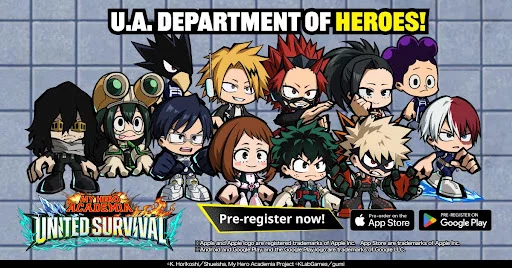
The recent reveal of official screenshots for MHA: UNITED SURVIVAL provides a clearer picture of the game's UI layout and visual direction. By examining these early visual assets, players can identify the likely core mechanics and how the game structures its interaction menus. Understanding these design choices now allows you to prepare for the specific navigation flow and information density you will encounter once the title officially launches in the Western market.
Visual Design and User Interface Layout
The interface in MHA: UNITED SURVIVAL appears to prioritize clear information delivery, which is essential for managing hero quirks during high-intensity scenarios. The UI elements are positioned to keep the focus on the central action while ensuring that vital status indicators, such as ability cooldowns or resource meters, remain within the player's peripheral vision. Expect a streamlined HUD that emphasizes accessibility to hero-specific tools.
Interpreting Core Interaction Elements
The screenshots reveal a focus on interactive environment elements that suggest a shift toward more tactile combat and exploration systems. Players should note the following visual indicators:
- Ability Prompts: Context-sensitive icons that appear when specific hero quirks can be utilized in the environment.
- Status Indicators: Clearly defined gauges that track hero stamina or quirk energy usage during extended combat.
- Navigation Markers: Minimalist UI overlays designed to guide players through mission objectives without cluttering the screen.
Strategic Implications for Players
By observing these interface choices, it becomes clear that MHA: UNITED SURVIVAL aims to balance cinematic visual flair with functional design. Players who prefer a clean screen will likely appreciate the minimalist approach to non-essential menus. You should anticipate a learning curve focused on mastering these specific UI cues, as they are likely tied directly to the execution of combos and environmental interactions in the game's survival modes.
| UI Element | Expected Function | Strategic Priority |
|---|---|---|
| Ability Icons | Triggering hero-specific quirks | High |
| Cooldown Meters | Timing rotations and attacks | Medium |
| Objective HUD | Navigating map-based goals | Low |
Preparing for Final Launch Mechanics
While these screenshots represent the development phase, they offer a foundation for understanding the game's pacing. The visual density suggests that MHA: UNITED SURVIVAL will require quick decision-making, particularly regarding when to commit to heavy quirk usage versus standard mobility options. Stay tuned for further developer updates as the final build nears release, as UI elements are subject to refinement based on community feedback regarding visibility and layout efficiency.

Free MHA: UNITED SURVIVAL Codes
Current active codes and how to redeem them.

Michael Smith
Michael covers live-service games, events, reward systems, and efficient daily routines, turning frequent updates into clear actions for players.
COMMUNITY
Player Comments
132 players commented on this guide.
I tried this today and it worked better than my old setup.
Good guide for MHA: UNITED SURVIVAL players. The strategy part was useful.
The tips are practical and easy to follow.
The explanation is clear, especially for beginners.