
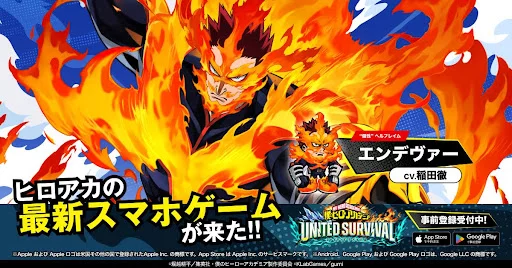
Verifying your client version is the first step toward ensuring a stable experience in MHA: UNITED SURVIVAL. The 1.0.1-d3a8 build, released on August 6, 2026, serves as the baseline for current server connectivity and content access. By checking the title screen, players can confirm they have the latest patch data, preventing potential compatibility issues or missing features that often arise when running outdated installation files on new devices.
Checking Your Version Number
Confirming the version number is essential for troubleshooting and ensuring your game client matches the current server requirements. The version information is displayed prominently on the title screen of MHA: UNITED SURVIVAL.
- Locate the Version Tag: Look for the alphanumeric string in the bottom corner of the game’s main title screen before logging in.
- Current Version: Ensure your client displays version 1.0.1-d3a8.
- Troubleshooting: If your screen displays a different number, clear your cache or perform a fresh install from your official app store to ensure you are on the most recent build.
Why Version Integrity Matters
Running the correct build is vital for maintaining account synchronization and accessing the latest event content. Updates in MHA: UNITED SURVIVAL often include critical performance optimizations and backend fixes that are required to join the live environment.
- Stability: Newer versions contain fixes for bugs found during the initial release phase.
- Server Compatibility: Connecting with an outdated version will often result in a connection error or a forced update prompt.
- Feature Access: Seasonal events and hero banners are tied to the version build; missing an update may prevent you from participating in time-limited activities.
Maintaining Your Client
To avoid frequent manual updates, ensure your device settings allow for automatic background updates. If you notice persistent issues with the game loading or displaying the correct version, follow these steps:
| Action | Purpose |
|---|---|
| Check App Store | Verify if a newer patch is available for download. |
| Clear Cache | Resolve minor UI or data-loading errors from the menu. |
| Re-install | Use as a last resort if the version string fails to update. |
Always check the title screen after a maintenance window or a scheduled update to confirm that your client has successfully patched to the latest iteration.

Free MHA: UNITED SURVIVAL Codes
Current active codes and how to redeem them.

Michael Smith
Michael covers live-service games, events, reward systems, and efficient daily routines, turning frequent updates into clear actions for players.
COMMUNITY
Player Comments
34 players commented on this guide.
This guide answered the exact question I had.
I tried this today and it worked better than my old setup.
Can you add more details about strategy in a future update?
The tips are practical and easy to follow.