
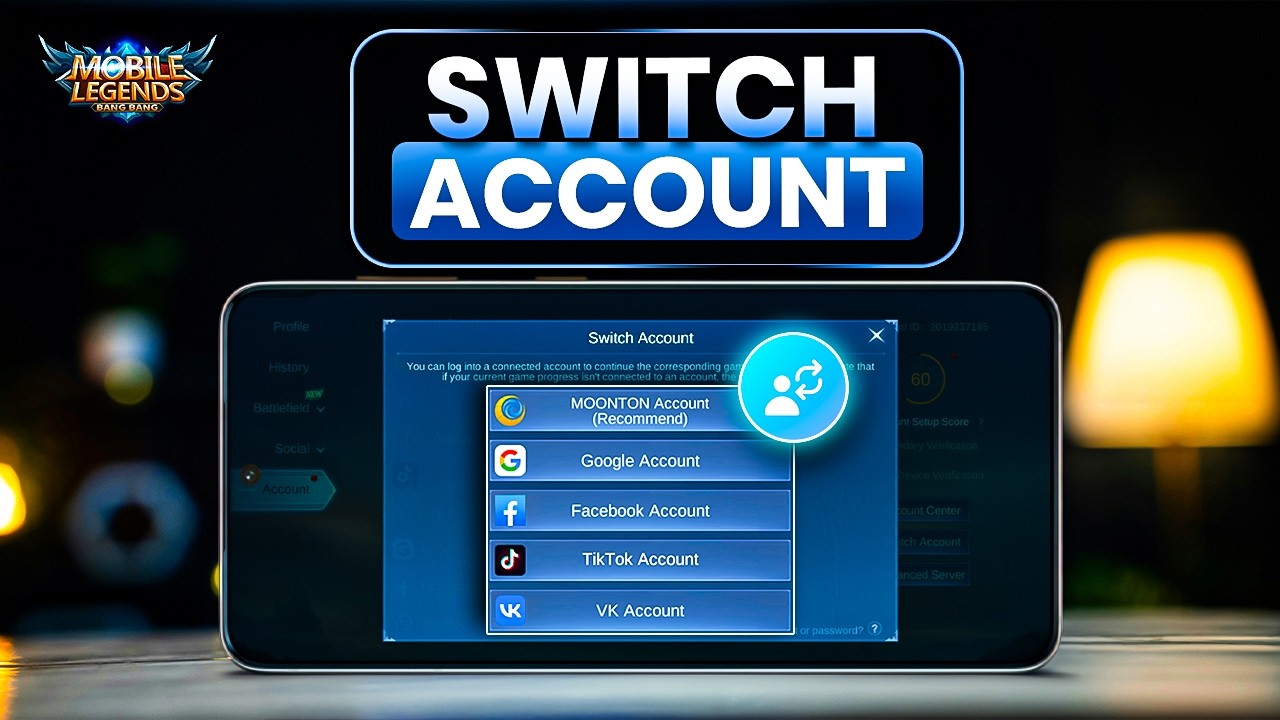
To switch accounts in Mobile Legends: Bang Bang.US on Android, open your player profile from the main lobby, navigate to the Account tab, select Switch Account, and sign in using your destination credentials. Once you confirm your target Account ID and server, the game client restarts automatically to load your alternate profile.
Securing Your Current Profile Before Switching
Verify that your active profile is linked to an external platform before initiating an account swap. In Mobile Legends: Bang Bang.US, local session data on Android is overwritten when a new login occurs. If you are playing on an unlinked guest account, switching to another profile causes immediate loss of your ranked progress, hero unlocks, and emblem upgrades.
To confirm your account security:
- Tap your avatar in the top-left corner of the main lobby.
- Select the Account tab from the left menu.
- Check the connector icons for a Moonton Account, Google Play Games, Facebook, TikTok, or VK.
If an account shows a linked username or email address, your data is safe on the server. If all services show an unbound status, bind your current profile to at least one third-party platform before proceeding.
Steps to Access the In-Game Account Switcher
Do not clear app data or reinstall the game to change accounts. Doing so forces redundant asset downloads without logging you into your target account. The switching process is handled entirely inside the client.
- Tap your player avatar in the top-left corner of the lobby screen.
- Select the Account tab at the bottom of the left navigation column.
- Locate the action buttons on the right side of the screen.
- Tap Switch Account to open the login selection window.
Do not select the New Account button located below Switch Account, as that starts a brand-new character creation process instead of loading an existing profile.
Supported Authentication Methods
The in-game switcher supports several third-party services. Selecting the correct channel ensures your credentials validate without errors.
| Login Platform | Credential Type | Android Switching Method | Recommended Profile Role |
|---|---|---|---|
| Moonton Account | Email and Password | Direct in-game text entry | Primary accounts and regular alts |
| Google Play Games | Linked Google Account | Device-level account picker | Android-exclusive secondary profiles |
| Social Network Login | External app or web authorization | Profiles linked to social contacts | |
| TikTok / VK | Third-Party Platform ID | Web token redirect | Regional alternate accounts |
A Moonton Account offers the most direct transition because it functions independently of the device's default Google profile. If you choose an option that is not linked to your target profile, the client will display an error stating that the account does not exist.
Fixing Google Play Auto-Login Loops on Android
Android players frequently encounter a loop where selecting Google Play Games automatically logs back into the current account instead of offering a profile choice. This happens when the Google Play Games app defaults to a specific Gmail address for the title.
To restore the account selection prompt:
- Completely close the Mobile Legends: Bang Bang.US client.
- Open the standalone Google Play Games app on your Android device.
- Tap the three-dot menu icon in the upper-right corner and select Settings.
- Scroll to the Your data section and tap Change account for games.
- Locate Mobile Legends: Bang Bang.US and switch its setting to Ask each time.
Reopen the game, return to the Switch Account menu, and select Google Play Games. The client will now prompt you to choose from all active Google accounts on your phone.
Confirming the Profile Transfer
After authenticating through your chosen platform, a verification dialogue displays the target profile's nickname, Account ID, and Server ID. Review these details to confirm they match your destination account, then tap OK.
The application immediately closes and restarts to fetch your account data from the server. Because game assets, skins, and audio files are shared across all profiles on the device, switching accounts does not trigger additional data downloads. If your destination account has two-step verification enabled, enter the one-time code sent to your registered email when prompted to complete the sign-in.
Free Mobile Legends: Bang Bang.US Codes
Current active codes and how to redeem them.

Michael Smith
Michael covers live-service games, events, reward systems, and efficient daily routines, turning frequent updates into clear actions for players.
COMMUNITY
Player Comments
52 players commented on this guide.
I wish I had read this before upgrading the wrong thing.
The tips are practical and easy to follow.
I tried this today and it worked better than my old setup.
This guide answered the exact question I had.