
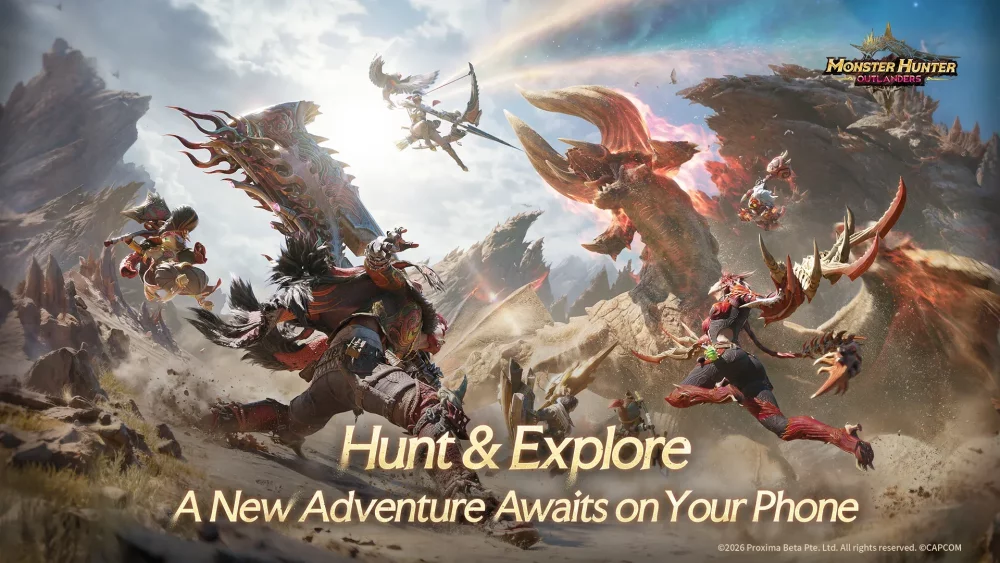
To prepare for Monster Hunter Outlanders, link your primary gaming profile to your official storefront account, verify your device's local network permissions, and pre-order through official channels that list early purchase tags. Completing these setup actions ensures immediate access to early-game equipment bonuses and enables smooth multiplayer connectivity across mobile and console hardware.
Pre-Ordering and Claiming Early Purchase Bonuses
Pre-ordering Monster Hunter Outlanders grants access to limited-time early purchase items designed to aid initial character progression and aesthetic customization. To secure these rewards without missing critical promotional windows, complete the following steps:
- Verify the Product Tag: Check your platform storefront to ensure the item listing explicitly includes the "early purchase" tag before completing your purchase.
- Link Platform Accounts: Connect your active publisher or storefront credentials to the platform where you plan to play so promotional entitlements register automatically.
- Claim Delivery in Game: Access the early purchase items through the designated in-game delivery or inbox menu once the game launches.
Because early purchase bonuses are limited-time offerings, failing to verify tag inclusion or store credentials prior to checkout can prevent item distribution.
Setting Up Cross-Play and Local Multiplayer
Monster Hunter Outlanders supports both cross-play functionality across different hardware ecosystems and internet-free local communication for nearby players. Configuring your network settings and accounts in advance prevents connectivity delays when joining party lobbies.
Cross-Play Setup
Cross-play allows players on mobile devices and dedicated consoles to share lobbies and progress together. To ensure your hunter data transfers cleanly between platforms:
- Prepare your unified login credentials prior to initial boot.
- Enable cloud synchronization in your account profile to keep inventory, character progression, and friend lists aligned across devices.
Local Communication Setup
Local multiplayer enables direct device-to-device connections for face-to-face hunting sessions without requiring an active internet connection.
- Confirm that local wireless permissions and network discovery are enabled in your device settings.
- Keep participating hardware within direct wireless range during local lobby setup.
Connectivity and Purchase Feature Overview
| Feature | Network Requirement | Key Setup Action | Primary Benefit |
|---|---|---|---|
| Cross-Play | Internet connection | Link platform account and enable cloud sync | Hunt with players across mobile and console systems |
| Local Communication | Local wireless (No internet required) | Enable local network discovery permissions | Host offline hunts with nearby devices |
| Early Purchase Bonuses | Storefront connection | Buy via official channels with "early purchase" tag | Secure starting gear and resources for early progression |
Free Monster Hunter Outlanders Codes
Current active codes and how to redeem them.

Michael Smith
Michael covers live-service games, events, reward systems, and efficient daily routines, turning frequent updates into clear actions for players.
COMMUNITY
Player Comments
94 players commented on this guide.
This saved me time in the early game.
Can you add more details about early game in a future update?
The tips are practical and easy to follow.
I tried this today and it worked better than my old setup.