
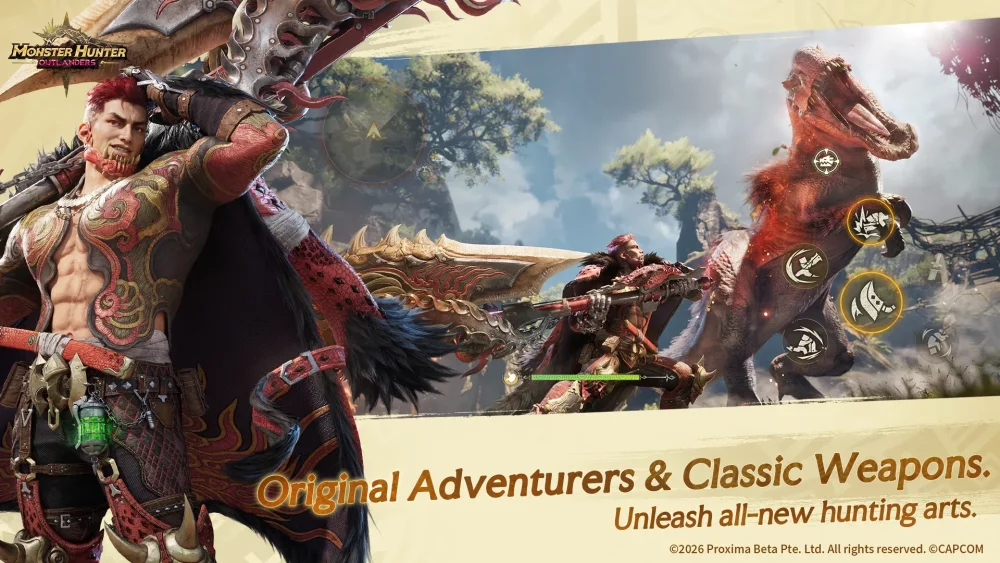
Transitioning to a dedicated controller for Monster Hunter Outlanders is the single most effective way to elevate your gameplay from casual hunting to professional-grade performance. While the game’s touch interface is designed for accessibility, the sheer complexity of Monster Hunter combat—which demands simultaneous movement, camera manipulation, and precise attack timings—often outgrows the capabilities of a glass screen. By utilizing a physical controller, you remove the "thumb-blocking" visibility issues, gain tactile confirmation of your inputs, and significantly reduce the ergonomic strain associated with long hunting sessions.
Why Controllers Outperform Touch in Monster Hunter Outlanders
In Monster Hunter Outlanders, information is your greatest asset. Every monster has a "tell"—a subtle movement or sound that indicates a powerful attack is incoming. On a mobile touchscreen, your thumbs frequently occupy the bottom corners of the display, often obscuring the monster’s feet or the terrain, which are critical for reading telegraphs.
Physical controllers offer two distinct advantages here:
- Visual Real Estate: By moving your inputs to a physical device, you clear the screen entirely, allowing you to track the monster’s silhouette and the environment without obstruction.
- Tactile Feedback: Touchscreens lack the "click" required for high-tension gameplay. When you are deep into a Great Sword charge or timing a Lance counter, the physical resistance of a button provides confirmation that your input has been registered. This reduces "input anxiety," where players tap repeatedly or too early, leading to wasted stamina or failed combo strings.
Enhancing Combat Precision Through Layout Mapping
The "Gold Standard" for Monster Hunter controls involves a configuration that allows for full control of movement, camera, and attacks without ever lifting your thumbs from the sticks.
To achieve this, adopt a "Trigger-Centric" mapping strategy:
- Attack Mapping: Place your primary and secondary attacks on the shoulder triggers (R1/R2 and L1/L2). This keeps your right thumb free to maintain constant control over the camera.
- Dodge and Sprint: Assign your dodge/evade to a face button that is easily reachable without moving your thumb from the right stick, or map it to a secondary trigger if your controller allows.
- Camera Control: Use the right analog stick for 100% of your camera adjustments. Avoid relying on the "Target Lock" feature as your primary view tool, as it can often struggle with verticality in complex biomes. Manual, fluid panning using the stick is vastly superior for tracking fast-moving targets like the Rathalos.
- Menu Navigation: Utilize the D-Pad for item wheel selection. During a hectic hunt, you cannot afford to tap a sub-menu to find your Mega Potion. Mapping the item bar to the D-Pad ensures that your healing or sharpening commands are a single, muscle-memory movement away.
Ergonomics: Hunting for the Long Haul
Monster Hunter Outlanders is designed for long, immersive sessions. Holding a mobile device for two hours while performing rapid, multi-touch gestures is a recipe for wrist strain and "gamer’s thumb."
Controllers are ergonomically designed to distribute the weight of the device and the tension of your grip across your entire hand. When using a controller, aim for a relaxed, neutral wrist position. If you are playing on a mobile device, invest in a high-quality phone mount that clips directly to your controller. This keeps your screen at eye level, preventing "tech neck" and ensuring that your hands remain in a comfortable, low-stress position during intense boss battles.
Managing Input Latency and Connectivity
While modern Bluetooth controllers are highly responsive, they are not immune to signal interference. To ensure your inputs are as crisp as possible:
- Prioritize Low-Latency Connections: If your controller supports it, use a wired connection via a USB-C OTG adapter. This eliminates the minor, millisecond-level delays inherent in wireless signals, which is vital for frame-perfect dodges.
- Charge Management: Never enter a high-rank hunt with a low battery. A controller disconnecting mid-combo is the fastest way to cart. Develop a habit of checking your battery levels during your "hub time" (crafting/sorting inventory).
- System Settings: Check your mobile device’s settings for "Game Mode" or "High-Performance Mode." These settings often prioritize input polling rates, ensuring that your controller inputs are processed with the highest priority by the mobile CPU.
Essential Strategies for Success
The Training Ground Test
Never map a new control scheme and immediately enter a hunt. Spend at least 10 minutes in the training area. Practice your weapon's most complex combo and your ability to dodge while panning the camera simultaneously. If you find yourself "fumbling" for a button during a low-stakes training session, you will certainly fail during a high-stakes hunt.
Weapon-Specific Customization
Not all weapons require the same layout.
- Heavy Weapons (Great Sword/Hammer): Prioritize button stability and clear access to your charge modifiers.
- Light/Ranged Weapons (Light Bowgun/Bow): Prioritize aiming sensitivity. You may need to lower your right-stick sensitivity for ranged weapons to ensure you can track monster weak points without over-aiming.
Handling Updates and Meta Shifts
As Monster Hunter Outlanders receives patches, new mechanics or weapon types may be introduced. Periodically review your controller settings after major updates. Developers occasionally adjust the default control schemes, and you may find that a new move requires a specific button assignment to be performed efficiently.
Summary: The Competitive Edge
The transition to a controller is not just about comfort; it is about reaching a higher skill ceiling. By clearing your screen, automating your item usage through D-pad mapping, and utilizing shoulder triggers to free up your thumbs, you gain the ability to react to monsters with the speed and precision that the Monster Hunter series demands. Spend the time to master your custom layout, and you will find that the game feels significantly more fluid, intuitive, and rewarding.

Free Monster Hunter Outlanders Codes
Current active codes and how to redeem them.

James Brown
James focuses on Android gaming on PC, emulator setup, controls, performance tuning, and practical troubleshooting for longer play sessions.
COMMUNITY
Player Comments
81 players commented on this guide.
The tips are practical and easy to follow.
This helped me understand strategy much better.
I tried this today and it worked better than my old setup.
This saved me time in the early game.