
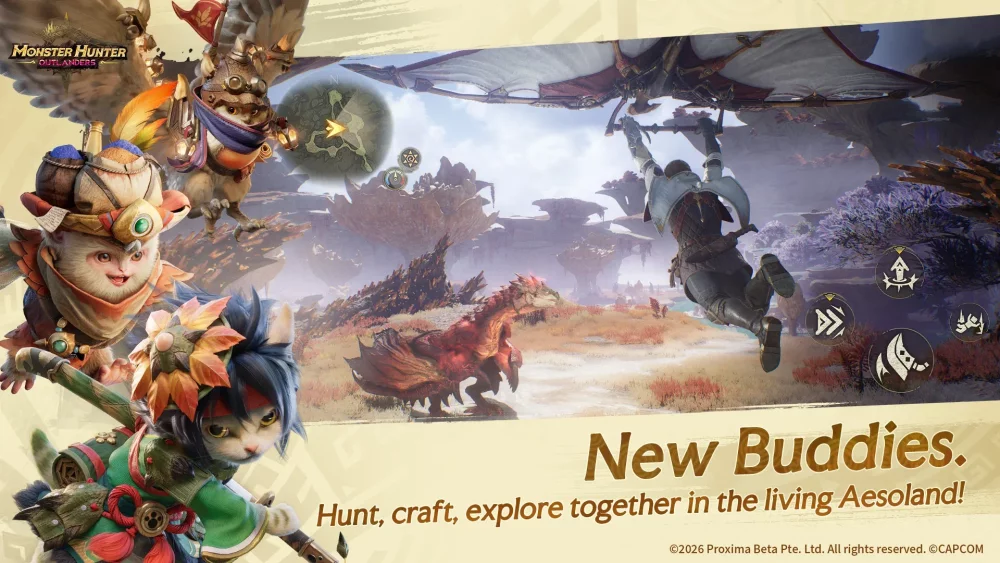
To achieve peak hunting performance in Monster Hunter Outlanders, you must bridge the gap between mobile convenience and console-grade precision. While the game is built for the accessibility of mobile hardware, the series' hallmark complexity—demanding precise positioning, frame-perfect dodges, and intricate attack combos—often outstrips the capabilities of touch-screen interfaces. By transitioning to native controller support and optimizing your mobile device’s performance settings, you can eliminate the mechanical bottlenecks that lead to missed opportunities and unnecessary "carting" during high-stakes boss encounters.
The Competitive Edge of Native Controller Support
The most significant advantage for any serious player in Monster Hunter Outlanders is the adoption of native controller support. Touch-screen controls suffer from two primary issues: "thumb fatigue" and lack of tactile feedback. When you rely on glass screens, you lack the physical confirmation of a button press, which can lead to accidental misfires during critical moments, such as failing to trigger a weapon’s special move or missing a vital defensive counter.
By utilizing a dedicated gamepad, you gain physical inputs that allow for a higher level of "muscle memory" development.
- Tactile Feedback: Physical buttons provide the immediate confirmation needed to execute complex weapon combos reliably.
- Uninterrupted Movement: Utilizing shoulder buttons (L/R) for essential actions like dodging or item usage allows you to keep both thumbs on the analog sticks, ensuring seamless camera control and character positioning.
- Reduced Misinputs: Mapping high-frequency actions to physical triggers removes the danger of "ghost touches" or sliding off the intended screen area during intense, high-motion encounters.
Optimizing Hardware for Hunting Stability
Monster Hunter Outlanders is designed to be a graphically ambitious title, but mobile hardware is subject to thermal throttling, which can degrade performance mid-hunt. To maintain a competitive edge, you must prioritize frame rate stability over visual fidelity. A fluctuating frame rate creates "input stutter," making it nearly impossible to time your dodges against a monster’s telegraphed attack.
Recommended Performance Settings:
- Prioritize Frame Rate: Always select the "Performance" or "60 FPS" mode in the game’s display settings. Even if the game looks slightly less sharp, the increased frequency of frames provides more visual information, allowing you to react to monster animations significantly faster.
- Adjust Shadow and Particle Density: If you experience drops during chaotic multi-monster encounters, lower the shadow quality and particle effect density. These settings consume the most GPU power and are the primary culprits for frame drops when special move effects fill the screen.
- Manage Device Temperature: Use a phone cooler or ensure you are not playing while charging, as high thermal output will cause your device to lower its clock speed automatically, leading to stuttering during the most intense parts of a quest.
Mitigating Input Latency and Response Delays
Input latency—the delay between your physical action and the on-screen result—is the silent killer in action-oriented mobile games. Even a 50ms delay can be the difference between a successful iframe dodge and being hit by a monster’s tail swipe.
To minimize latency:
- Connection Protocols: If using a Bluetooth controller, ensure it is a modern device supporting Bluetooth 5.0 or higher. If your device supports it, a wired USB-C connection is always superior, as it eliminates wireless interference and potential signal drops.
- OS Performance Modes: Enable "Game Mode" or "Do Not Disturb" on your phone. These modes prioritize the game's process in your mobile OS, limiting background tasks and push notifications that can cause micro-stutters.
- Disable V-Sync (If available): If your device allows for advanced display settings, testing the game with V-Sync off can reduce input lag, though you may experience minor screen tearing.
The Hybrid Skillset: Navigating Menus vs. Combat
While a controller handles the visceral experience of the hunt, you will still interact with the UI for inventory management, crafting, and quest preparation. Mastering Monster Hunter Outlanders requires adopting a "hybrid" playstyle.
Don't treat the UI as an afterthought. High-level players spend significant time in the menus optimizing loadouts and crafting gear. When you are outside of combat, become comfortable with the game's menu navigation shortcuts. Learning which buttons quickly pull up your crafting list or item pouch is essential for maintaining momentum.
If you find yourself frequently misclicking while navigating menus with a controller, spend a few minutes in the base hub remapping your "Quick Nav" buttons. Efficiently managing your resources between quests allows you to spend more time in the field, increasing your efficiency in farming materials and ranking up.
Strategic Decision Making: When to Use Which Tool
The choice to use a controller is not just about comfort; it is a tactical decision. For low-rank gathering quests, touch controls may be perfectly sufficient and even more convenient for players on the go. However, as you progress into high-rank hunts and endgame boss encounters, the requirements for precision increase exponentially.
When to switch to a Controller:
- Boss Encounters: Any hunt involving a large monster where positioning and dodge-timing are critical.
- Precision Weapons: Weapons like the Bow, Light Bowgun, or Great Sword, which require precise aiming or long charge-up windows, benefit significantly from the stability of physical buttons.
- Long Sessions: If you intend to play for more than 30 minutes, a controller will significantly reduce hand strain, allowing for more consistent performance over time.
By treating your hardware setup as an extension of your hunter's gear, you prepare yourself for the challenges ahead in Monster Hunter Outlanders. Focus on stabilizing your frame rate, minimizing input lag, and mastering your controller layout, and you will find yourself performing at a level far beyond the average mobile player. Success in this game is built on preparation—make sure your setup is ready before you set foot in the field.

Free Monster Hunter Outlanders Codes
Current active codes and how to redeem them.

Emily Johnson
Emily writes practical mobile strategy guides with a focus on resource planning, base progression, and the early decisions that shape a long-term account.
COMMUNITY
Player Comments
117 players commented on this guide.
I tried this today and it worked better than my old setup.
This guide answered the exact question I had.
Good guide for Monster Hunter Outlanders players. The strategy part was useful.
Nice guide. I am checking the other Monster Hunter Outlanders articles next.