
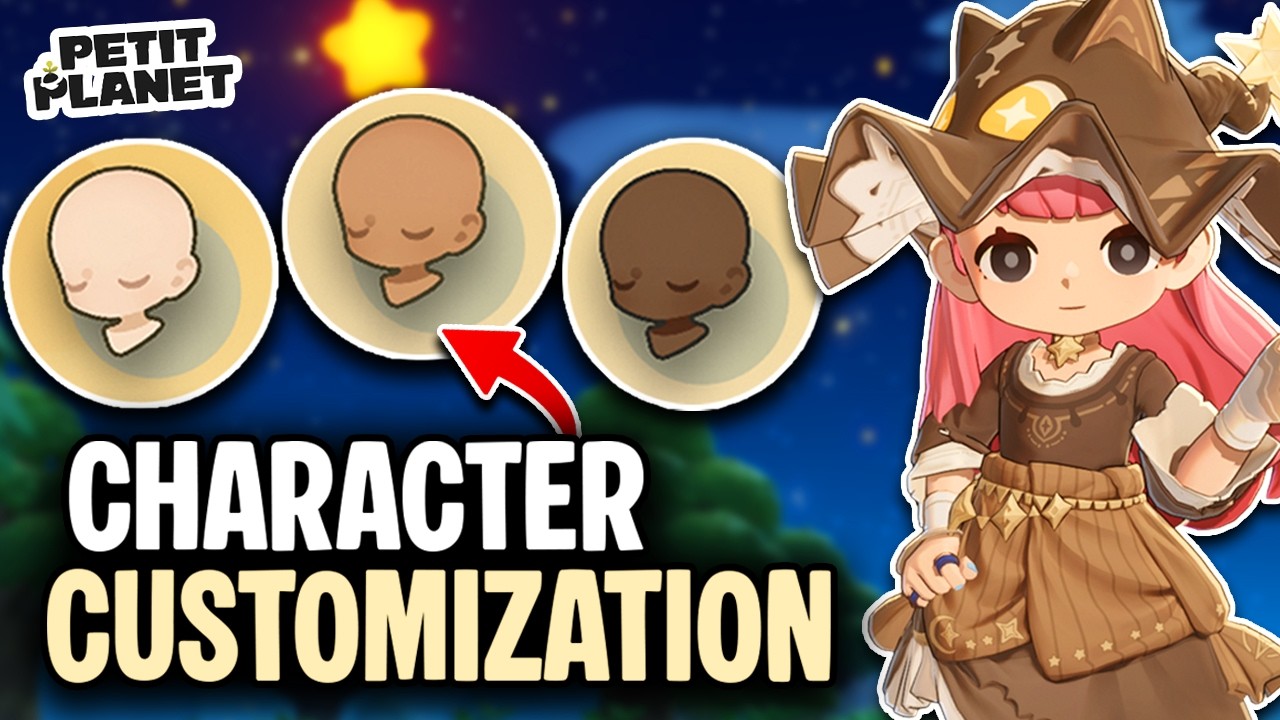
In the Petit Planet Stardrift beta, your avatar serves as your primary digital footprint. Because the game emphasizes social interaction and community exploration, your character's appearance is more than just a cosmetic choice—it is your identity in the world. The current character creator offers a robust suite of tools that allow for deep personalization, ranging from foundational skin tones to granular facial adjustments. This guide provides an expert breakdown of how to navigate the customization suite to ensure your avatar stands out in the Stardrift.
Mastering the Character Creator Interface
The Petit Planet character creation suite is designed with a modular, tabbed interface. When you first enter the creator, you will notice that options are grouped by physical attributes. This organization is intentional, allowing you to cycle through different categories without losing your progress.
Expert Tip: Before finalizing any single feature, use the 3D model rotation tool extensively. The lighting engine in the Stardrift beta is dynamic, meaning that textures, skin tones, and eye colors can shift significantly depending on the angle of the light source. Rotate your character 360 degrees, particularly when selecting hair and eye colors, to ensure your chosen palette looks consistent in both bright and shadowed environments.
Foundational Customization: Skin Tones and Facial Proportions
Your skin tone is the most critical foundational element in Petit Planet. It dictates the "color temperature" of your character, which will influence how clothing and hairstyles appear later. The beta offers a wide spectrum of tones, including standard natural shades and more stylized, vibrant options.
Once your base tone is set, you can manipulate facial proportions using the available sliders. These adjustments are subtle but transformative:
- Eye Spacing and Size: Modifies the "age" and personality of your character.
- Jawline and Chin Width: Adjusts the silhouette, allowing for a softer or sharper look.
- Nose and Mouth Positioning: Fine-tunes the focal points of the face.
Because Petit Planet features a camera that often zooms in during social interactions, your facial proportions are the primary identifier for other players. Aim for a balanced silhouette if you want a classic look, or experiment with exaggerated features if you are aiming for a highly stylized, anime-inspired aesthetic.
Hairstyles: Styling for Silhouette and Clipping
Hairstyles in Petit Planet act as the most significant factor in your character's overall silhouette. The game offers a variety of lengths, from practical crops to flowing, intricate designs.
When choosing a hairstyle, consider the following technical factors:
- Clipping Potential: While the developers have optimized many styles, longer hair can occasionally clip through high-collared gear or heavy accessories. If you plan on wearing specific types of armor or fashion items later, test how the hair rests against the shoulders.
- Color Saturation: The color picker provides access to both natural and fantasy color palettes. Use the saturation slider to avoid "flat" colors. High-saturation, neon, or pastel colors are excellent for making your character easily identifiable to friends in crowded social hubs.
- Contrast: To make your character pop, select a hair color that provides high contrast against your skin tone. This ensures that your avatar doesn't "wash out" when viewed from a distance during open-world exploration.
Fine-Tuning Eye Shapes and Colors
The eyes are the emotional center of your Petit Planet character model. The beta provides several eye shapes that range from sharp and alert to soft and rounded.
- Personality Expression: If you want your character to appear energetic, look for shapes that feature a wider iris. If you prefer a mysterious or calm vibe, look for narrower, more angular eye shapes.
- Color Selection: The eye color picker allows for granular control. Many players opt for heterochromia (different colored eyes) if the build allows, or colors that complement their hair color. Because your eyes are the most prominent feature during dialogue and close-up social interactions, choose a color that reflects your intended roleplay or personal style.
Strategic Considerations for the Beta Build
Because Petit Planet is currently in its Stardrift beta phase, it is vital to approach character customization with the understanding that this is a work-in-progress build.
- Finalization Caution: Once you finalize your character, changing these features may not be possible, or it may require rare in-game currency or resources that are not easily accessible during the early stages of the game. Treat your initial creation as a semi-permanent decision.
- Optimization Shifts: Be aware that some textures, physics, and lighting effects are subject to change. A hair color or skin tone that looks perfect in the current beta build may look slightly different after future optimization patches.
- Beta Feedback: If you notice clipping issues or bizarre lighting artifacts while customizing, take a screenshot and submit it through the official feedback channels. The developers rely on this data to refine the final character creation system.
Summary Checklist for Your Avatar
To ensure you get the best result, follow this checklist before hitting "Confirm":
- Rotate and Check: View your character from every angle to ensure there are no unintended gaps or clipping issues.
- Test the Contrast: Ensure your hair, eyes, and skin have enough contrast to stand out in both bright and dim lighting.
- Prioritize Personality: Choose facial shapes that convey the "vibe" you want to present to other players in the social space.
- Commit with Confidence: Since changing your base appearance later might be difficult, take an extra five minutes to cycle through every option in the menu.
By following these guidelines, you will create a character that not only looks unique but is also optimized for the visual standards of the Petit Planet Stardrift beta. Whether you are aiming for a realistic avatar or a bold, stylized creation, these tools provide the versatility needed to make your mark on the world.

Free Petit Planet Codes
Current active codes and how to redeem them.

Michael Smith
Michael covers live-service games, events, reward systems, and efficient daily routines, turning frequent updates into clear actions for players.
COMMUNITY
Player Comments
87 players commented on this guide.
I wish I had read this before upgrading the wrong thing.
I tried this today and it worked better than my old setup.
This guide answered the exact question I had.
This helped me understand heroes much better.