
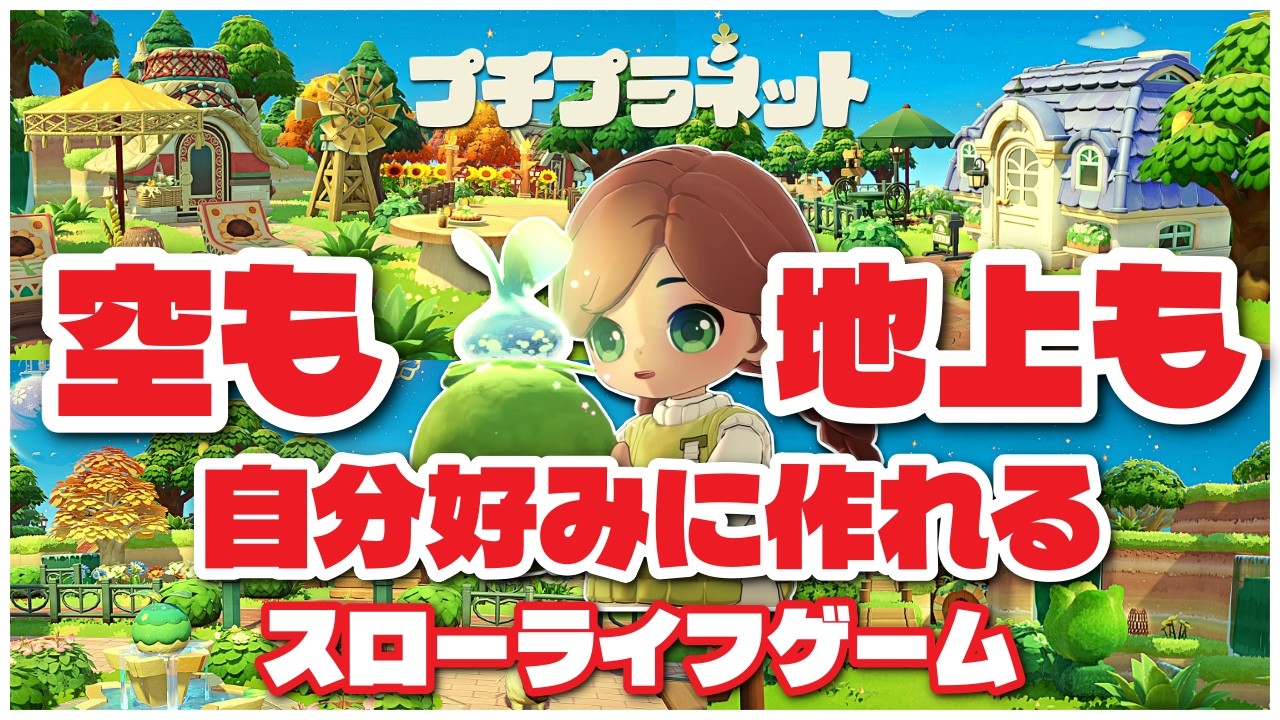
Designing a compelling, functional star in Petit Planet is about more than just placing items; it is a blend of environmental storytelling and pathfinding efficiency. As you progress through the game, your ability to manage spatial constraints directly impacts how you interact with your environment and how guests perceive your creative vision. Whether you are aiming for a minimalist, cozy retreat or an elaborate, high-density city-scape, mastering the mechanics of terrain and object placement is essential for long-term success.
Establishing Focal Points for Star Navigation
In Petit Planet, the "first impression" is everything. Visitors—and you, during your daily resource cycles—need a clear starting point to orient themselves within the map. Without a defined focal point, a star can feel disorganized, leading to wasted time during navigation.
The Hub-and-Spoke Methodology
Identify one central "Hub" area, such as a plaza or your primary house entrance. This should be the terminus of your arrival point.
- Anchor Items: Use high-tier, rare, or unique furniture at your hub to draw the eye immediately upon spawn.
- Directing Traffic: Utilize stone paths or terrain patterns that radiate outward from this center. This subconsciously guides players toward secondary activity zones without the need for intrusive UI markers.
- The Contrast Rule: Place your focal items on terrain that contrasts with the surrounding area. For example, if your planet is lush and green, use pale stone or wood platforms to make the centerpiece pop.
Leveraging Verticality in Terrain Sculpting
Terrain sculpting is your most powerful tool for expanding the perceived size of your Petit Planet. By moving beyond a flat, single-level design, you can create distinct "districts" that feel unique despite the limited total surface area of your star.
Sculpting Natural Transitions
Avoid building rigid, blocky towers unless your theme specifically calls for it. Instead, focus on naturalistic terracing:
- Overlooks: Build raised platforms at the highest points of your terrain. These serve as perfect locations for viewing benches or telescopes, encouraging visitors to pause and take in the view.
- Functional Zoning: Use elevations to separate "work" zones (gathering/crafting) from "social" zones (seating/leisure). This creates a psychological separation that makes your star feel larger than it is.
- Staircase Integration: Integrate stairs into the natural slope of hills rather than placing them as separate objects. This makes your planet look like it grew organically rather than being manually edited.
Optimizing Furniture Placement for Flow
Furniture in Petit Planet is not just aesthetic; it affects your character’s hitboxes and pathing. A common pitfall is "clutter-trapping," where too many objects are placed in high-traffic corridors, making movement feel sluggish.
Managing Spatial Bottlenecks
- The 3-Tile Rule: Ensure that your primary walkways are at least three tiles wide. This prevents your character and NPCs from getting stuck on furniture edges or decorative foliage.
- Wall-Huggers: Place large objects against cliffs, trees, or the edge of the star. This keeps the center of your paths open and provides a clean line of sight across the map.
- The Pockets Technique: Group smaller items (lanterns, potted plants, small stools) around larger centerpieces. This creates "pockets of detail" that look intentional and curated, rather than scattered and messy.
Balancing Density and Open Space
A sophisticated star relies on the principle of "negative space." If you cover every tile with decorations, the game engine may feel cluttered, and the individual beauty of your rarest items will be lost in the noise.
The Hierarchy of Density
- High-Traffic Zones (Minimalist): Areas near the landing pad and primary resource nodes should be clean. Keep decorative density low to ensure maximum efficiency during movement.
- Feature Areas (High-Density): Use your furniture cap allowance here. These spots should feel rich and detailed, showcasing your ability to layer items effectively.
- Buffer Zones: Incorporate natural borders, such as empty grass tiles or tree lines, between your feature areas. These act as visual "breathers," allowing the eye to rest and preventing the map from feeling overwhelming.
Adapting Designs to Seasonal Changes
Petit Planet is a living game where the environment shifts over time. A design that looks perfect in the spring might feel out of place during the winter. Treat your layout as a dynamic, seasonal project rather than a static map.
Iterative Design Strategies
- Palette Swapping: Keep a "seasonal storage" category in your inventory. When the season changes, swap out color palettes. For instance, replace vibrant, warm-colored flowers with cooler, muted-tone vegetation during colder months.
- The Rotation Milestone: Every time you reach a new progression milestone, rotate one major area of your map. This prevents burnout and keeps your star feeling fresh for returning visitors.
- Theme Continuity: Even as you change items, keep your core focal points (the "Hub" area) consistent in structure so that regulars don't get lost when visiting.
Common Mistakes to Avoid
Many players fall into the trap of "over-decorating" early in their progression. Here is how to keep your design professional:
- Floating Objects: Always ensure furniture is snapped to the terrain. If an object looks like it is hovering, adjust the elevation of the tile beneath it.
- Ignoring Interaction Points: Never place a piece of furniture directly in front of a resource node or a door. Test your layout by walking every path at least once after a major update to ensure no invisible collision issues have been created.
- Ignoring Lighting: Daytime looks are important, but don't forget how your layout looks at night. Use lanterns and glowing plants to highlight pathways in the dark, ensuring your star is navigable 24/7.
By focusing on these spatial design principles, you turn your Petit Planet from a collection of items into a cohesive world. Remember: efficiency in movement and beauty in composition are not mutually exclusive. When you build with intention, you create a space that is as fun to navigate as it is to look at.

Free Petit Planet Codes
Current active codes and how to redeem them.

Michael Smith
Michael covers live-service games, events, reward systems, and efficient daily routines, turning frequent updates into clear actions for players.
COMMUNITY
Player Comments
37 players commented on this guide.
This saved me time in the early game.
I tried this today and it worked better than my old setup.
This guide answered the exact question I had.
I wish I had read this before upgrading the wrong thing.